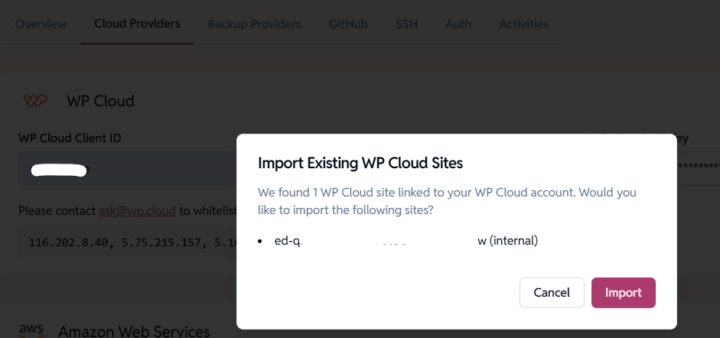
If you already have WP Cloud WordPress sites managed elsewhere, you can seamlessly import them into the EasyEngine Dashboard. This allows you to manage, monitor, and operate your WP Cloud sites from one place.
How to Import Your WP Cloud Sites
- Go to Settings → Cloud Provider (tab).
- Add or update your WP Cloud API keys.
These keys allow EasyEngine to fetch and manage your WP Cloud sites. - Click Save.
Once the keys are validated, EasyEngine will check for any WP Cloud sites associated with your account. - A confirmation popup will appear showing the list of sites available for import.
- Click Import
EasyEngine will automatically import all your WP Cloud WordPress sites. - Imported sites appear in your sites listing page with full management capabilities.