AWS Permissions Reference
Before you add your AWS Access Key/Secret to the EasyEngine dashboard, please ensure your IAM user or role has the necessary permissions to access and manage the required AWS services.
Below is the minimum required IAM policy you must attach to your user/role to allow EasyEngine to provision, manage, and configure infrastructure for your site deployments.
Required IAM Policy
			{
  "Version": "2012-10-17",
  "Statement": [
    {
      "Sid": "VisualEditor0",
      "Effect": "Allow",
      "Action": [
        "ec2:*Tags",
        "ec2:AuthorizeSecurityGroupIngress",
        "ec2:*InternetGateways",
        "ec2:*InternetGateway",
        "ec2:*AddressesAttribute",
        "ec2:*Volumes",
        "ec2:*SecurityGroupEgress",
        "ec2:*Subnet",
        "ec2:*RouteTables",
        "ec2:UpdateSecurityGroupRuleDescriptionsIngress",
        "ec2:*SecurityGroupRules",
        "iam:PassRole",
        "ec2:*SecurityGroup",
        "ec2:DescribeNetworkInterfaces",
        "ec2:DescribeSecurityGroupVpcAssociations",
        "ec2:ModifyInstanceAttribute",
        "ec2:*Route",
        "ec2:UpdateSecurityGroupRuleDescriptionsEgress",
        "ec2:*Subnets",
        "ec2:*SecurityGroups",
        "ssm:GetParameters",
        "ec2:*RouteTable",
        "ec2:*Addresses",
        "ec2:RevokeSecurityGroupIngress",
        "ec2:DescribeImages",
        "ec2:*Vpc",
        "ec2:*Address",
        "ec2:*Vpcs",
        "ec2:*Instances",
        "ec2:*VpcAttribute",
        "ec2:DescribeSecurityGroupReferences",
        "ec2:*InstanceAttribute",
        "ec2:*Instance*",
        "ec2:DescribeInstanceTypes",
        "ec2:DescribeAvailabilityZones"
      ],
      "Resource": "*"
    },
    {
      "Sid": "VisualEditor1",
      "Effect": "Allow",
      "Action": [
        "kms:Decrypt",
        "kms:GenerateDataKey"
      ],
      "Resource": "arn:aws:kms:*:*:key/*"
    }
  ]
}
Why These Permissions?
- EC2-related actions – Required to create, modify, tag, and manage virtual servers, VPCs, subnets, security groups, and associated networking resources.
- IAM:PassRole – Allows EasyEngine to use a role when launching EC2 instances with specific permissions.
- SSM:GetParameters – Allows fetching instance parameters and configurations securely.
- KMS Permissions – Enables decryption and key generation for instances using encrypted AMIs or EBS volumes.
How to Use This Policy
- Go to the AWS IAM Console.
- Navigate to Policies → Create policy.
- Paste the above JSON into the JSON tab.
- Click Next, give it a name like
EasyEngineAccessPolicy, and save. - Attach the policy to the IAM user or role whose keys you’ll add to EasyEngine.
Note
- Using overly permissive policies (
ec2:*) may expose your infrastructure. We recommend using this policy only for integration with EasyEngine. - You can restrict this policy further with conditions or specific resource ARNs based on your organizational standards.
DigitalOcean Permissions Reference
Before adding your DigitalOcean API token to the EasyEngine dashboard, ensure your token is configured with the correct access scopes. These scopes allow EasyEngine to provision and manage infrastructure on your behalf, including Droplets, Firewalls, SSH Keys, and more.
Required API Scopes
When generating your Personal Access Token in the DigitalOcean control panel, make sure to enable the following scopes:
| Resource | Access Required |
| droplet | create, read, update, delete, admin |
| firewall | create, read, update, delete |
| regions | read |
| sizes | read |
| ssh_key | create, read, update, delete |
| tag | create, read, delete |
| project | read |
| image | read |
Why These Scopes?
- Droplet – For creating, resizing, destroying, and managing your server instances.
- Firewall – To configure and manage network rules for secure access.
- Regions & Sizes – To determine available datacenter locations and server configurations.
- SSH Keys – To securely access newly created Droplets.
- Tags – For organizing and managing resources.
- Project – To fetch project context and assign resources accordingly.
- Image – To access OS images required during Droplet creation.
How to Enable Scopes
- Log in to your DigitalOcean Control Panel.
- Click Generate New Token.
- Name your token (e.g.,
EasyEngine Token). - Enable the above scopes.
- Click Generate Token.
- Copy and securely store the token. You’ll need to paste it into the EasyEngine dashboard.
Note
- Scopes cannot be edited once a token is created. If you miss a scope, you’ll need to generate a new token.
- For better security, we recommend using a token dedicated only to EasyEngine.
Hetzner Permissions Reference
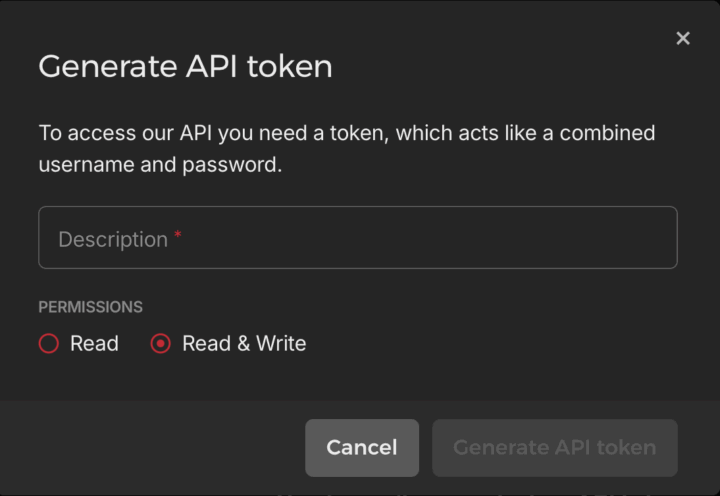
Token Permissions:
- Choose the ‘Read & Write’ Option