
EasyEngine v4.13.3 delivers fixes for two critical PHP vulnerabilities. For CLI-managed servers, run ee cli update to move enabled sites on PHP 8.2 through 8.5 to patched images.
The update also disables session upload progress by default for WordPress and PHP sites on Linux. See below for Dashboard-managed servers and extra steps for disabled sites, older PHP versions, and applications that use this feature.
What happened
On October 21, 2026, PHP published a security advisory for two vulnerabilities that can allow unauthenticated remote code execution: CVE-2026-109618 and CVE-2026-109619. Both are rated 9.2 under CVSS v4.0. Security researchers call them “php2shell”.
PHP says every installation that serves web requests is at risk. That includes PHP-FPM, which is what EasyEngine sites run.
The fixes are in PHP 8.2.35, 8.3.36, 8.4.27 and 8.5.12. PHP 8.1 and older are end of life and did not receive official patched releases. Minimal source backports are available for PHP 7.4, 8.0 and 8.1.
This is the release we announced in our heads-up post.
How to update
Using EasyEngine Dashboard? The Dashboard updates EasyEngine on your servers automatically. Review the sections below if you have disabled sites, sites on PHP 8.1 or older, or applications that use session upload progress.
For servers you manage directly, log in with root access and run:
# Update EasyEngine
ee cli update- Disk space: At least 5 GB free where EasyEngine and Docker store their data. With less, the update stops before changing anything.
- Update session: Run it inside
tmuxorscreen, so a dropped SSH connection doesn’t interrupt it. - Container updates and downtime: Each enabled WordPress and PHP site on PHP 8.2–8.5 is recreated on its patched image, one site at a time. A temporary container keeps each site serving during the switch, but plan for a brief interruption per site.
- Image downloads: The first site on each PHP version waits while its image downloads (a few hundred MB; about 1.5 GB on disk).
- If the update fails: EasyEngine stays on its current version, and you can run
ee cli updateagain. If the failure happens while sites are being moved to the new images, those sites go back to their previous images.
If a server is still on a version older than v4.13.2, review the update notes in our v4.10.2-v4.13.2 post first.
Disabled sites
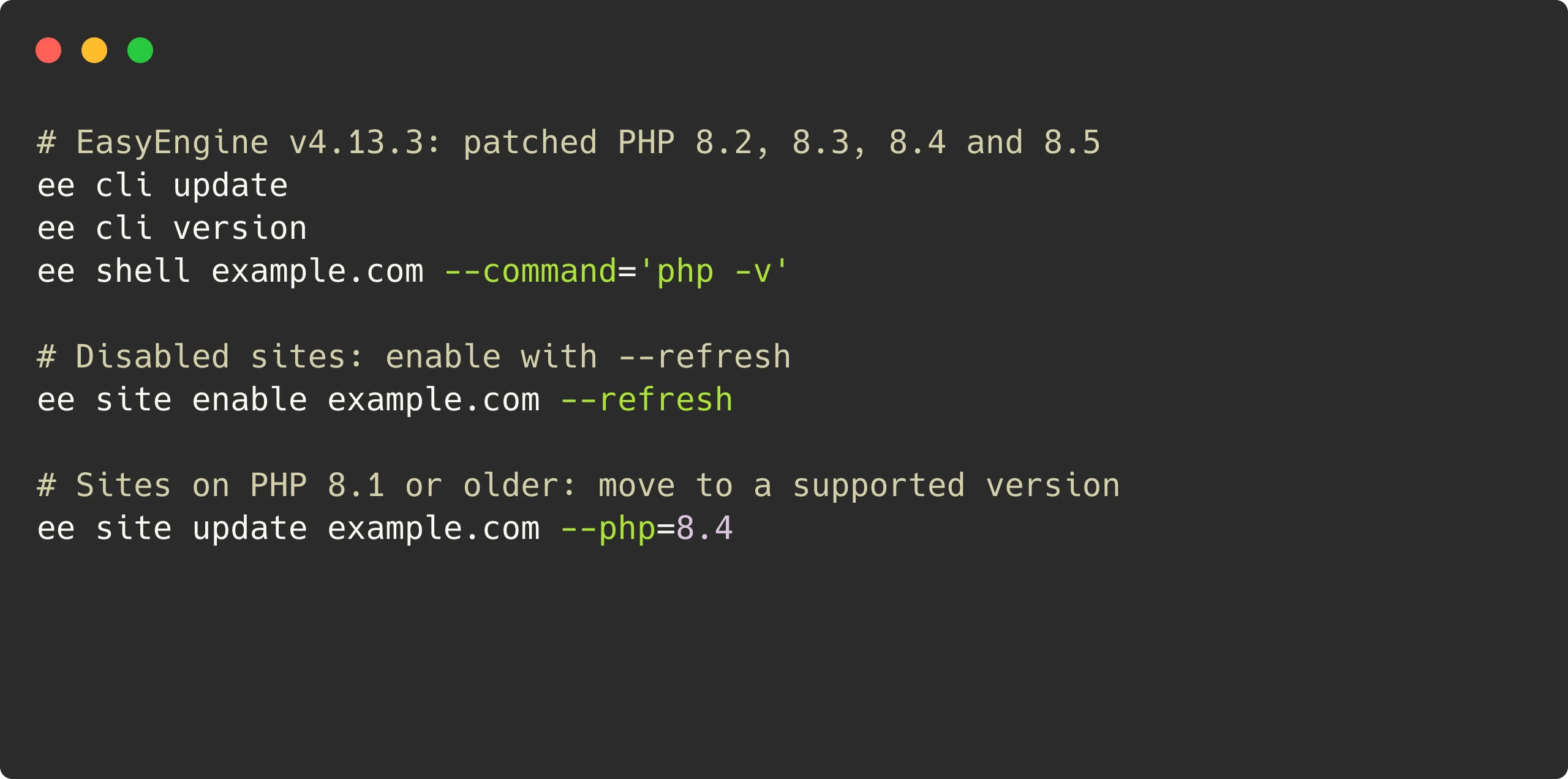
The update skips disabled sites, so they keep the old, unpatched image. ee site list --disabled shows them. Enable each one with --refresh, so it comes back on the patched image:
# Enable a disabled site on the patched image
ee site enable example.com --refresh
Without --refresh, ee site enable starts the old image again; ee site refresh example.com then moves the site to the patched image.
How to verify
After the update, replace example.com below with each site’s domain:
# EasyEngine version
ee cli version

# PHP version of a site
ee shell example.com --command='php -v'

# Session upload progress setting of a site
ee shell example.com --command='php -i | grep session.upload_progress.enabled'

# Running PHP containers
docker ps --format '{{.Names}} {{.Image}}' | grep easyengine/php
You should see:
- EasyEngine version:
ee cli versionshows EE 4.13.3. - PHP version: for a site on PHP 8.2–8.5,
php -vshows 8.2.35, 8.3.36, 8.4.27 or 8.5.12. - PHP image:
docker pslists the site’s PHP container on a:v4.13.3image. - Session upload progress: on Linux, the check shows
session.upload_progress.enabled => Off => Off, unless the site’scustom.inialready set it before the update.
If a site on PHP 8.2–8.5 still shows the older PHP version or image, run ee site refresh example.com to move it to the patched image.
What’s in v4.13.3
Patched PHP images
The EasyEngine PHP images for 8.2 through 8.5 are rebuilt on PHP’s fixed releases:
- PHP 8.2: 8.2.34 → 8.2.35
- PHP 8.3: 8.3.35 → 8.3.36
- PHP 8.4: 8.4.26 → 8.4.27
- PHP 8.5: 8.5.11 → 8.5.12
No other images change.
Session upload progress turned off on Linux
As announced, v4.13.3 also turns off PHP’s session upload progress feature by default for WordPress and PHP sites on Linux, including those on older PHP versions. PHP’s advisory has since confirmed the feature as an attack path for CVE-2026-109619, and recommends turning it off if you don’t need it, even after patching.
If a site’s custom.ini already sets the option, the update leaves it as it is. Otherwise, it adds these lines at the top of the file:
; Session upload progress is off for security; set it to On only if your app needs it.
session.upload_progress.enabled = Off- Running sites pick up the setting during the update.
- Disabled or stopped sites pick it up when they next start.
- New sites receive it from the start.
The update keeps a copy of each file it changes in /opt/easyengine/.backup/.
This is a precaution, not a replacement for patched PHP. PHP says it blocks the confirmed session paths but not other variants.
WordPress core doesn’t use this feature. Ordinary uploads, including the WordPress media uploader, continue to work. Plugins or custom applications that use PHP’s session-based upload progress tracking may need it enabled.
Turning session upload progress back on
Leave the feature off on sites still running PHP 8.1 or older.
If a plugin or custom application needs it, turn it back on for that site only. On a Linux server, back up the site’s custom.ini, then open /opt/easyengine/sites/example.com/config/php/php/conf.d/custom.ini, replacing example.com with your domain, and change the session.upload_progress.enabled = Off line to:
session.upload_progress.enabled = OnReload PHP for the site:
# Apply the PHP configuration change
ee site reload example.com --php
The check above should then show On => On. This applies to Linux; EasyEngine’s macOS development setup does not apply a site’s custom.ini, so the setting has no effect there.
Sites on PHP 8.1 or older
v4.13.3 has no patched images for PHP 8.1 and older, because PHP made no official release for them. On these sites, turning off session upload progress is not a complete fix. We strongly recommend moving them to PHP 8.2 or newer. Moving a site alone does not apply the fixes, so update to v4.13.3 first.
Before you move a site, take a backup and check that your theme and plugins support the newer PHP version. Then change the site’s PHP version:
# Move a site to PHP 8.4
ee site update example.com --php=8.4
The switch restarts the site, so expect a short interruption. The site keeps its custom.ini, including the upload progress setting.
If you can’t update yet
PHP’s workarounds reduce exposure to the confirmed attack paths but do not fix the vulnerabilities, so update as soon as you can.
Until then, on a Linux server, switch off session upload progress by hand, following the steps in our heads-up post.
On a PHP 8.5 site, PHP’s advisory also recommends turning off fatal_error_backtraces, which blocks the confirmed fatal backtrace path only. Add this line to the same custom.ini before you reload PHP:
fatal_error_backtraces = OffOlder PHP versions ignore the line. v4.13.3 keeps the lines you’ve added; once the site runs PHP 8.5.12, you can remove the fatal_error_backtraces line and reload PHP again.
Our release timeline
PHP released the fixes at 14:00 UTC on October 21. The official PHP Docker images, which our PHP images are built on, were available for all four versions by about 16:49 UTC. Here’s what we did between then and the v4.13.3 release:
- Rebuilt our PHP images: We rebuilt the EasyEngine images for PHP 8.2 through 8.5 on the official images, along with the extensions we install from PECL: memcached, redis, imagick, apcu, mcrypt, timezonedb, gmagick and imap.
- Worked around a PECL outage: From about 16:40 to 17:38 UTC, pecl.php.net returned intermittent server errors for most downloads. A build in that window could complete without those extensions, so we waited until PECL had been stable for ten minutes and published our images at about 17:54 UTC.
- Prepared fallback builds with PIE: In parallel, we built and tested PIE-based versions of all four PHP images, with the same extensions, in case PECL stayed down.
- Checked and tested before release: We checked each published image and ran the update on real sites before releasing v4.13.3.
PECL is deprecated in favor of PIE, the PHP Installer for Extensions. We’ll complete further compatibility testing before replacing PECL with PIE in our images.
Thanks to the PHP security team for the advance notice and the fixes, and to the researchers credited in PHP’s advisories.
Links: v4.13.3 release | PHP advisory | Documentation | GitHub
On this page
Leave a Reply