
EasyEngine v4.9.0-v4.10.1 Released
Hello there! 👋
We’re excited to announce a series of six releases for EasyEngine – versions 4.9.0 through 4.10.1. These releases, spanning from July to December 2025, bring some highly anticipated features and significant improvements to the platform.
The highlight? Native backup and restore functionality, PHP 8.5 support, and improved integration with EasyEngine Dashboard. Let’s dive in!
Features Added 🛠️
Site Backup & Restore 💾
One of the most requested features is finally here! EasyEngine now has native backup and restore functionality built right in.
You can now backup and restore your sites with simple commands:
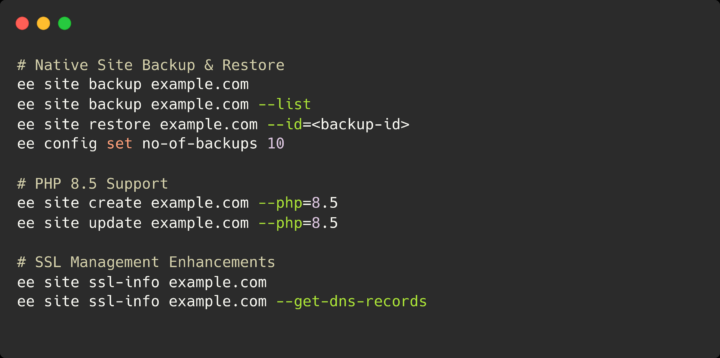
# Backup a site
ee site backup example.com

# List all backups for a site
ee site backup example.com --list

# Restore a site from backup
ee site restore example.com --backup-id=<backup-id>
The backup feature is comprehensive and includes:
- Database dumps
- WordPress content (uploads, plugins, themes)
- Nginx configuration
- PHP configuration
- Custom docker-compose files (if any)
Automatic Backup Retention – By default, EasyEngine keeps the 7 most recent backups for each site and automatically deletes older ones. You can customize this number based on your needs:
# Set number of backups to keep (default: 7)
ee config set no-of-backups 10

# Check current setting if setup (default is 7 if no config set)
ee config get no-of-backups
PHP 8.5 Support ⚙️
PHP 8.5 is here, and EasyEngine is ready for it! You can now create new sites with PHP 8.5 or update existing sites to use it.
# Create new site with PHP 8.5
ee site create example.com --type=wp --php=8.5

# Update existing site to PHP 8.5
ee site update example.com --php=8.5
This keeps EasyEngine at the cutting edge, allowing you to test and deploy with the latest PHP version as soon as it’s available.
Default PHP Version Now 8.3 🔄
Starting with v4.9.1, all new WordPress sites will use PHP 8.3 by default instead of PHP 8.2. This change ensures that new sites benefit from the latest stable PHP features and performance improvements out of the box.
Your existing sites remain unaffected – they’ll continue running on their current PHP version until you explicitly update them.
In the coming weeks, we plan to make PHP 8.4 the default for new sites.
SSL Management Enhancements 🔒
We’ve made several improvements to SSL management that make working with certificates much easier:
Default Self-Signed Certificates – EasyEngine now automatically generates a default self-signed certificate for the nginx-proxy. This means unconfigured domains will show a branded error page instead of a generic 503 error or redirecting to any other site setup on server. Much better user experience!
New ssl-info Command – Need to check your SSL certificate details or get DNS challenge records for verification? The new ssl-info command has you covered:
# View SSL certificate details
ee site ssl-info example.com

# Get DNS challenge records (for DNS-01 verification)
ee site ssl-info example.com --get-dns-records
This command shows detailed certificate information including issuer, validity period, serial number, and SANs (Subject Alternative Names). It’s especially useful when you’re setting up wildcard certificates using DNS-01 challenges.
Better SSL Error Handling – We’ve fixed issues with site deletion when SSL certificates aren’t issued, and improved redirect handling for non-SSL sites.
EasyEngine Dashboard Integration 🌐
For users of EasyEngine Dashboard, we’ve added improved integration that makes managing multiple servers even easier:
Async Backup Callbacks – When EasyEngine Dashboard triggers a backup, it now receives detailed callbacks about backup success or failure.
Error Tracking – Failed backups are automatically reported to the Dashboard with detailed error information, making it easy to identify and troubleshoot issues across your fleet of servers.
Retry Logic – We’ve implemented smart retry logic for API requests to handle temporary network issues. The system retries 5xx server errors, connection errors, DNS failures, and timeouts (up to 3 retries with 5-minute delays) but doesn’t retry 4xx client errors.
Version Reporting – EasyEngine now reports its version to the Dashboard, making it easier to track which servers need updates.
Config Command Improvements ⚙️
Managing EasyEngine configuration just got easier with new commands:
# List all config values
ee config list

# List in different formats
ee config list --format=json
ee config list --format=yaml

# Unset a config value
ee config unset cloudflare-api-key
These commands give you better visibility and control over your EasyEngine configuration.
Performance Improvements ⚡
Concurrent Docker Image Pulls
EasyEngine updates now pull Docker images concurrently during migrations, significantly reducing update time especially when multiple images need updating.
Improved JSON Output
We’ve enhanced JSON output formatting across commands, making it easier to parse EasyEngine output in scripts and automation workflows.
Stack Updates 📦
We’ve updated several core components to their latest versions:
Major Updates:
- Redis: 7.4.2 → 8.4.0 – Major version upgrade with significant performance enhancements
- Nginx-proxy: 1.7.1 → 1.9.0 – Updated to latest version
PHP Version Updates:
- PHP 8.1: 8.1.31 → 8.1.33
- PHP 8.2: 8.2.27 → 8.2.29
- PHP 8.3: 8.3.16 → 8.3.28
- PHP 8.4: 8.4.10 → 8.4.15
Other Updates:
- Debian (Postfix): 12.9-slim → 13.2-slim
- Alpine (NewRelic Daemon): 3.21.2 → 3.23.0
- Ofelia (Cron): 0.3.15 → 0.3.19
Notable Bugfixes 🐛🚫
Clone Command wp-config Preservation
Fixed a bug where ee site clone would overwrite the local wp-config.php file when cloning from a remote site with a custom public directory. The clone command now properly excludes wp-config.php regardless of the directory structure.
Database Import Improvements
Updated database import commands along with adding the --skip-ssl option for both export and import operations. This resolves issues with database operations in updated mariadb 10.11+ containers.
Site Deletion SSL Fixes
Resolved issues where site was deleted if SSL certificates weren’t properly issued, and improved handling of SSL-related cleanup during site removal.
Update to the Latest Version
Fire the EasyEngine update command to update to the latest version:
ee cli updateFor a detailed breakdown of all changes, check out the release notes on GitHub:
Links: Documentation | GitHub
On this page