Create Scalable WordPress Sites Instantly — Powered by WP Cloud
Say goodbye to server setups and configs. With EasyEngine Web + WP Cloud, you can spin up lightning-fast WordPress sites in seconds — using your own API key.
Key Highlights
Bring Your Own WP Cloud Key
Connect your WP Cloud account and start creating sites from EE dashboard.
- Zero vendor lock-in
- Pay directly to WP Cloud — no markup
- API-first integration for automation
1-Click WordPress Site Creation
Just choose a site name — EasyEngine handles everything else.
- Fully configured WP installs
- SSL + CDN + caching auto-enabled
- Auto and Manual Backups
Built on WordPress Infrastructure
Your sites run on the same cloud powering WordPress.com and WooCommerce.
- Global CDN & DDoS protection
- Automatic scaling and Fast load times out of the box
- SSH, phpMyAdmin, and WP-CLI support included.
How it works
1
Connect WP Cloud API Key
Paste your WP Cloud API key in your EasyEngine Dashboard settings.
2
Click “Add New Site”
Choose your Domain name, Disk Space and PHP version.
3
Go Live in Seconds
Your site is provisioned instantly, with performance and security auto-configured.
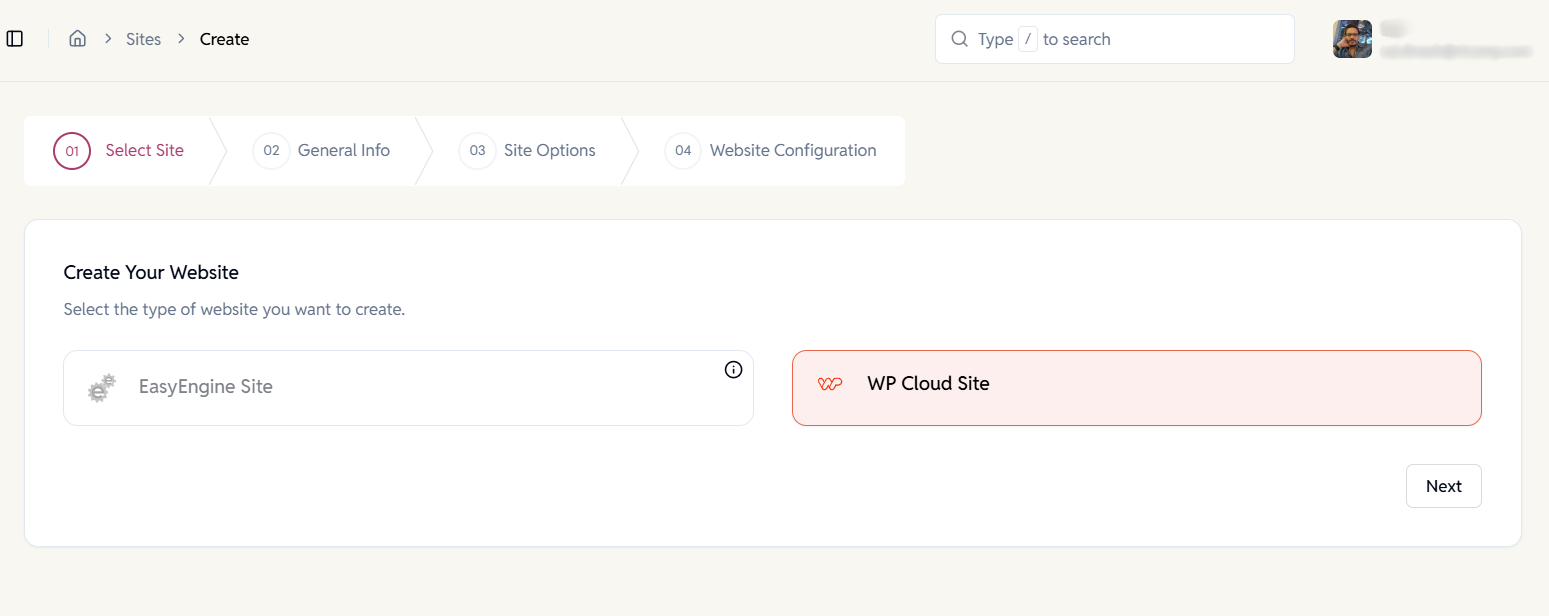
Select Site Type, Domain & Data Center
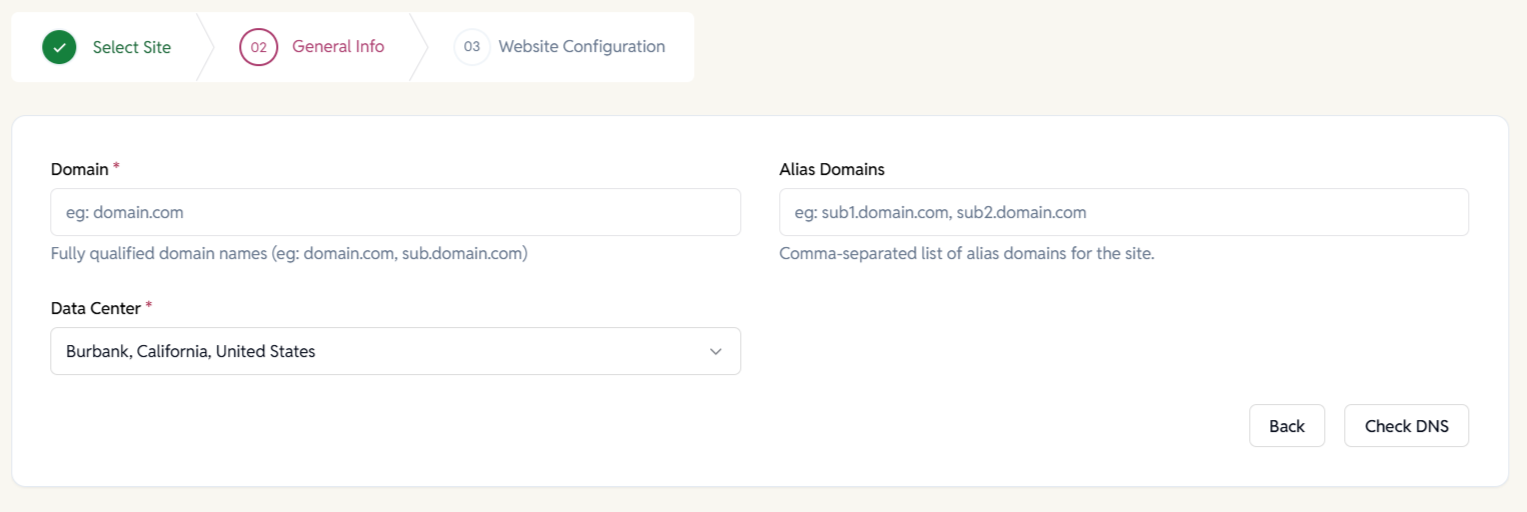
Choose your site and where it runs. Set your domain, and select the nearest data center to launch a managed, performance-optimized WordPress site.
- One-click WP Cloud provisioning.
- Root and alias domains.
- Multiple data center options.
- Built-in DNS validation.
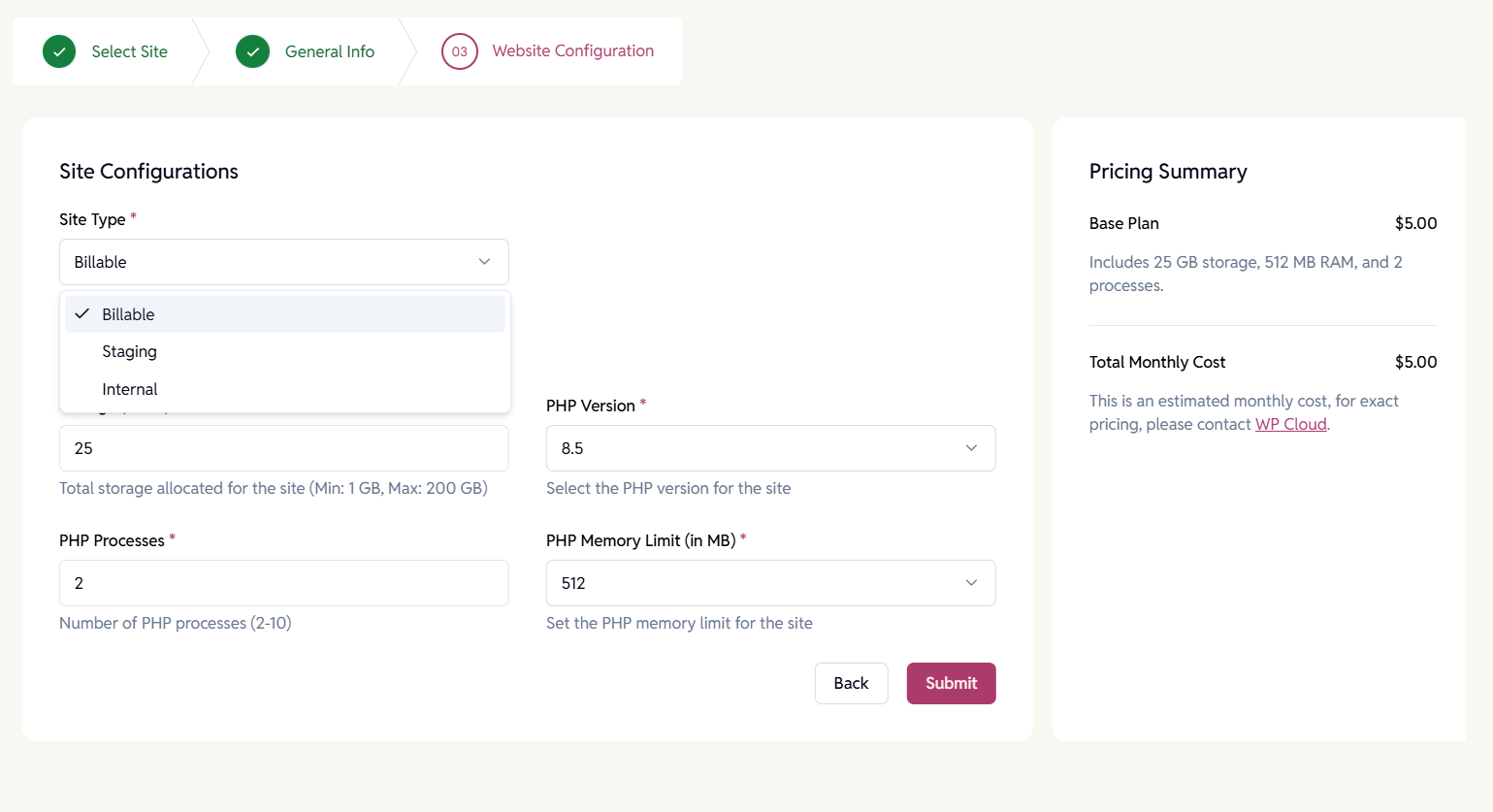
Configure WP Cloud Resources
Allocate resources based on your site’s needs. Control storage, PHP processes, memory limits, and PHP versions with transparent cost estimates.
- Adjustable storage limits per site.
- Configure PHP workers and memory.
- Real-time pricing summary before launch.
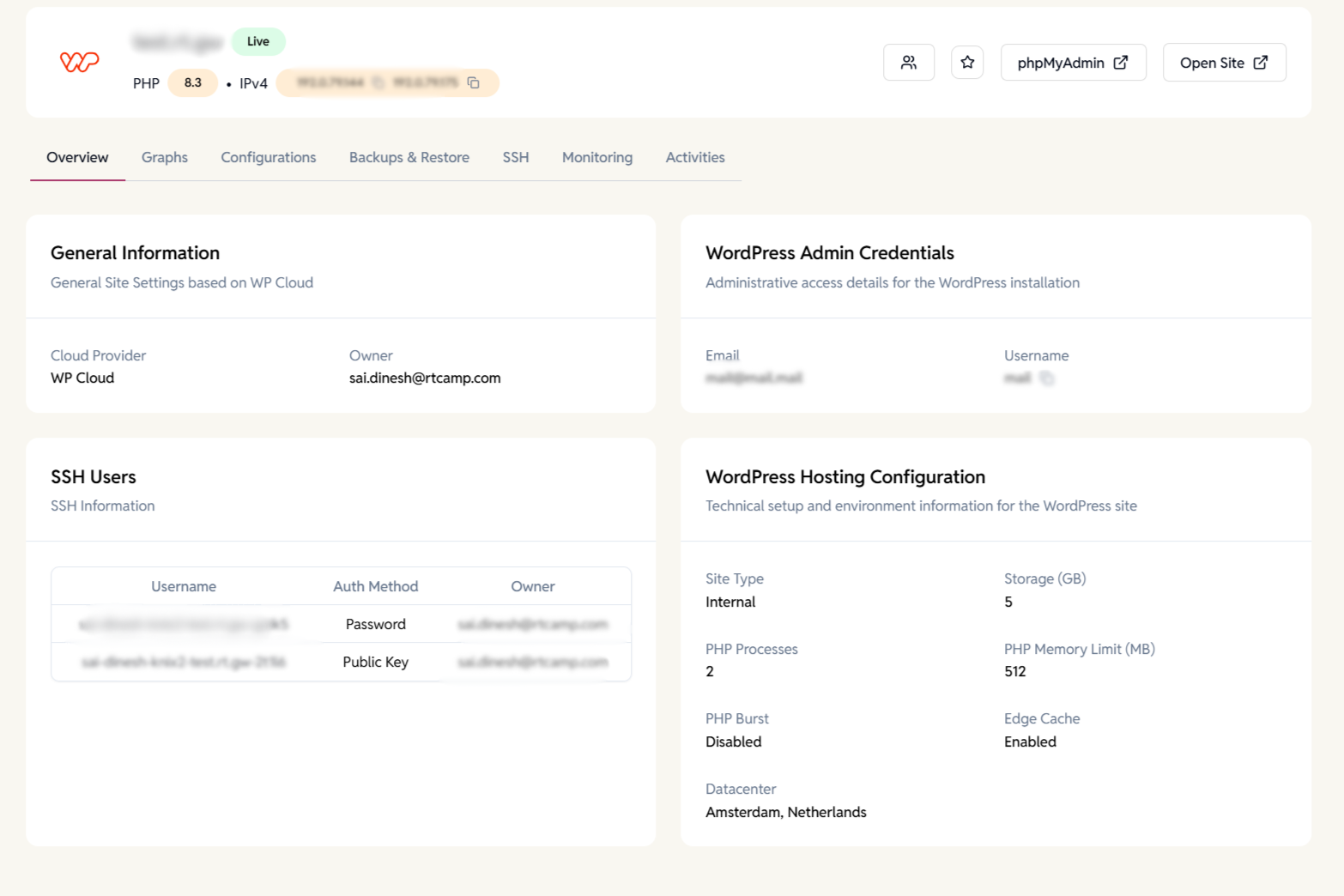
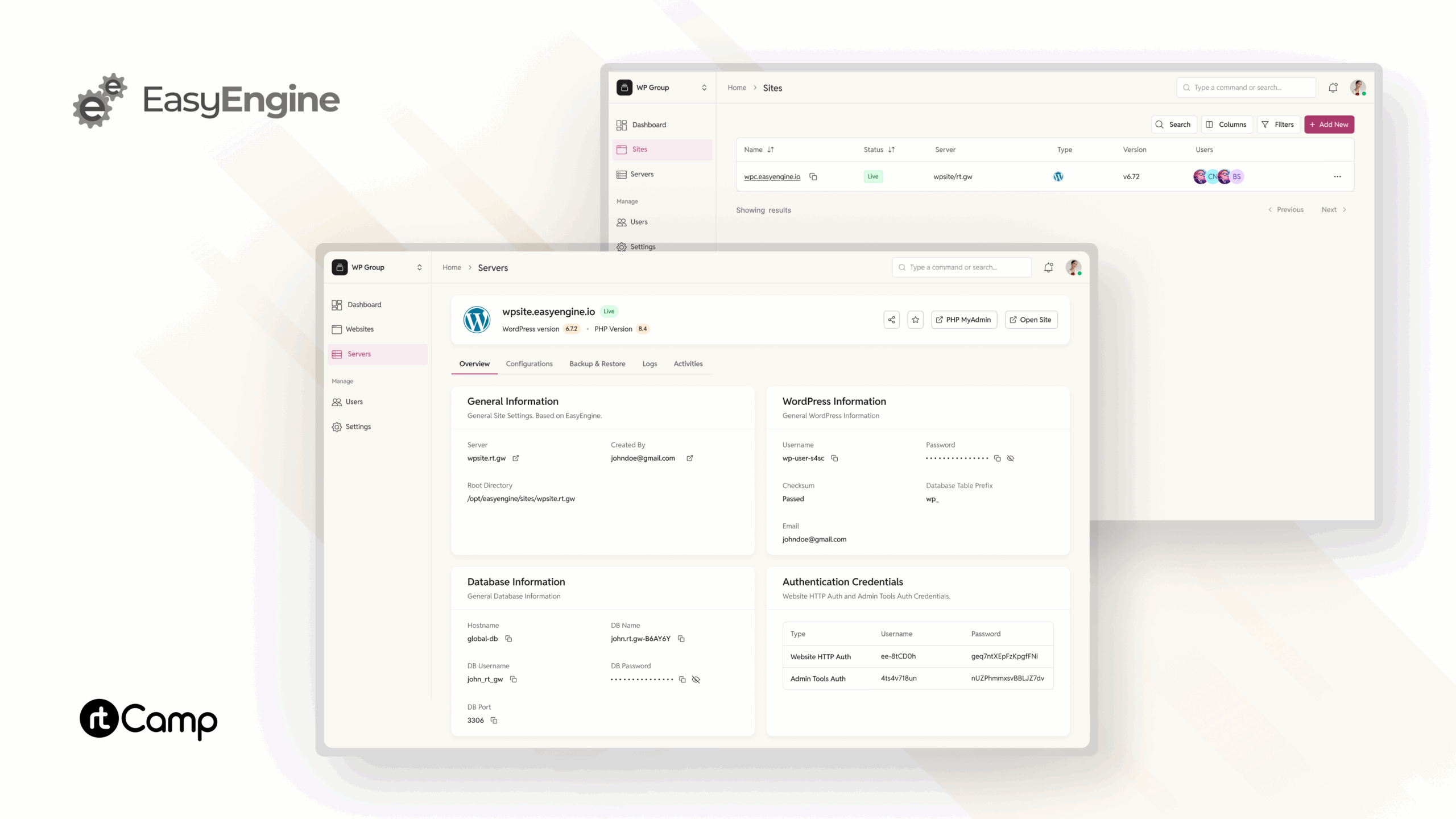
View key site details at a glance.
Monitor status, access tools, and environment info from one screen.
- Live status and IPs.
- Quick access to phpMyAdmin.
- Open site shortcut.
- View SSH users.
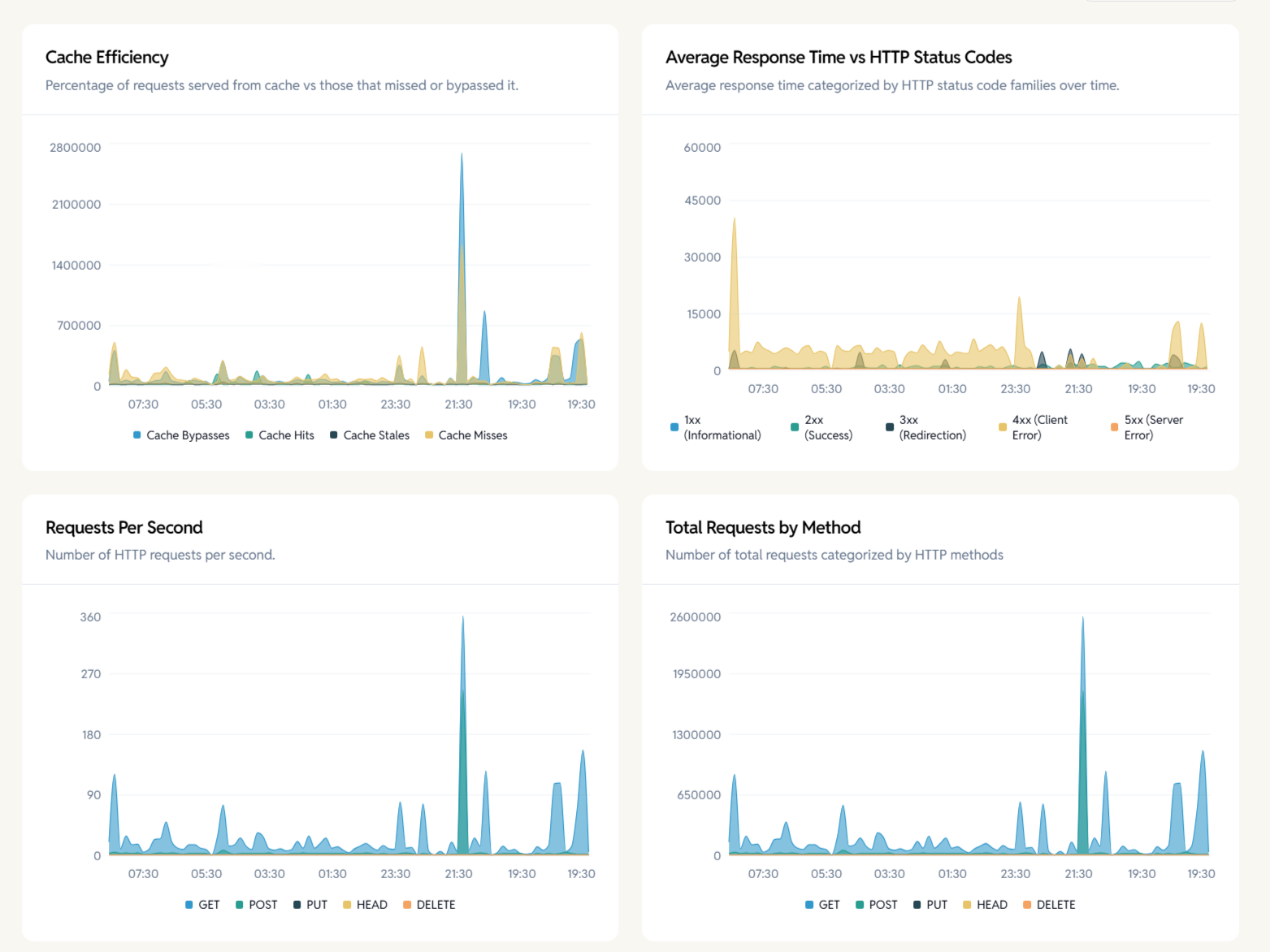
Performance Graphs
Track real-time traffic and load.
Visualize cache efficiency, response times, and request patterns.
- Cache hit/miss metrics.
- Request volume.
- Response time trends.
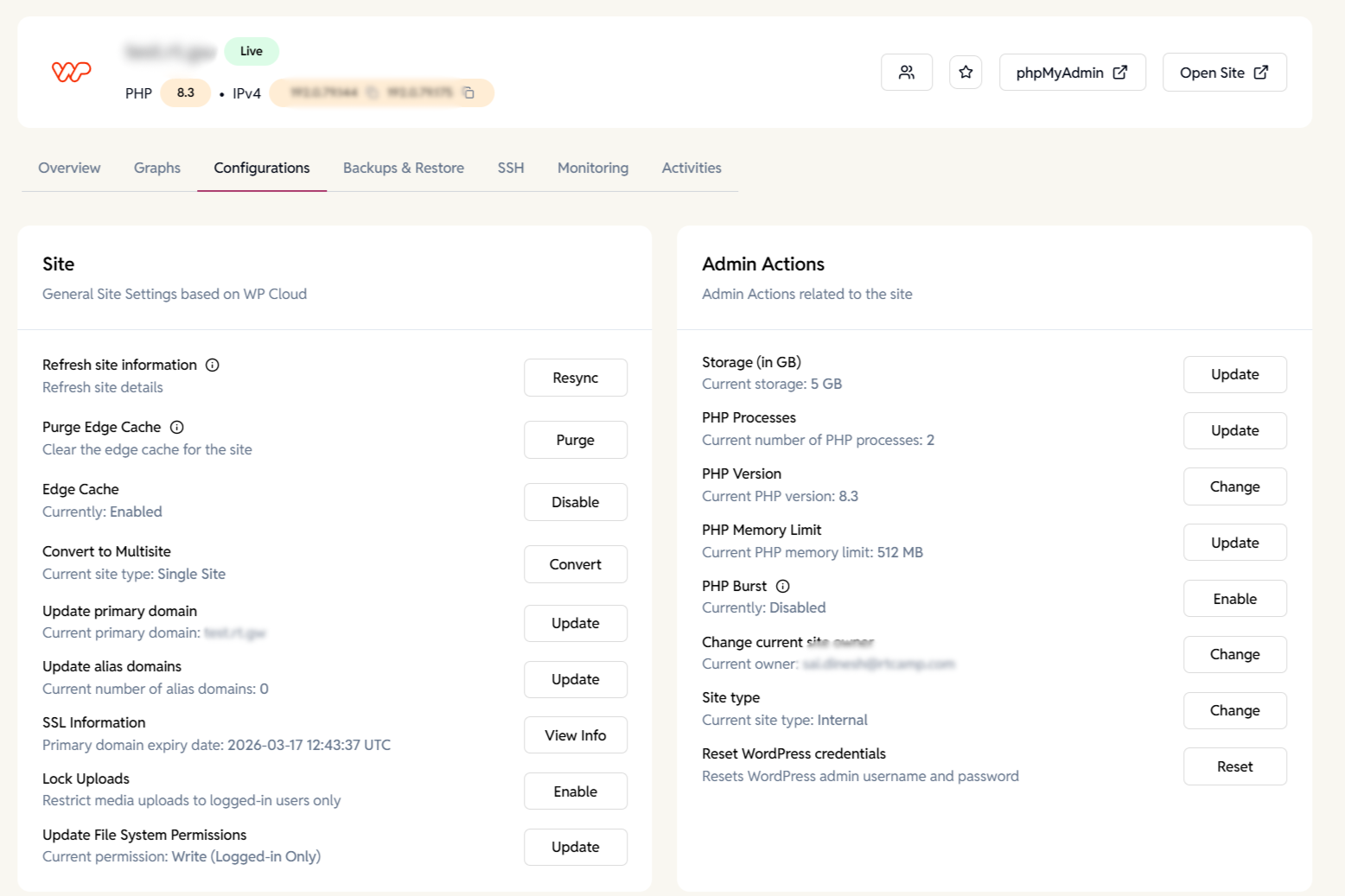
Site Configurations
Manage core site settings.
Control caching, domains, storage, PHP resources, and security from one place.
- Purge and toggle edge cache.
- Update domains and SSL info.
- Adjust PHP version, memory, and processes.
- Reset WordPress credentials.
- Enable multisite and file permissions.
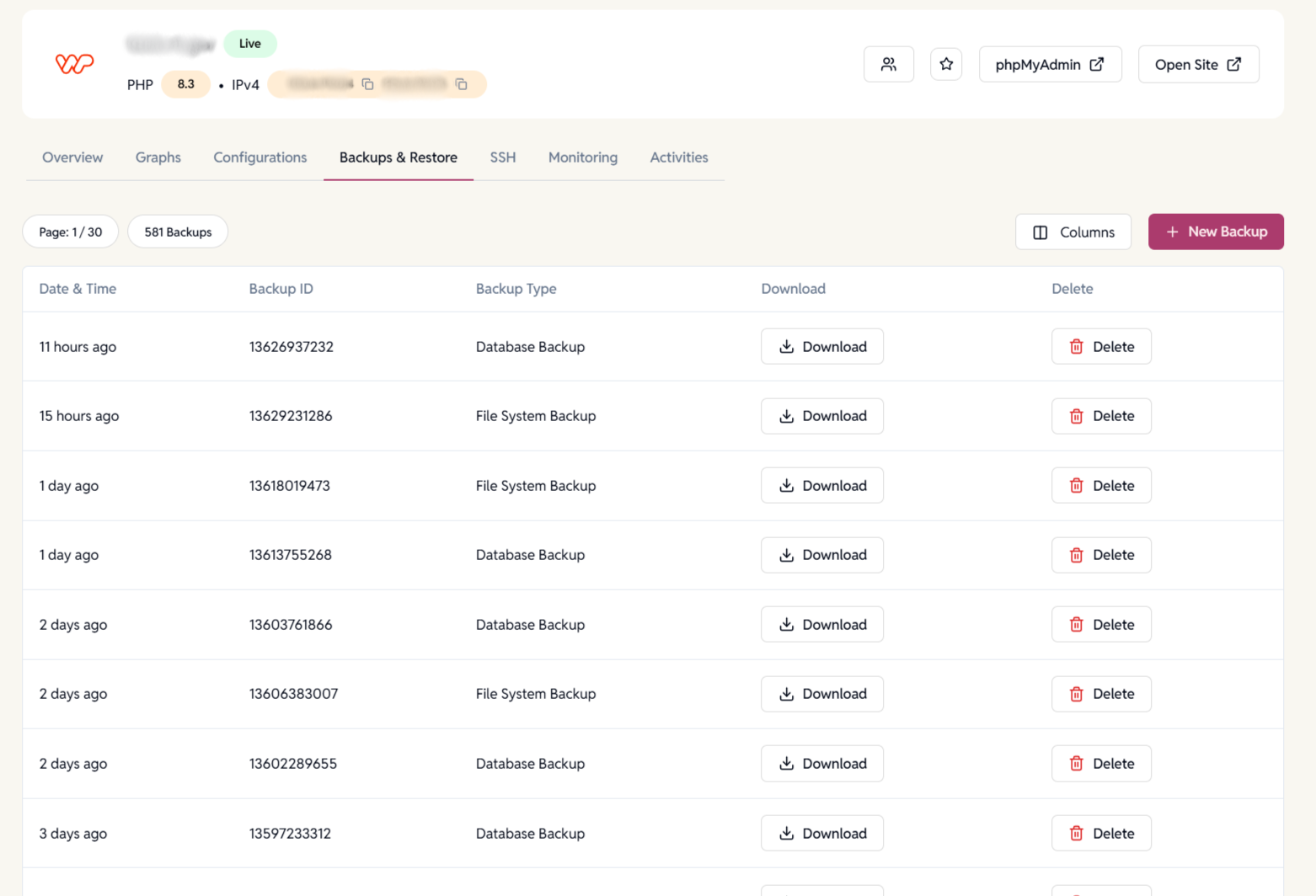
Backups
Protect your site data. Download or restore database and file system backups anytime.
- Manual and scheduled backups.
- One-click download.
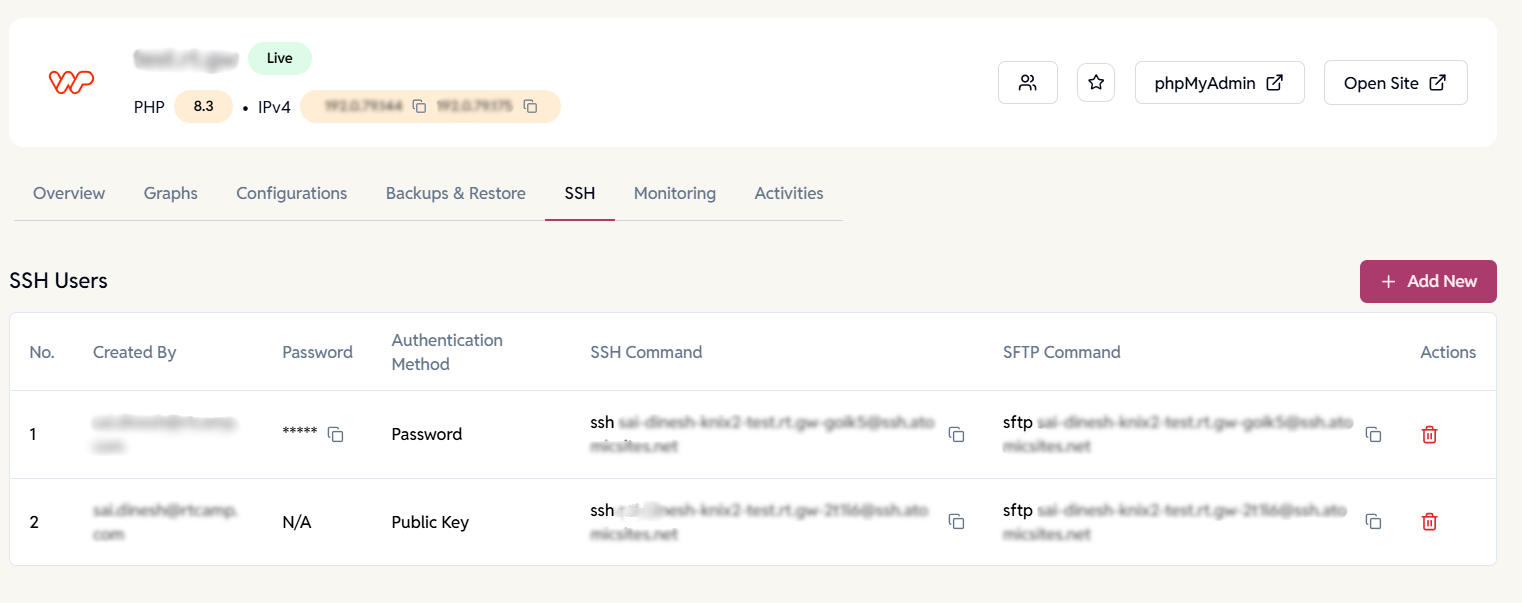
SSH & SFTP Access
Secure site-level access. Create users for SSH and SFTP.
- Password or key-based login.
- Instant revoke.
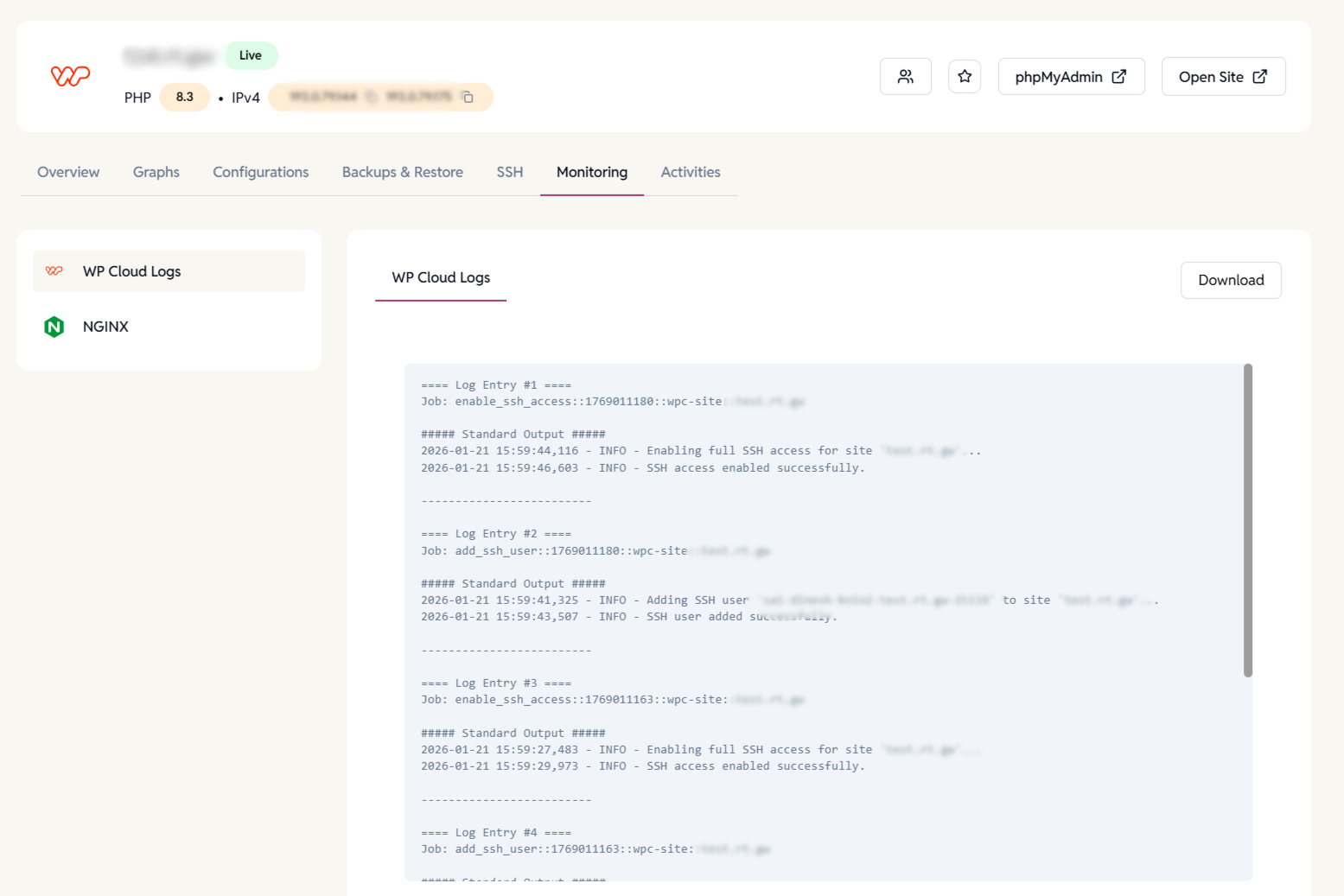
Logs & Monitoring
Debug with live system logs. View NGINX and WP Cloud logs in real time.
- View live logs.
- Downloadable logs.
- Error and event tracking.
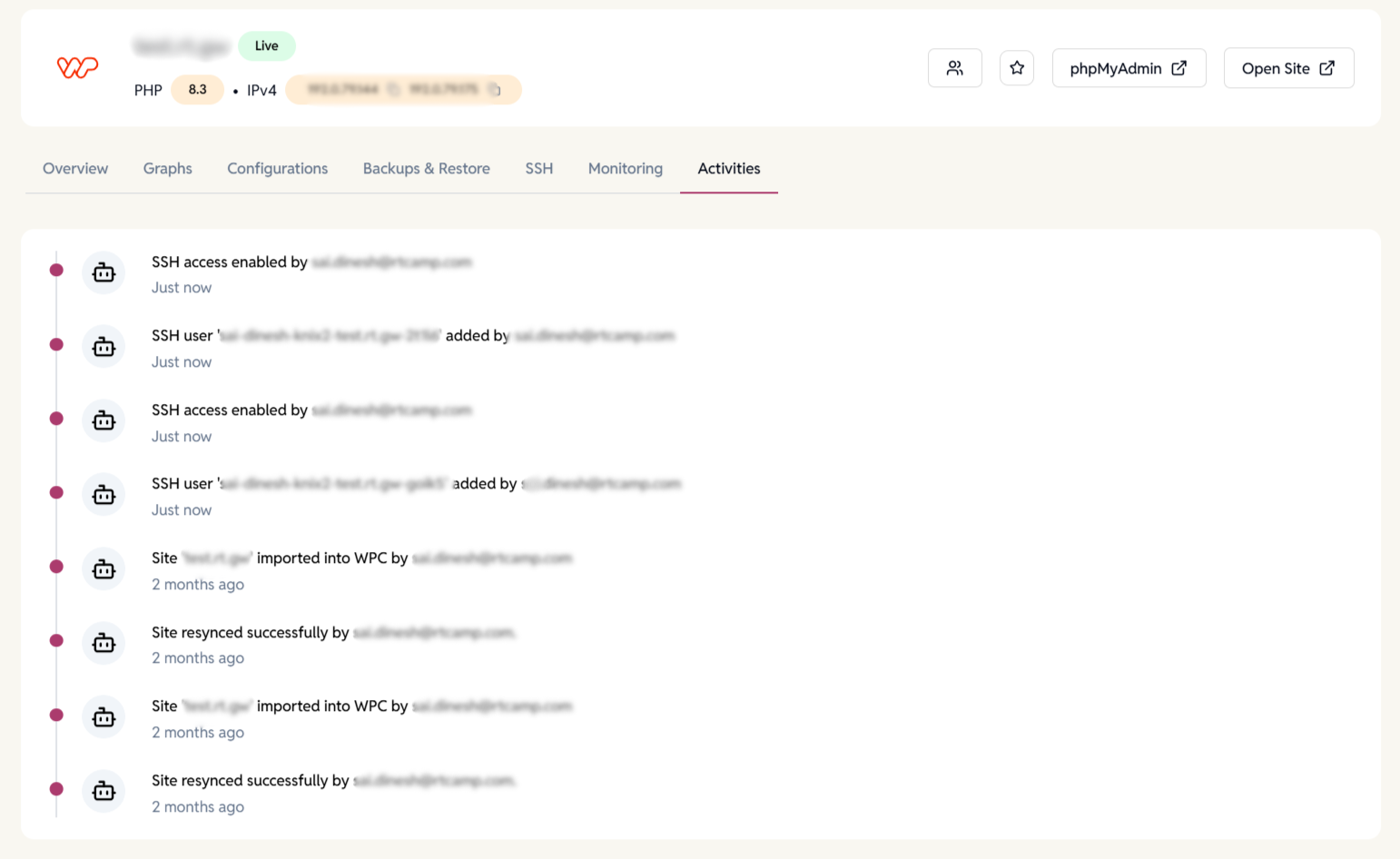
Site Activity Timeline
Get a chronological history of automated tasks and user-triggered actions to understand what changed, when, and why.
- Logs site updates, user actions, and access changes.
- Helps with audits, troubleshooting, and accountability.
- Especially useful for teams managing multiple WordPress sites.
Want to learn more about multi-WordPress site management?
Create, configure, and manage EasyEngine and WP Cloud WordPress sites from a single dashboard.
Use Case Scenarios
Agencies
Deliver blazing-fast, secure, and scalable WordPress hosting to all your clients — without the complexity of server administration
DevOps
Automate site creation and scale infrastructure without managing servers manually — all through EasyEngine’s intuitive dashboard.
Freelancers
Launch client sites in minutes. Deploy WordPress with one click, and manage everything with ease — cache, backups, and updates included.
WP Cloud FAQ
Have more questions?
Yes. EasyEngine Web supports BYO (Bring Your Own) API key integration.
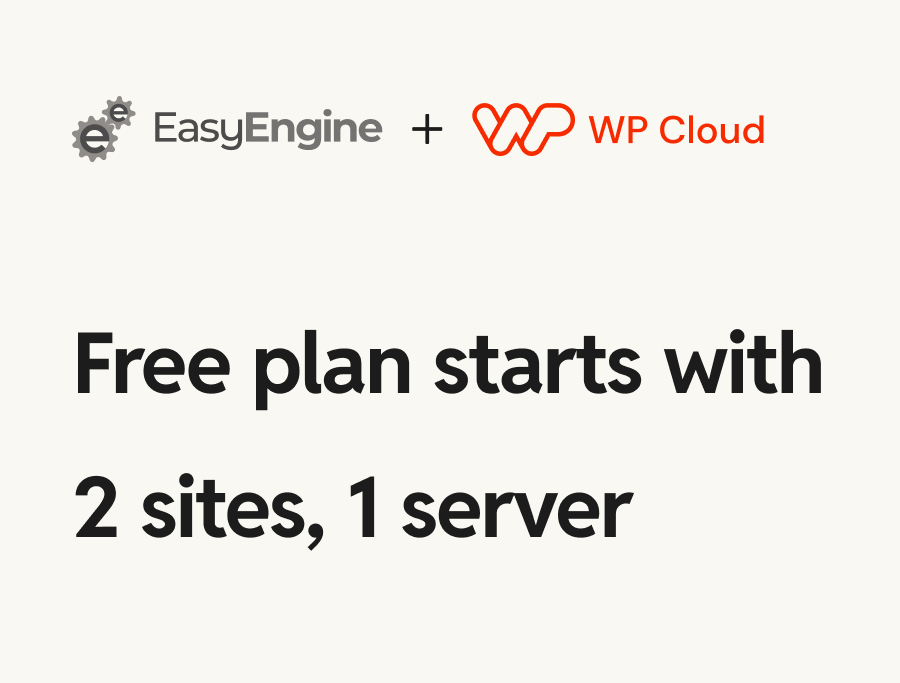
No, you pay WP Cloud directly. We only charge for dashboard features based on number of sites.
Yes! Once connected, site creation is just a click away.
No. Site infrastructure is billed by WP Cloud. EasyEngine only charges for dashboard usage (based on total number of sites managed).
Your existing sites will remain active, but you’ll lose the ability to create new ones or manage them via EasyEngine Dashboard.
Yes, WP Cloud supports secure access methods.
Yes — add Admins, Managers, or Members with role-based access across sites and servers.
Ready to Launch?
Connect your WP Cloud API and start creating production-ready WordPress sites.