Granular Access Controls for Teams and Clients
Give the right people the right access — whether you’re managing devs, clients, or collaborators.
Key Highlights
Multi-Role Control
Assign Admin, Manager, or Member roles with View/Edit/Invite rights on Sites
Org-Wide Settings Panel
As an Org owner, manage GitHub keys, SSH access, backup configs, and cloud keys centrally.
Audit Logs + Security Alerts
Track every action per user, per site. Get notified of un-authorized activity.
How it works
1
Invite Your Team
Add users by email and assign appropriate access level.
2
Set Access Per Site/ Server
Choose what they can view, manage, or edit.
3
Monitor Activity in Real-Time
Access dashboard activity logs for all user actions on the Site/ Server
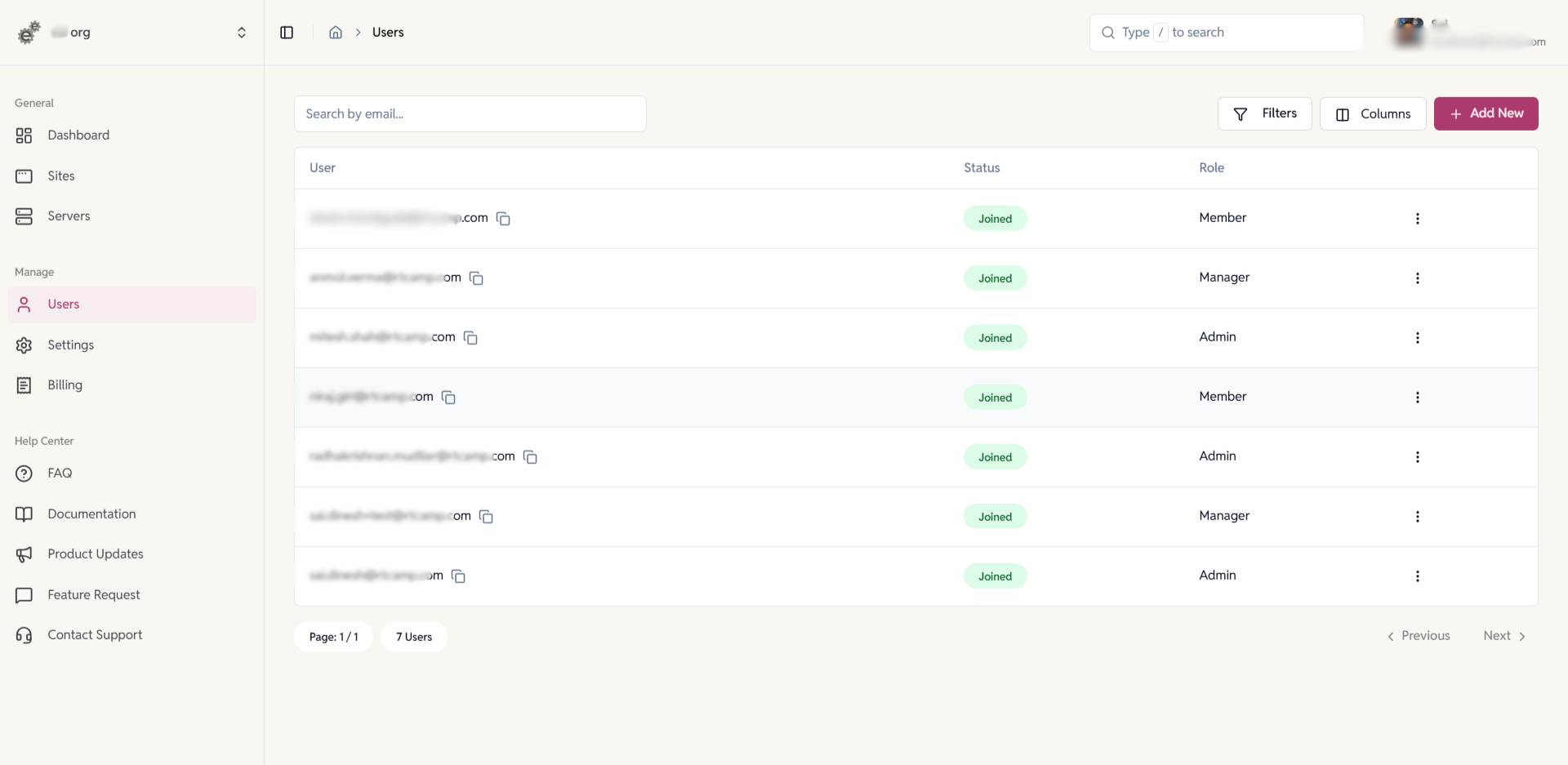
Invite users & assign roles
Add team members by email and assign Admin, Manager or Member roles so everyone has the exact access they need.
- Granular role controls (View / Edit / Invite) to limit what each user can do.
- Keep development and production access separated for safer workflows.

Grant site-level access (share a site)
Give collaborators access to individual sites with Read, Write or Share permissions — perfect for clients or contractors.
- Scope permissions per site (no org-wide exposure).
- “Share” lets trusted users re-share.
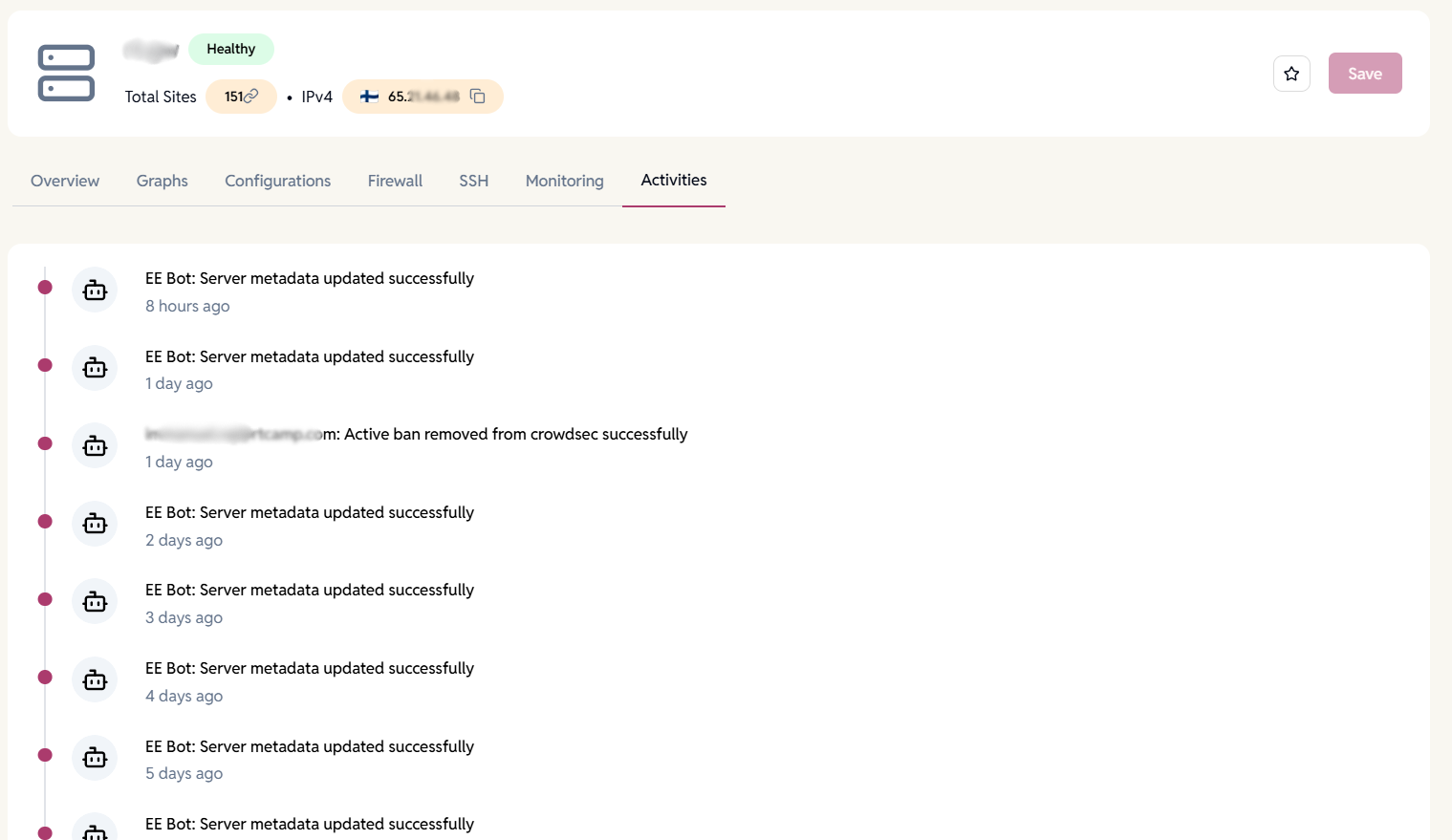
User actions on server (activity log)
Track every server-level action by user — who changed settings, added SSH keys, or created servers — so you always know what happened and when.
- Full timestamped history for accountability and troubleshooting.
- Security alerts notify you of unusual or unauthorized activity.
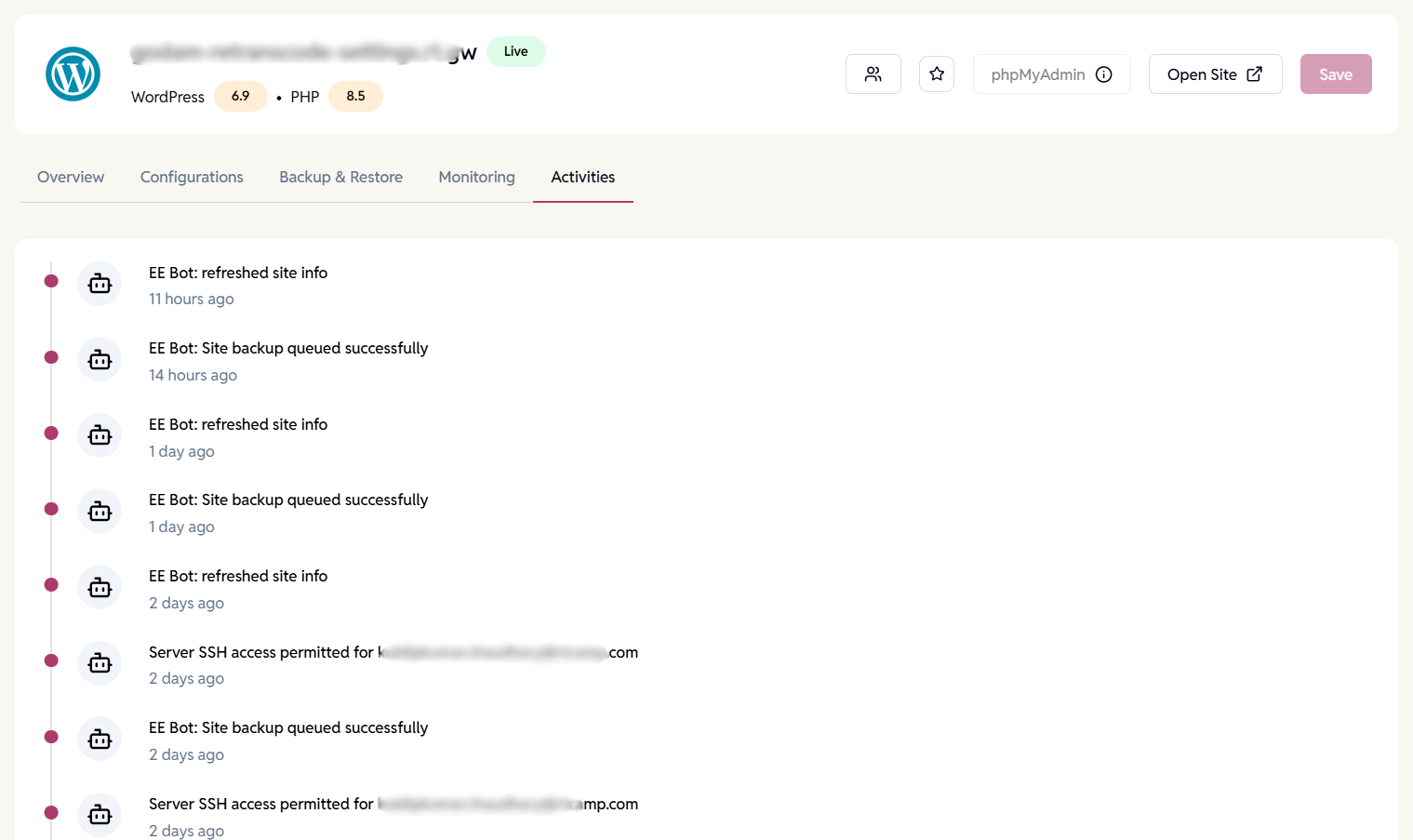
User actions on site (activity log)
Monitor site-level changes — plugin updates, config edits, backups — with per-user logs to simplify audits and rollbacks.
- See who edited settings, updated site config, or ran backups.
- Security alerts notify you of unusual or unauthorized activity.
Want to learn more about how user roles and permissions work?
Manage teams and collaborators with fine-grained access controls.
FAQ
Have more questions?
Yes, you can invite users with different roles (Admin/Manager/Member).
Yes, all user activity is logged per site and server under activities section.
Yes, permissions can be scoped to individual sites.
Works best for:
Project leads needing accountability and access logs
Agencies managing clients
DevOps teams with multiple collaborators