Launch WordPress, PHP, or HTML Sites in Minutes
No config files. No database headaches. Just 1-click site deployment at scale.
Key Highlights
1-Click Site Setup
WordPress, PHP, or HTML — you choose, we configure.
Built-in Caching & SSL
All sites come with FastCGI or Redis, SSL, and database ready.
WP Multi-Site Setup
Supports both subdirectory and subdomain-based WordPress networks.
Dev Tools
CI/ CD deploy. Mailhog included for dev-only email logging. Prevents real emails during development.
How it works
1
Choose Site Type
WordPress, HTML, or PHP — with optional caching and SSL.
2
Configure Optional Settings
DB prefix, auth, choose WordPress version, PHP version — you’re in control.
3
Deploy Instantly
Site goes live, logs are tracked, and performance is optimized.
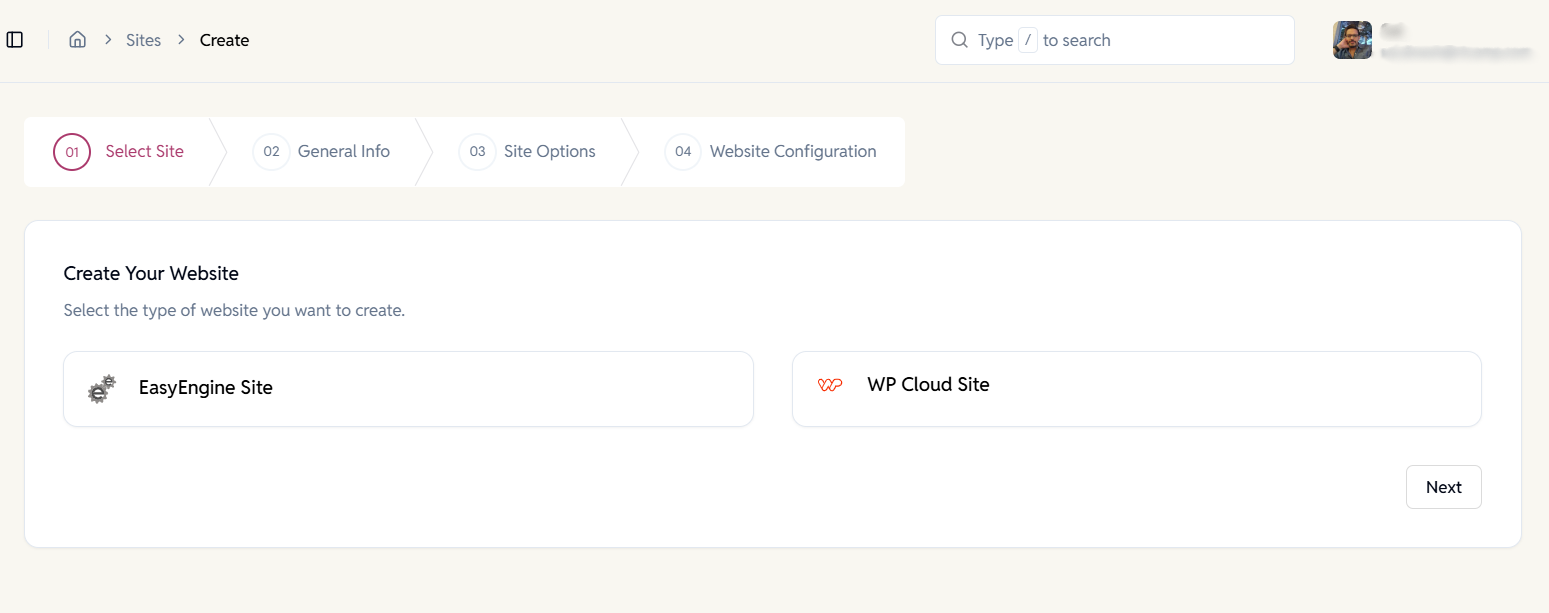
Choose the Type of Site to Create
Start by selecting whether you want to create an EasyEngine-managed site or a WP Cloud site, depending on your hosting and billing needs.
- EasyEngine sites for self-managed servers.
- WP Cloud sites for fully managed cloud hosting.
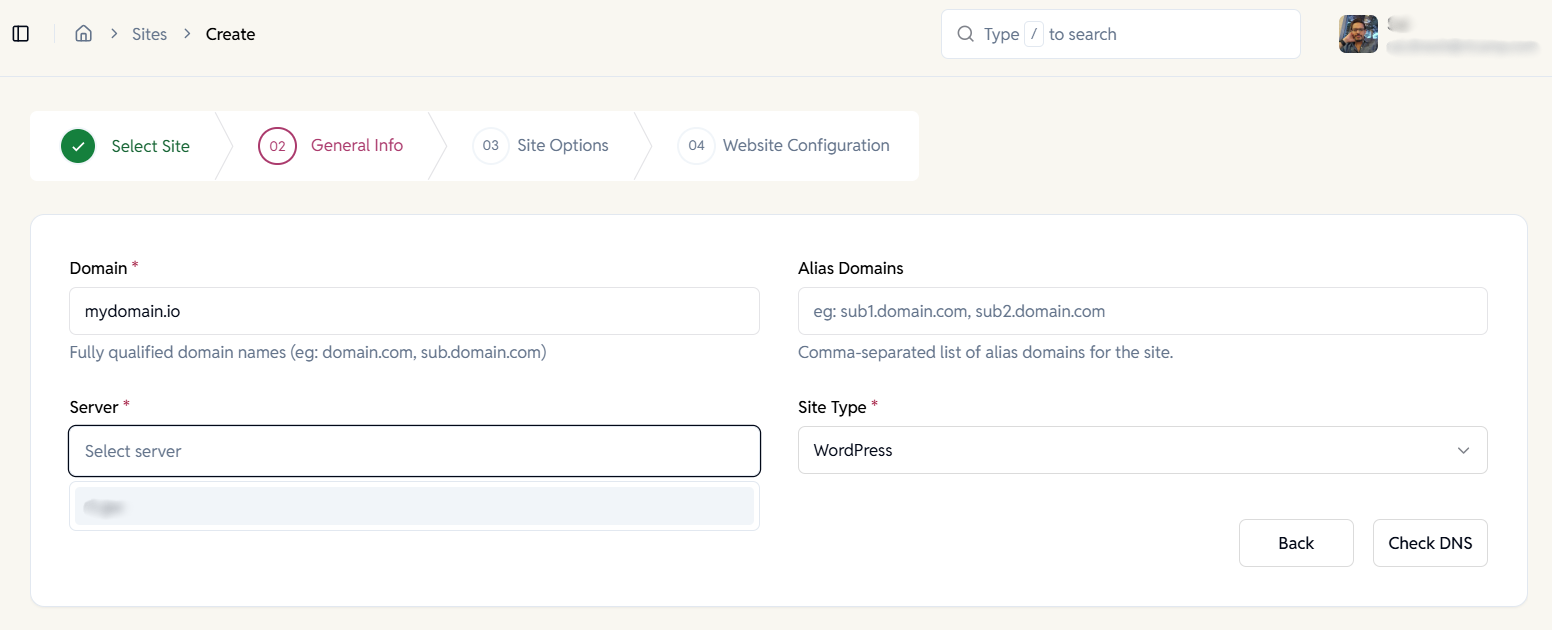
Add Site Details & Select Server
Enter the domain, choose the server, and select the site type (WordPress, PHP or HTML).
- Supports root domains and subdomains.
- Add multiple alias domains if needed.
- DNS validation before proceeding.
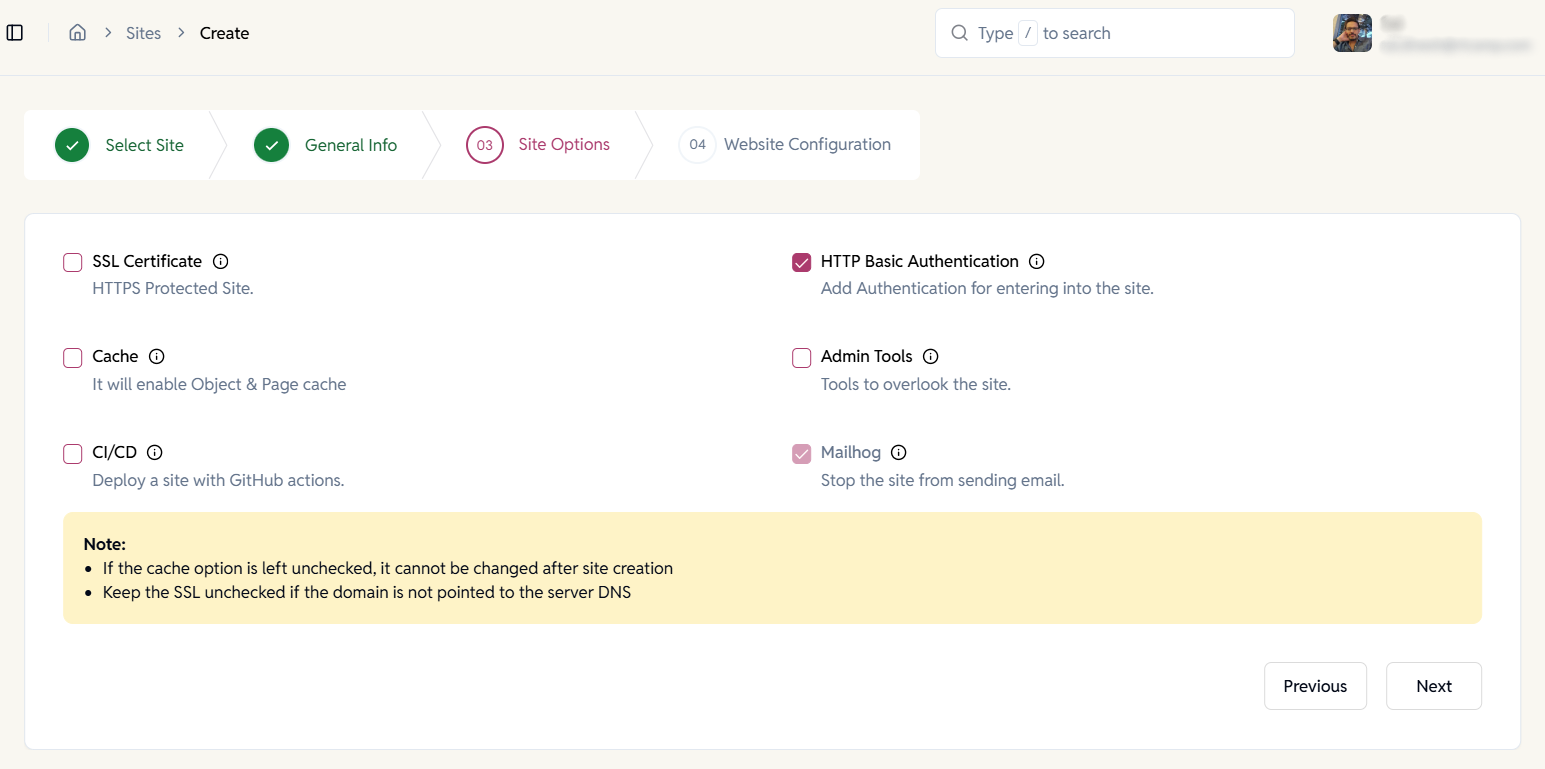
Configure Site Options
Choose which services should be enabled for your site based on security, performance, and workflow requirements.
- SSL for HTTPS protection.
- HTTP Basic Auth for restricted access.
- Cache for improved performance.
- CI/CD for GitHub-based deployments.
- Mailhog to capture outgoing emails.
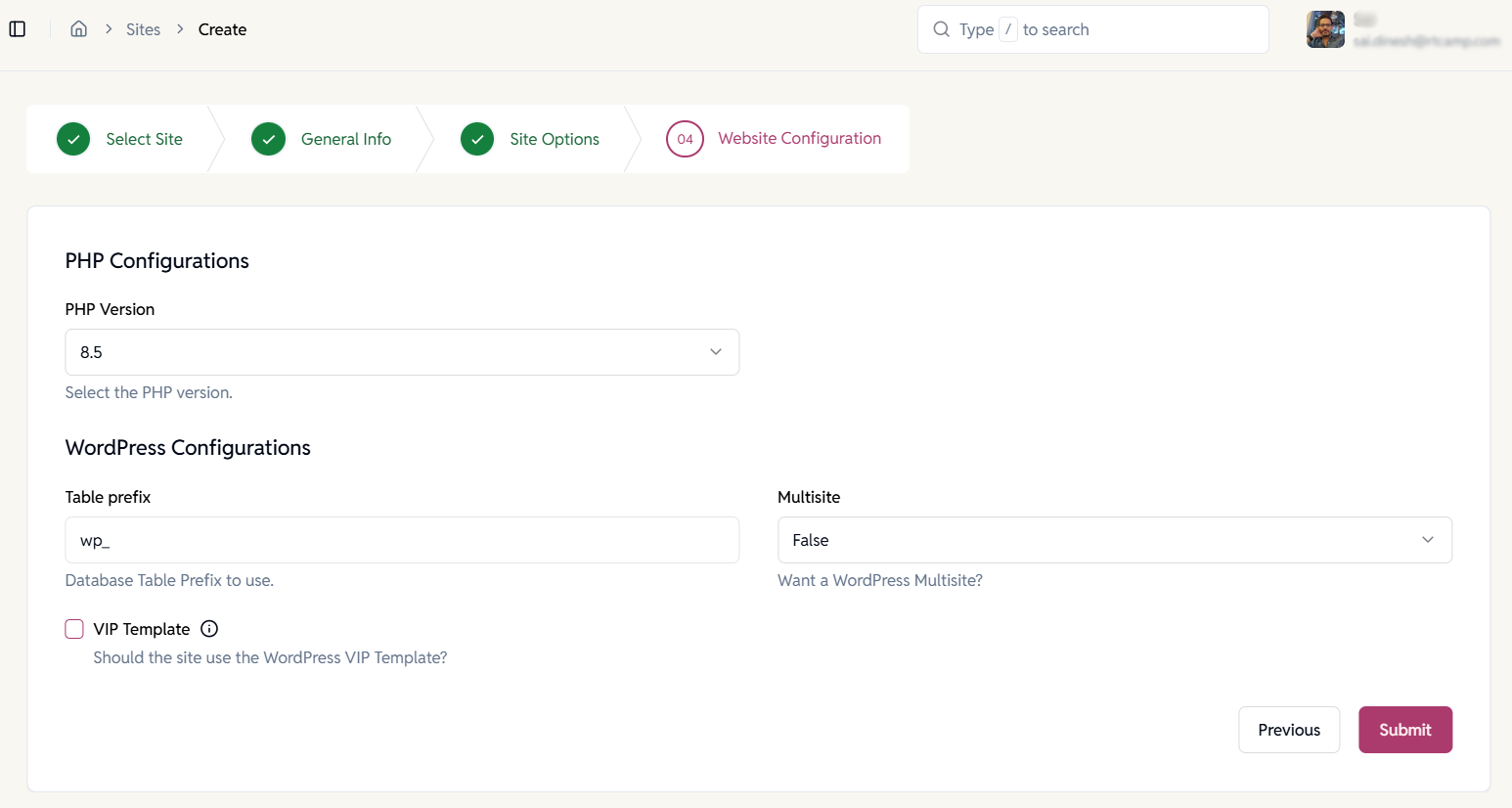
Website Configuration
Configure PHP and WordPress options to match your application’s requirements before the site goes live.
- Select PHP version per site.
- Control database table prefix.
- Enable WordPress Multisite if needed.
- Optional WordPress VIP template support.
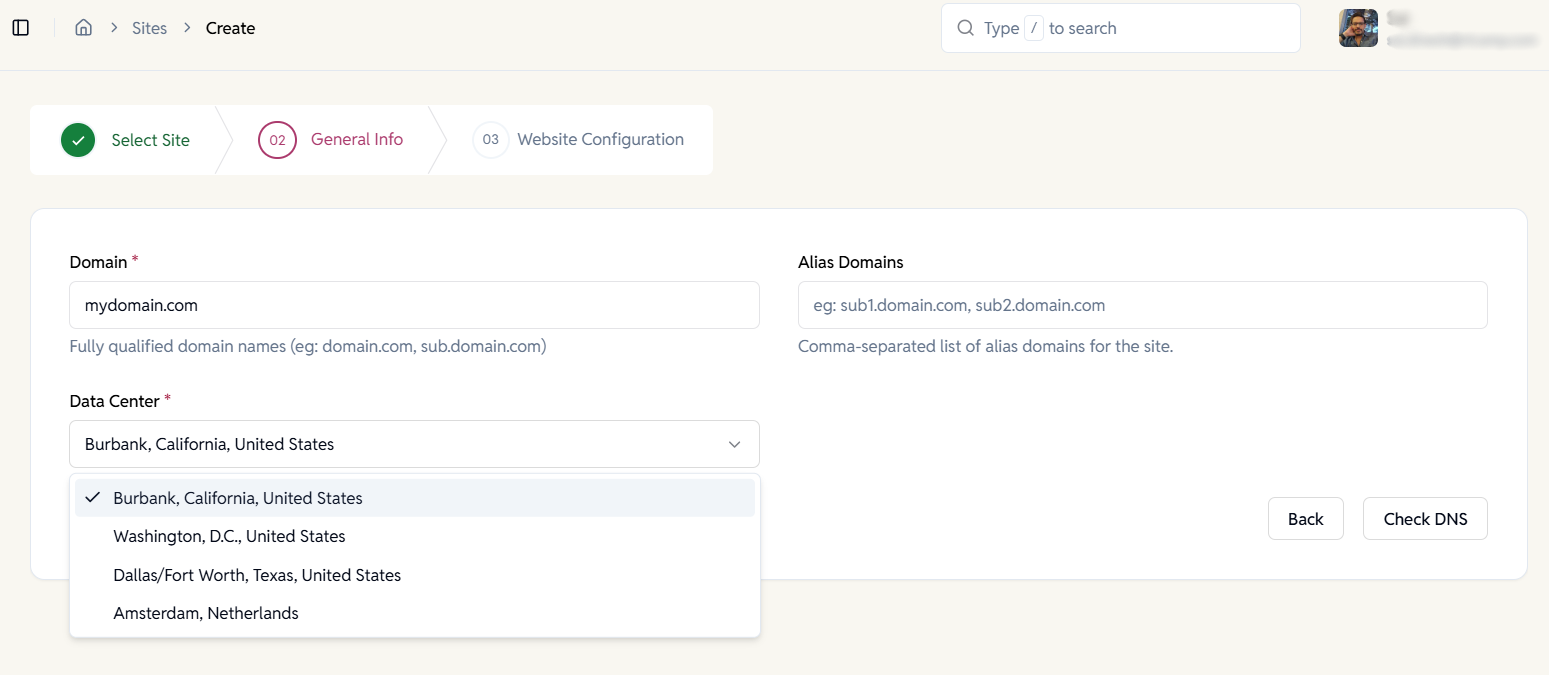
Create a WP Cloud Site
Launch a fully managed WordPress site on WP Cloud. Provision WordPress site directly on WP Cloud with managed infrastructure, built-in scalability, and predictable pricing.
- Choose data center locations globally.
- No server management required.
- Ideal for agencies and resellers.
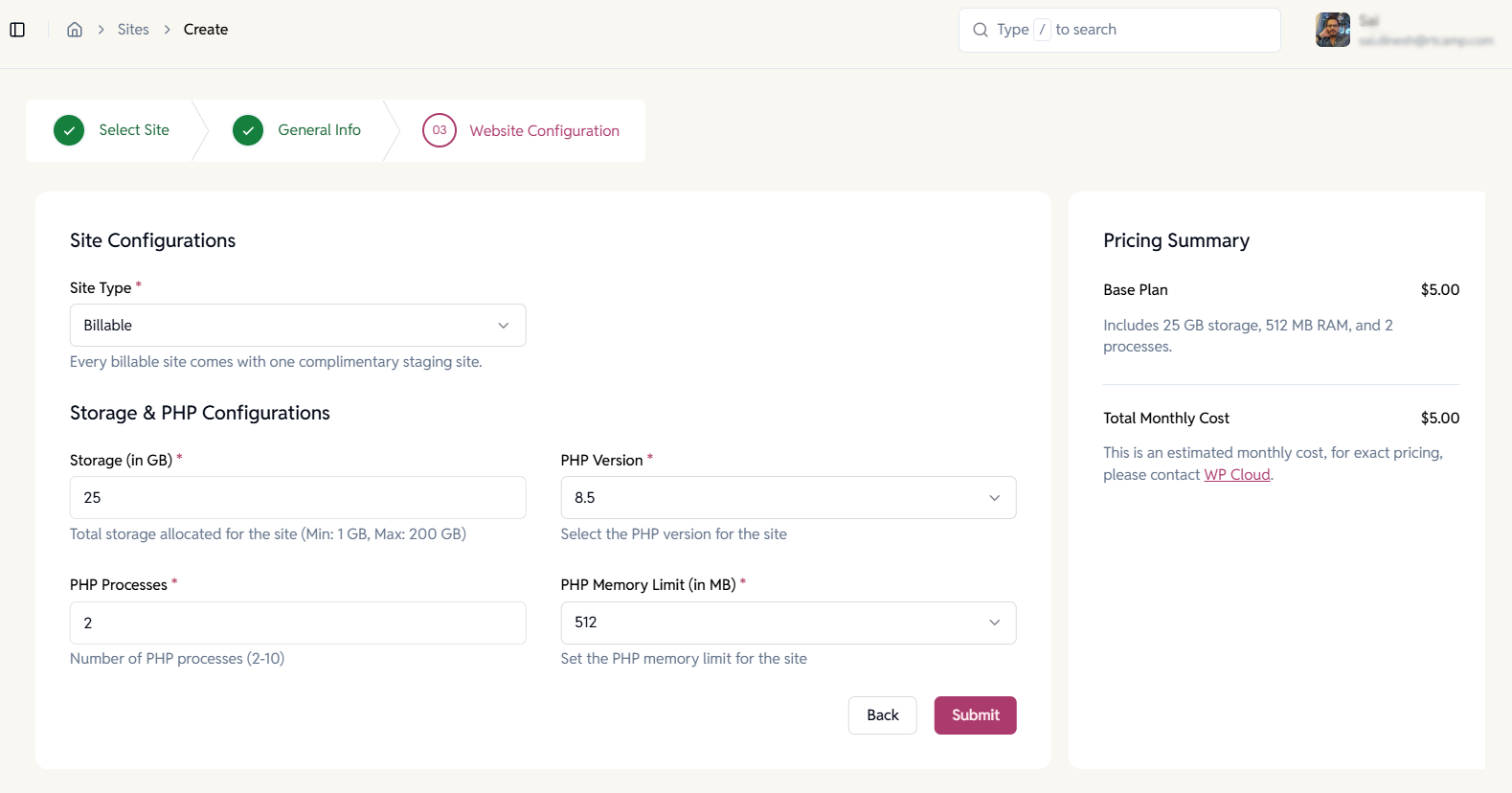
Configure WP Cloud Resources
Allocate resources based on your site’s needs. Control storage, PHP processes, memory limits, and PHP versions with transparent cost estimates.
- Adjustable storage limits per site.
- Configure PHP workers and memory.
- Real-time pricing summary before launch.
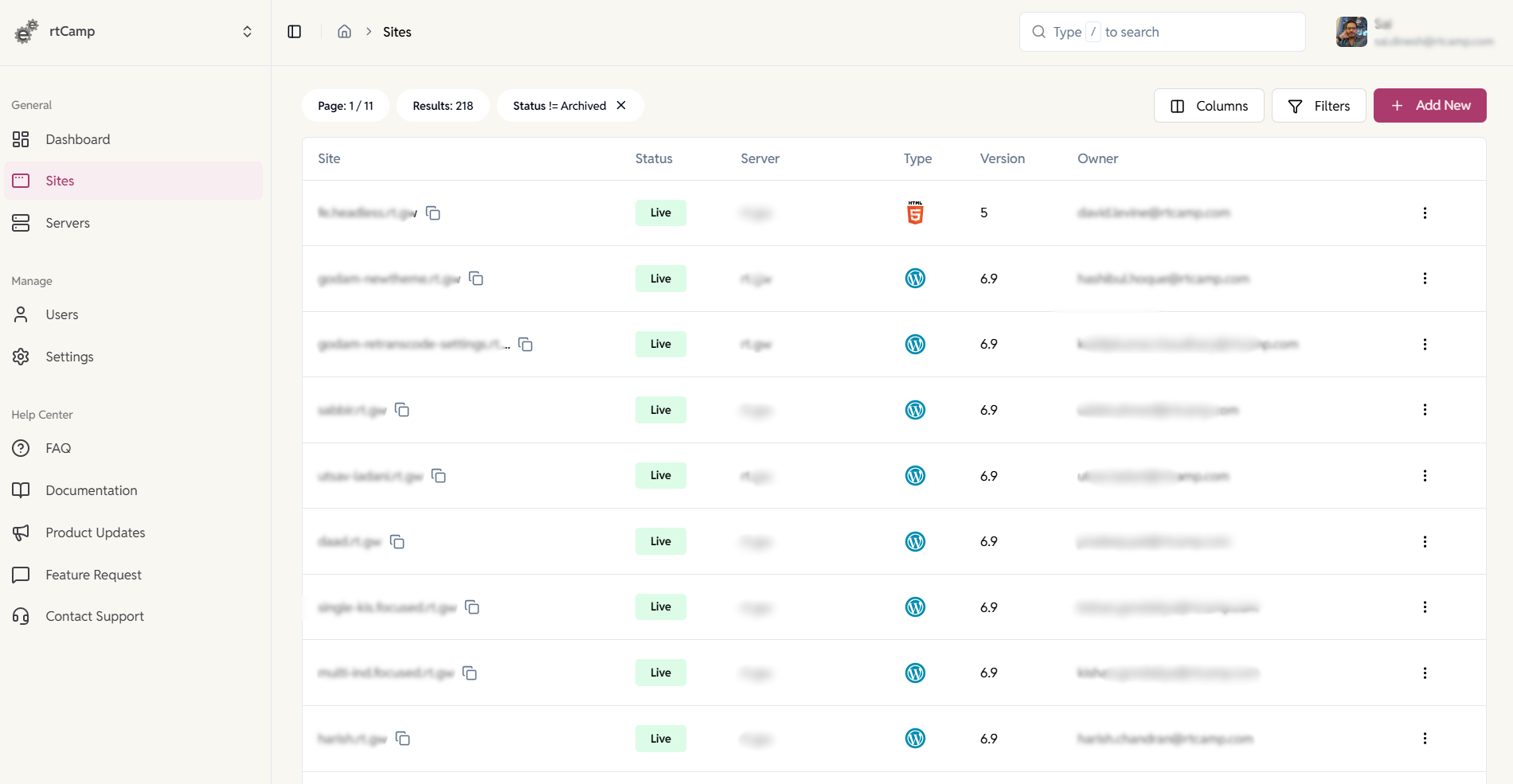
View & Manage All Sites
Manage EasyEngine and WP Cloud sites from a single dashboard.
Get a unified view of all your sites—whether they’re hosted on your servers or on WP Cloud—with live status, server association, platform type, and ownership details.
- Manage EE and WPC sites together from one interface
- Quickly filter and search across all sites
- Identify live, archived, or disabled sites at a glance
- Ideal for agencies and resellers managing large site portfolios
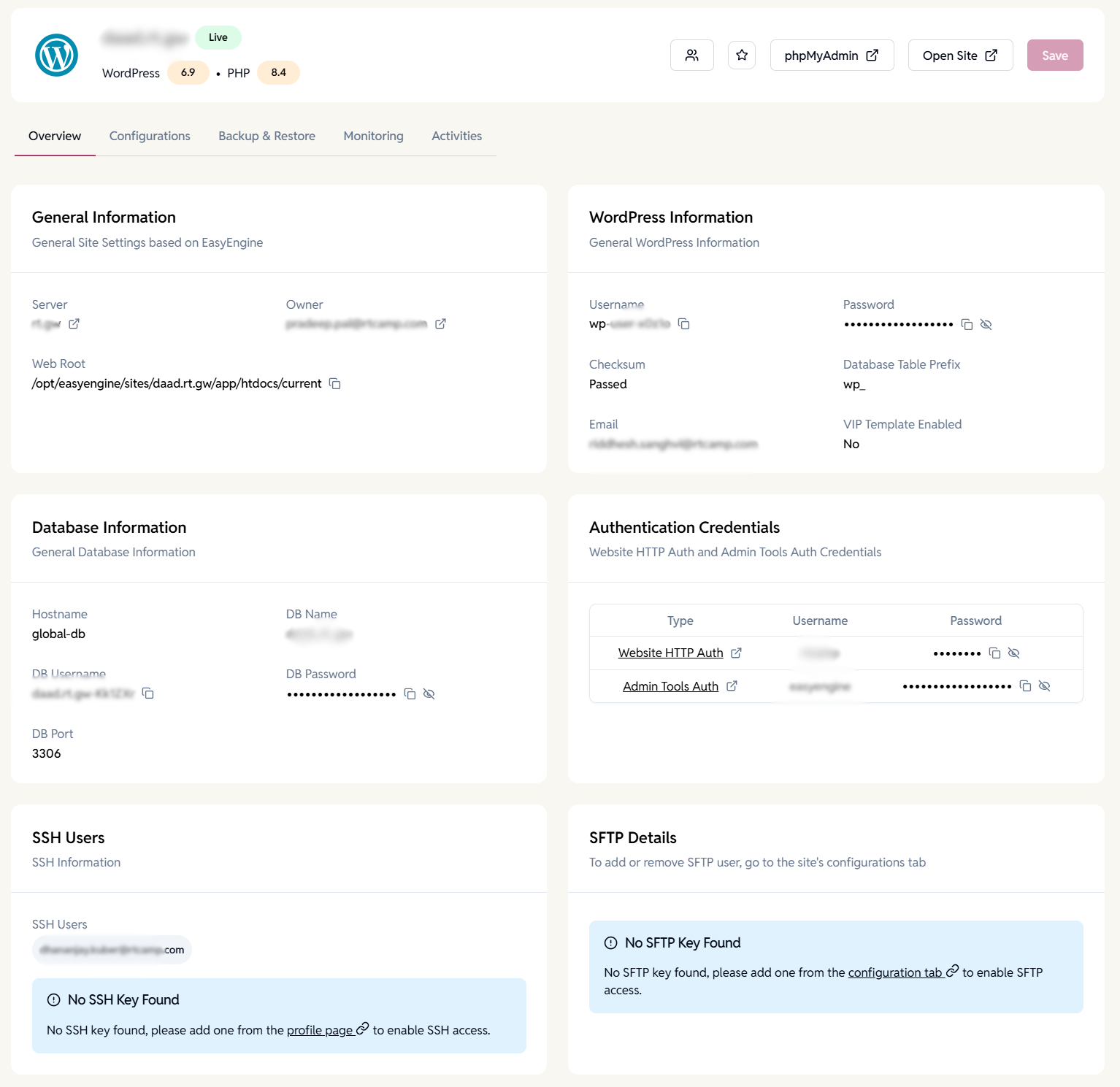
Site Overview & Access Details
View key site information, including server, web root, WordPress version, credentials, and access endpoints.
- One-click access to phpMyAdmin and site URL.
- View WordPress admin credentials securely.
- View SSH and SFTP user access details.
- Database and authentication details in one place.
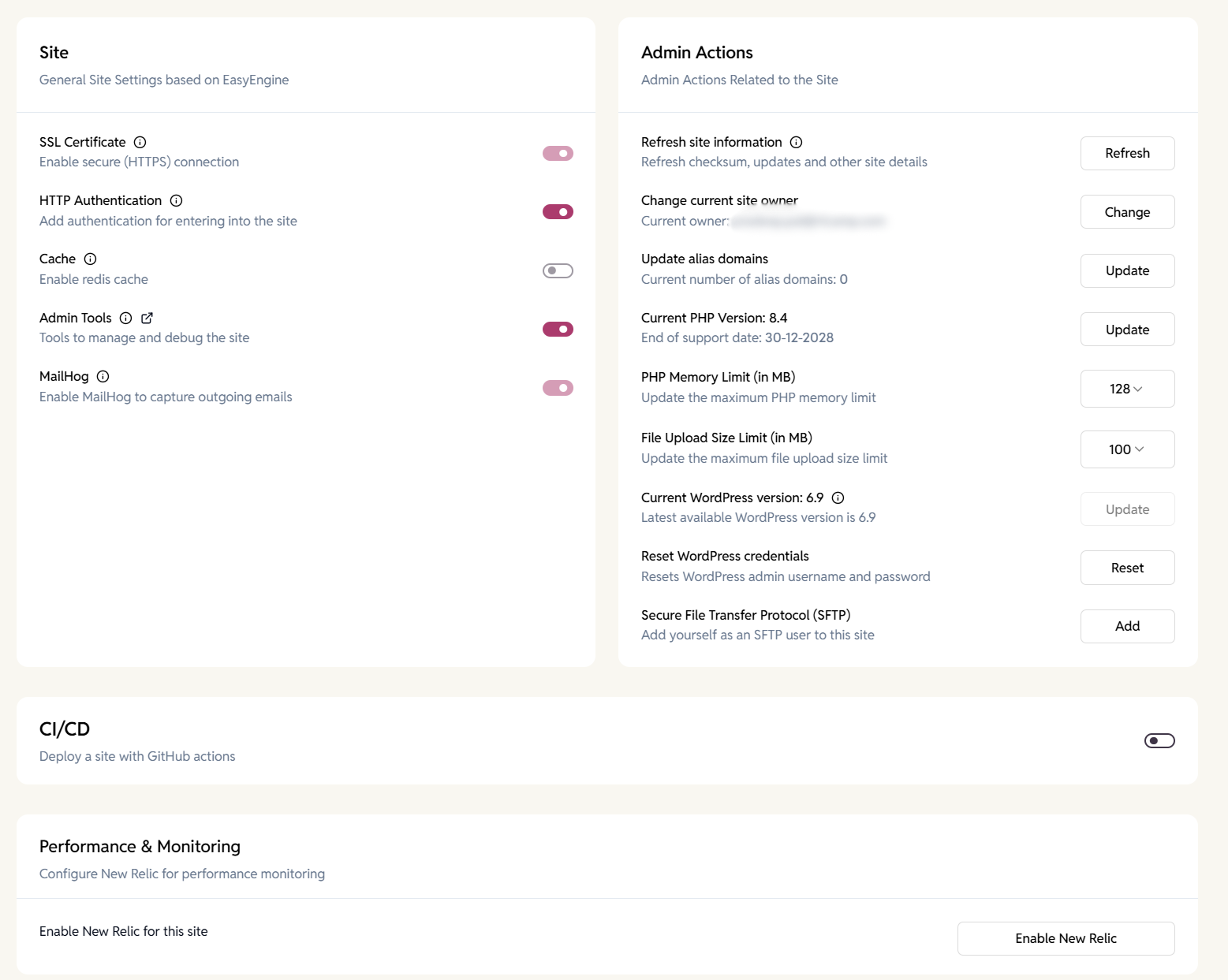
Site Configuration & Admin Controls
Manage site-level settings and operations.
Enable or disable services, update limits, and perform administrative actions safely from a single interface.
- Toggle SSL, cache, HTTP auth, and admin tools.
- Update PHP version, memory limits, and upload size.
- Reset WordPress credentials instantly.
- Add SFTP access without manual setup.
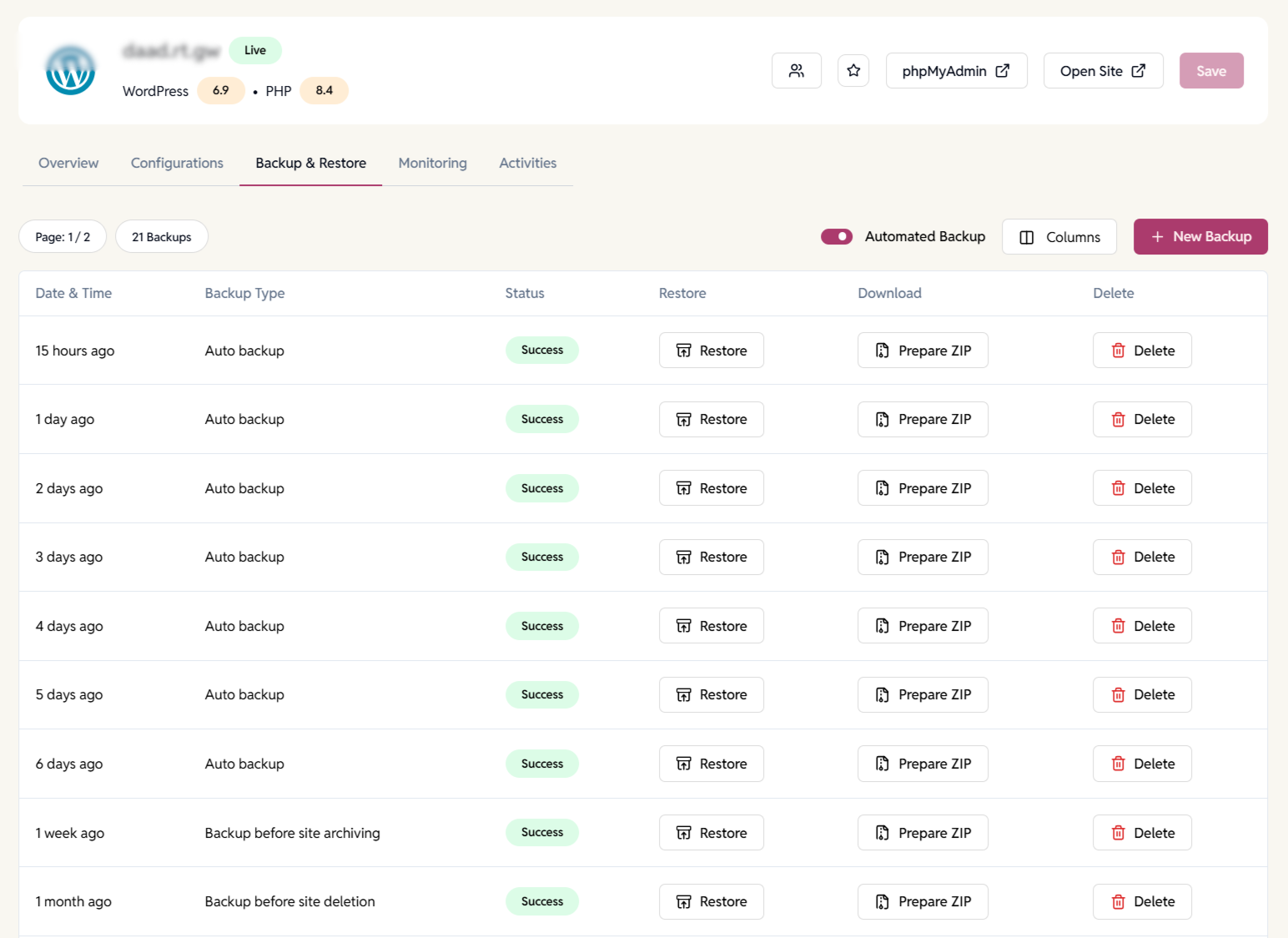
Automated Backups & Restore
Create, manage, restore, or download backups directly from the dashboard to ensure data safety.
- Automated and manual backups supported.
- One-click restore to any backup point.
- Download backups as ZIP files.
- Backup before site deletion or archiving.
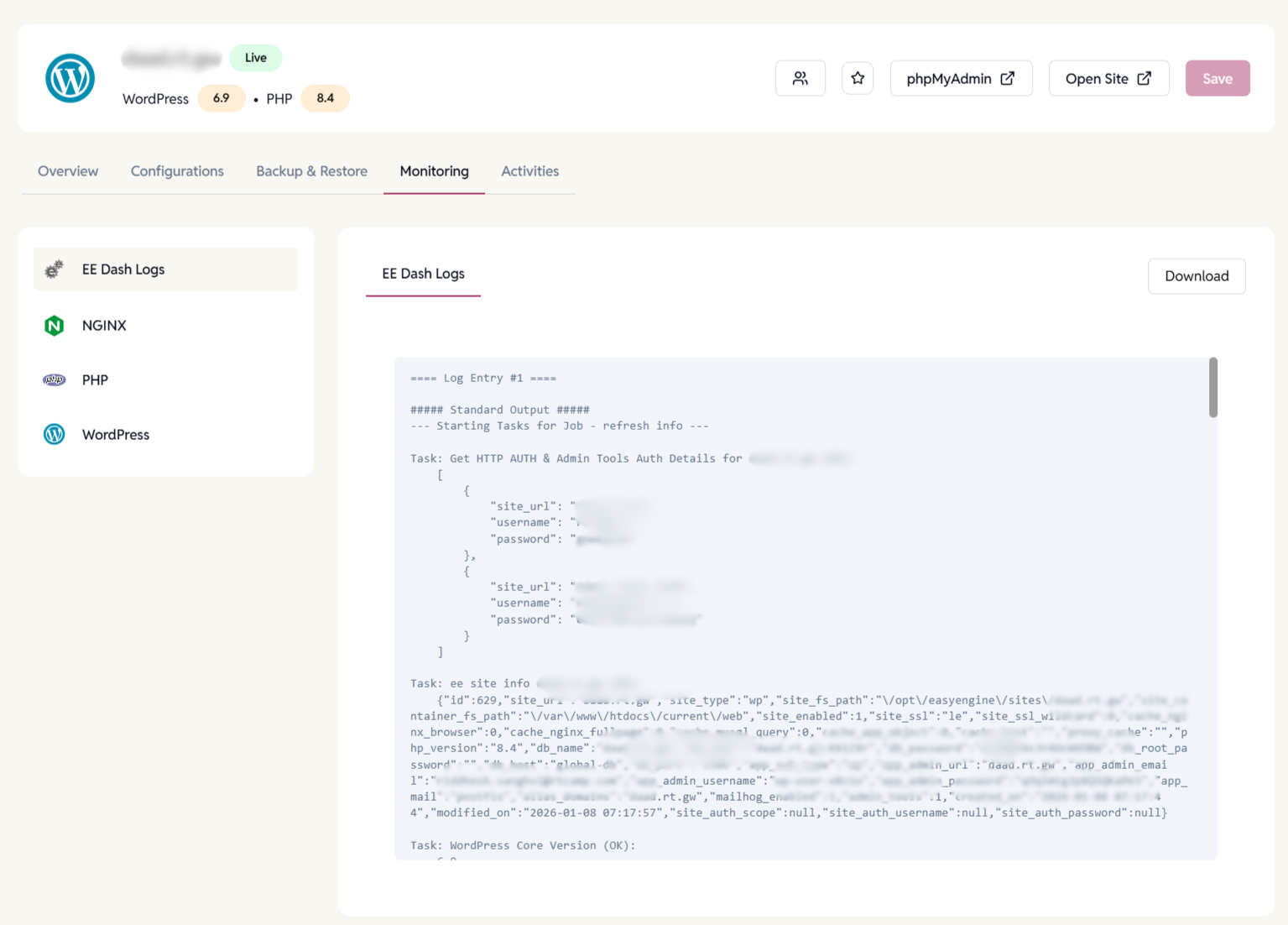
Site Logs
View EasyEngine, NGINX, PHP, and WordPress logs in one place to diagnose issues, verify actions, and troubleshoot site behavior.
- Centralized access to all critical site logs.
- Clear separation between platform, server, and application logs.
- Download logs for deeper analysis or support sharing.
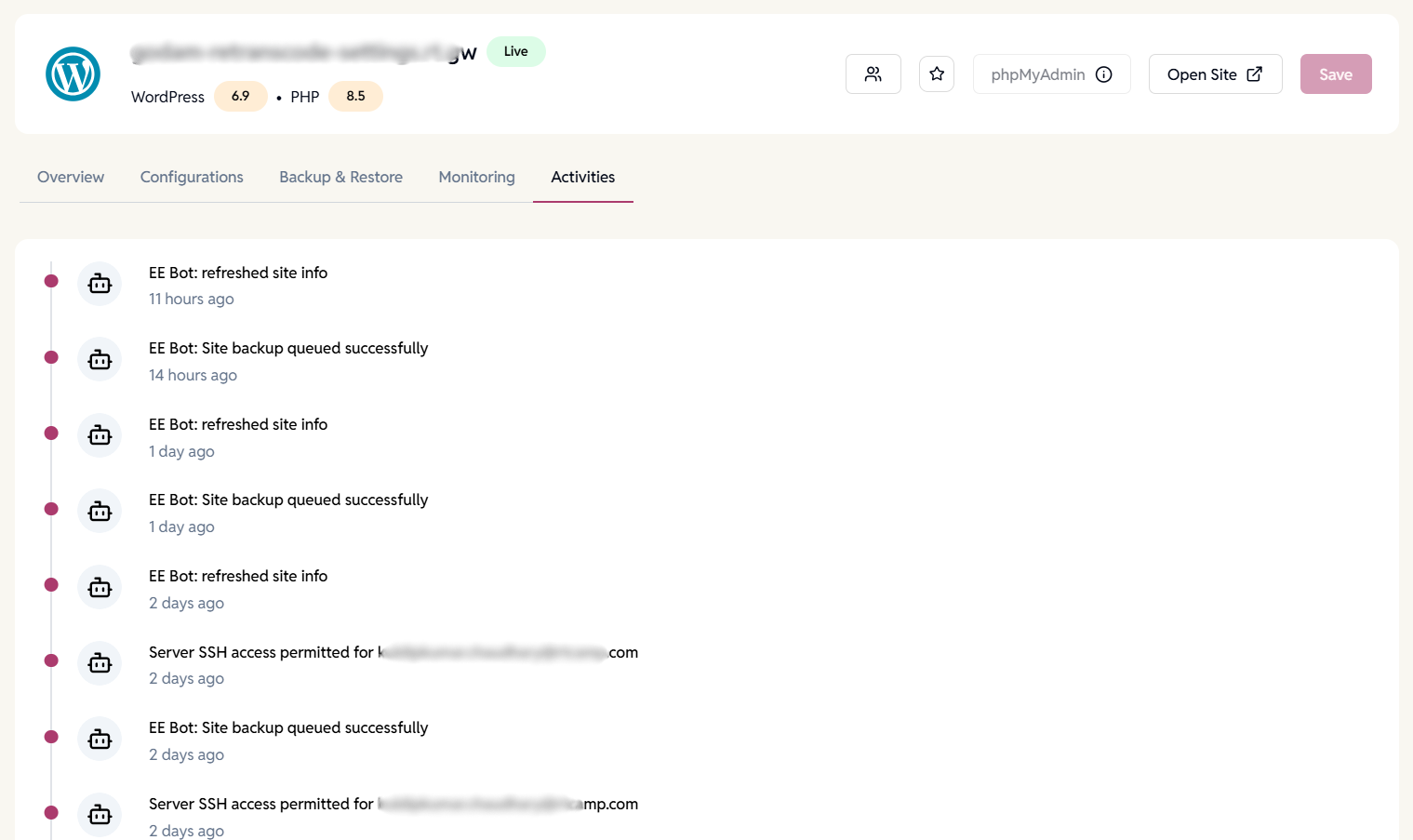
Site Activity Timeline
Get a chronological history of automated tasks and user-triggered actions to understand what changed, when, and why.
- Logs site updates, backups, refresh actions, and access changes.
- Identifies system-initiated vs user-initiated events.
- Helps with audits, troubleshooting, and accountability.
- Especially useful for teams managing multiple WordPress sites.
Want to learn more about multi-WordPress site management?
Create, configure, and manage EasyEngine and WP Cloud WordPress sites from a single dashboard.
FAQ
Have more questions?
Yes, all three types are supported.
No, defaults are auto-configured.
It’s a one-click toggle during site creation.