Built for Speed — Right Out of the Box
Caching, Compression, and Scaling with Zero Tuning.
Key Highlights
NGINX by Default
Battle-tested, high-performance server for static and dynamic content.
Redis & OPcache Enabled
One-click activation of object and opcode caching per site.
Smart Stack Defaults
Automatic gzip, caching headers, and pre-tuned configs.
How it works
1
Toggle Cache Types
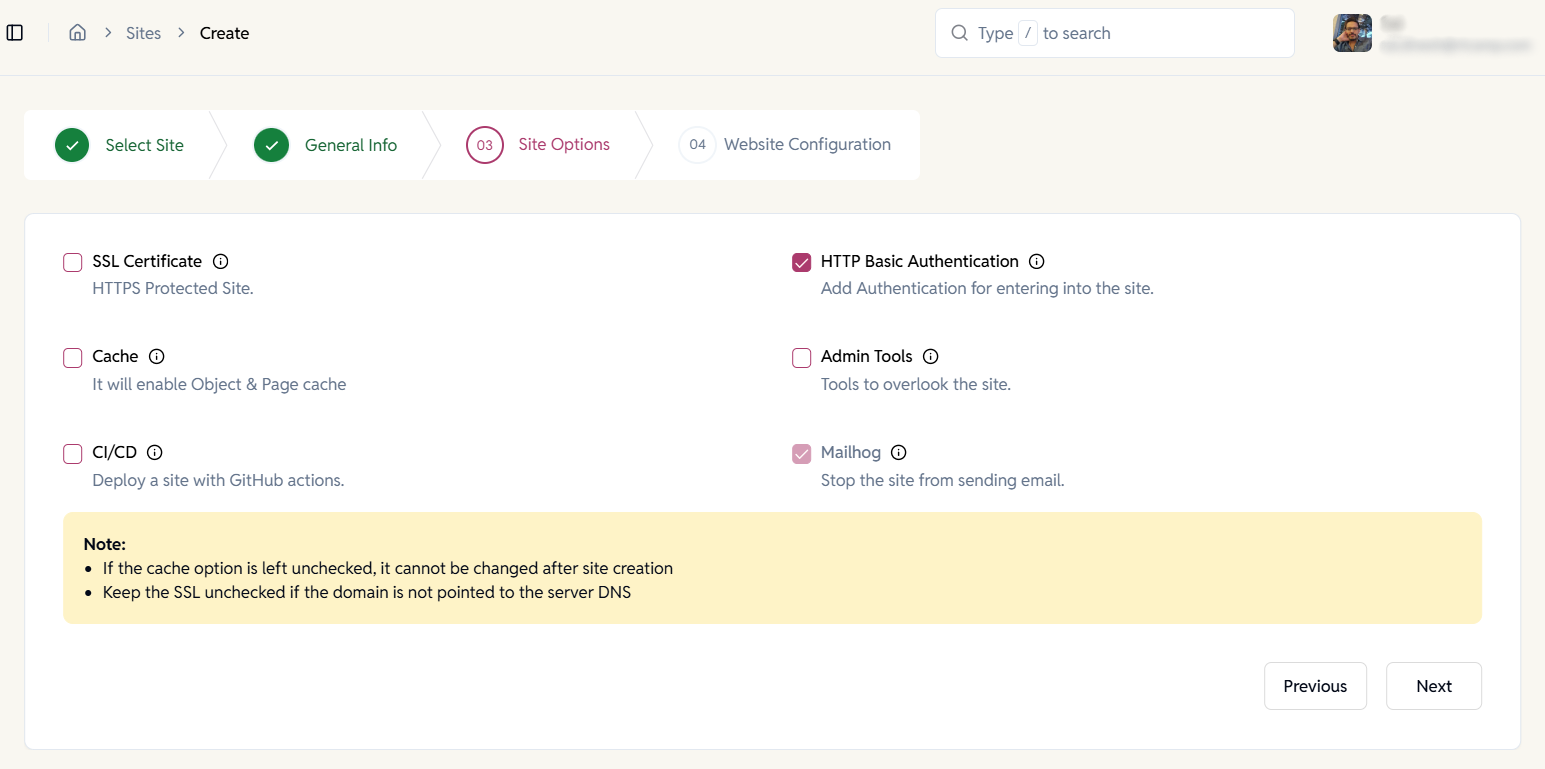
During Create Site, Turn Redis/OPCache on.
EasyEngine handles the default speed optimizations.
2
Watch It Fly
Your pages load faster without touching a config file. Fine-tune later if needed.
EE Site-Level Performance Controls
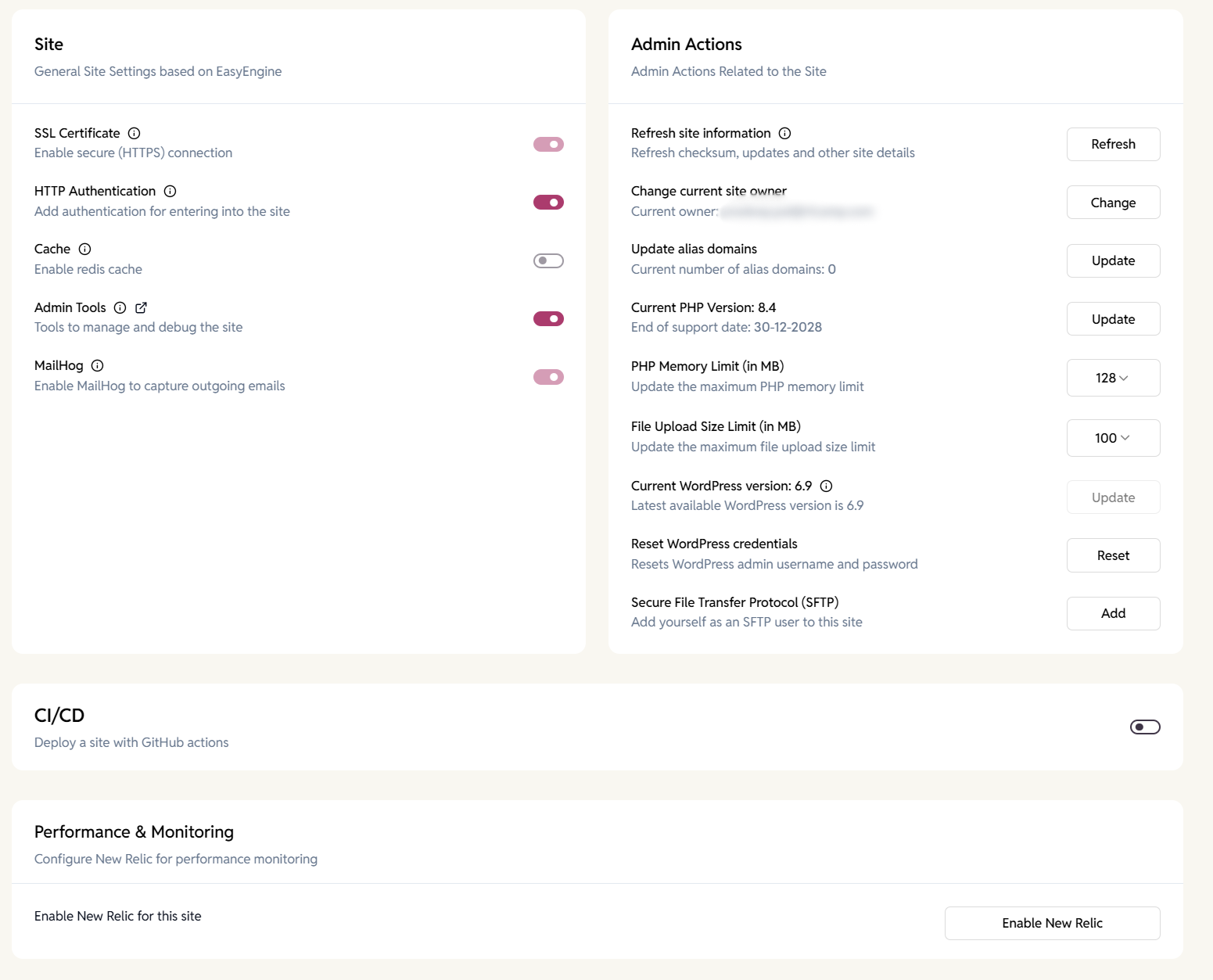
Enable and manage performance features per site. Toggle caching, admin tools, and debugging utilities without touching server configuration files.
- Enable Redis-based caching for faster page loads.
- Control authentication for protected environments.
EE WordPress Site Speed & Caching Controls
Optimize performance at the site level.
Fine-tune caching, PHP execution, and performance tools directly on your site to deliver consistently fast WordPress experiences.
- Enable Redis object cache for faster load times.
- Monitor OPcache status, memory usage, and hit rates in real time via admin tools.
- Adjust PHP memory limits, file upload sizes, and execution settings.
- Integrate New Relic for in-depth performance monitoring and insights.
WP Cloud WordPress Site Speed & Caching Controls
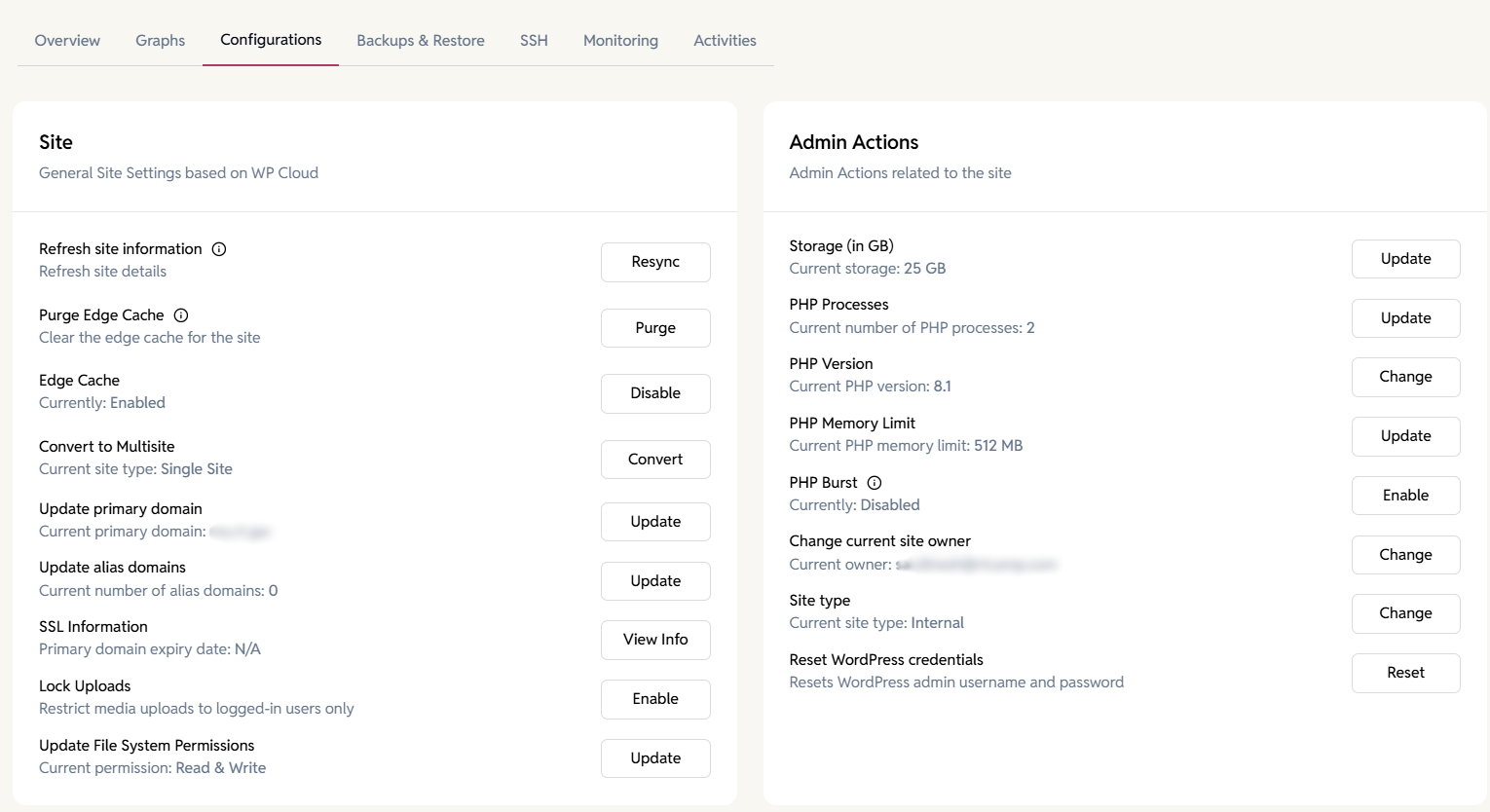
Manage edge caching and performance resources from one place to keep your WordPress site responsive—even during traffic spikes and content updates.
- Purge global edge cache instantly to reflect changes in real time.
- Enable or disable edge caching per site.
- Scale PHP processes and memory limits for high-traffic workloads.
- Enable PHP Burst to handle sudden traffic surges without slowdowns.
- Switch PHP versions to optimize compatibility and performance.
FAQ
Have more questions?
Not necessarily — Redis and OPcache cover server-level caching.
Yes, the stack includes it pre-configured. You can also access it via admin tools.