From GitHub to Live in Seconds—Without Touching a Terminal
Simplify development with CI/CD, SSH keys, and access to everything from your dashboard.
Key Highlights
CI/CD with GitHub
Connect repos, auto-deploy main/dev branches, enable multi-branch.
SSH Key Control per Site
Add keys manually or fetch directly from GitHub.
phpMyAdmin + Admin Tools
Enable cache, WordPress auth, and database login.
Switch PHP Versions Anytime
Support for PHP 8.1 through 8.4—toggle per site.
How it works
1
Link GitHub or Add Key
Pull keys from GitHub or manually add SSH.
2
Configure Branch Rules
Set auto-deploy on push or branch updates.
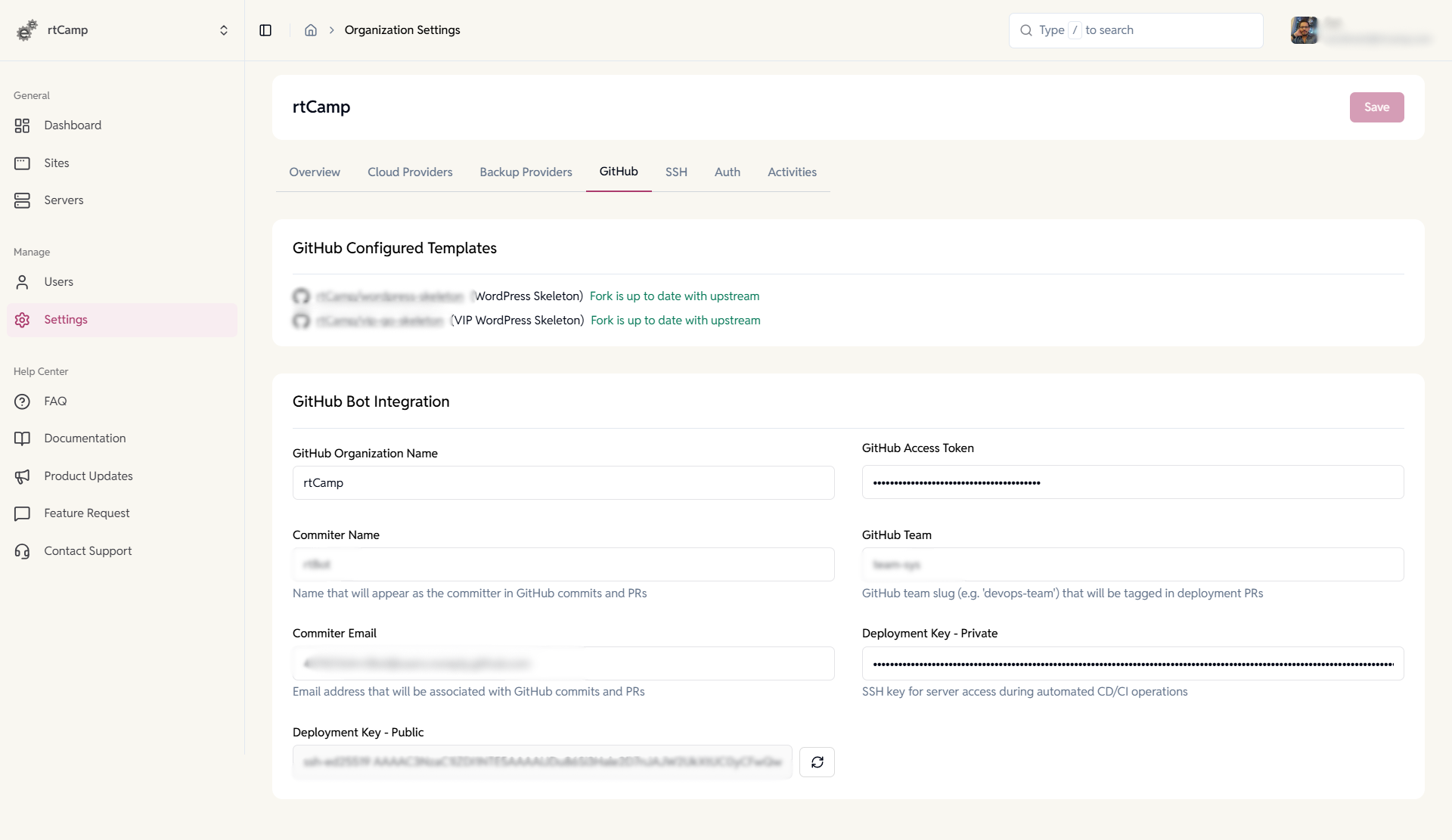
GitHub Integration
Connect repositories to your infrastructure. Link your GitHub organization to enable automated deployments.
- Configure bot access and teams.
- Manage deployment keys.

Organization SSH Keys
Add and maintain SSH keys at the organization level to automatically grant access to every new server you provision.
- Apply keys to all new servers by default.
- Edit or revoke access centrally.
- Track key ownership with comments.
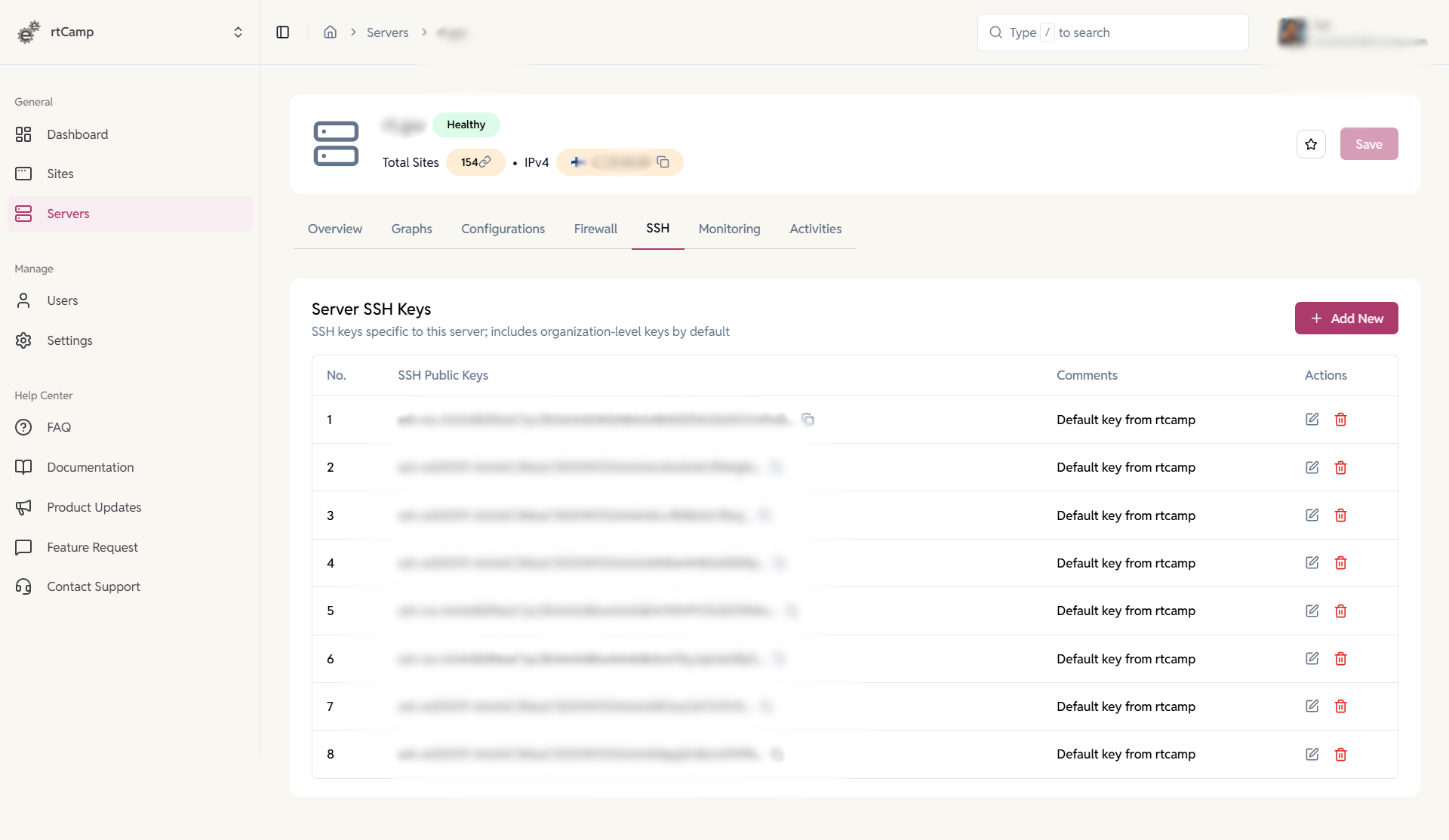
Server SSH Keys
Control server-specific access.
Manage SSH keys that apply only to a single server while inheriting organization-level keys.
- Add or remove keys per server.
- Combine org and server access.
- Maintain least-privilege access.
SSH & SFTP Access Management
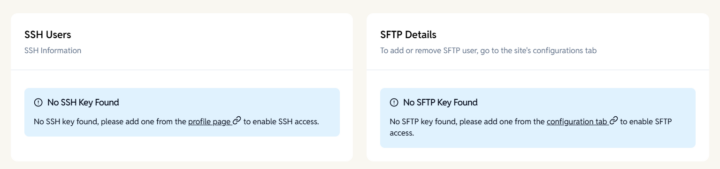
Secure access across EasyEngine and WP Cloud and sites.
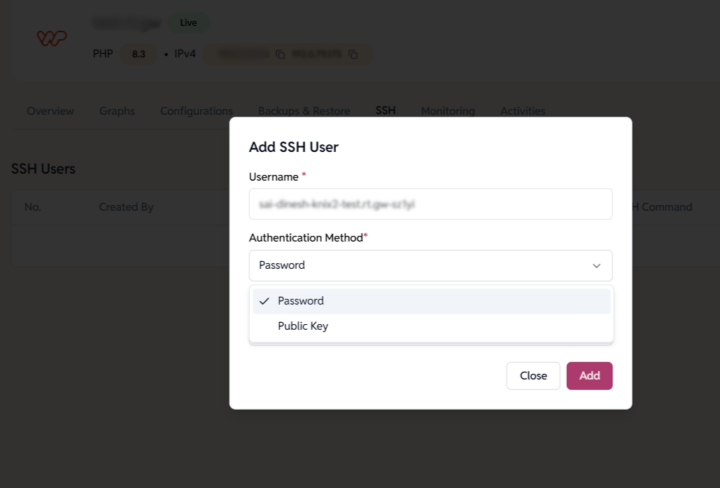
Create site users and manage personal SSH keys to control who can connect, deploy, and transfer files.
- Add SSH & SFTP users per site.
- Support password and key-based login.
- Manage personal keys or import from GitHub.
- Revoke access instantly.
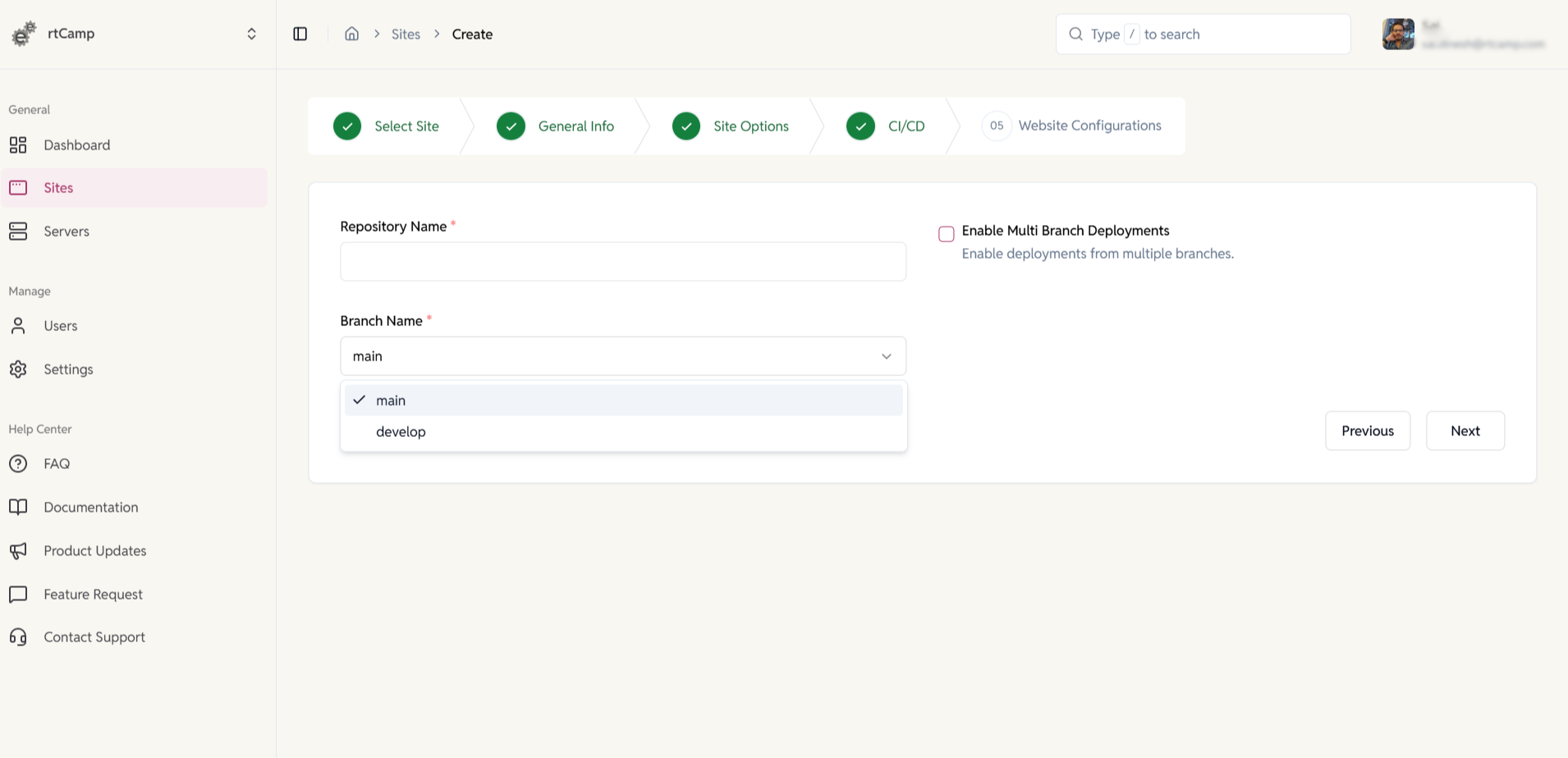
CI/CD & Multi-Branch Deployments
Set up GitHub deployments during site creation and deploy from multiple branches.
- Connect your repository during setup.
- Select deployment branches per site.
Admin Tools
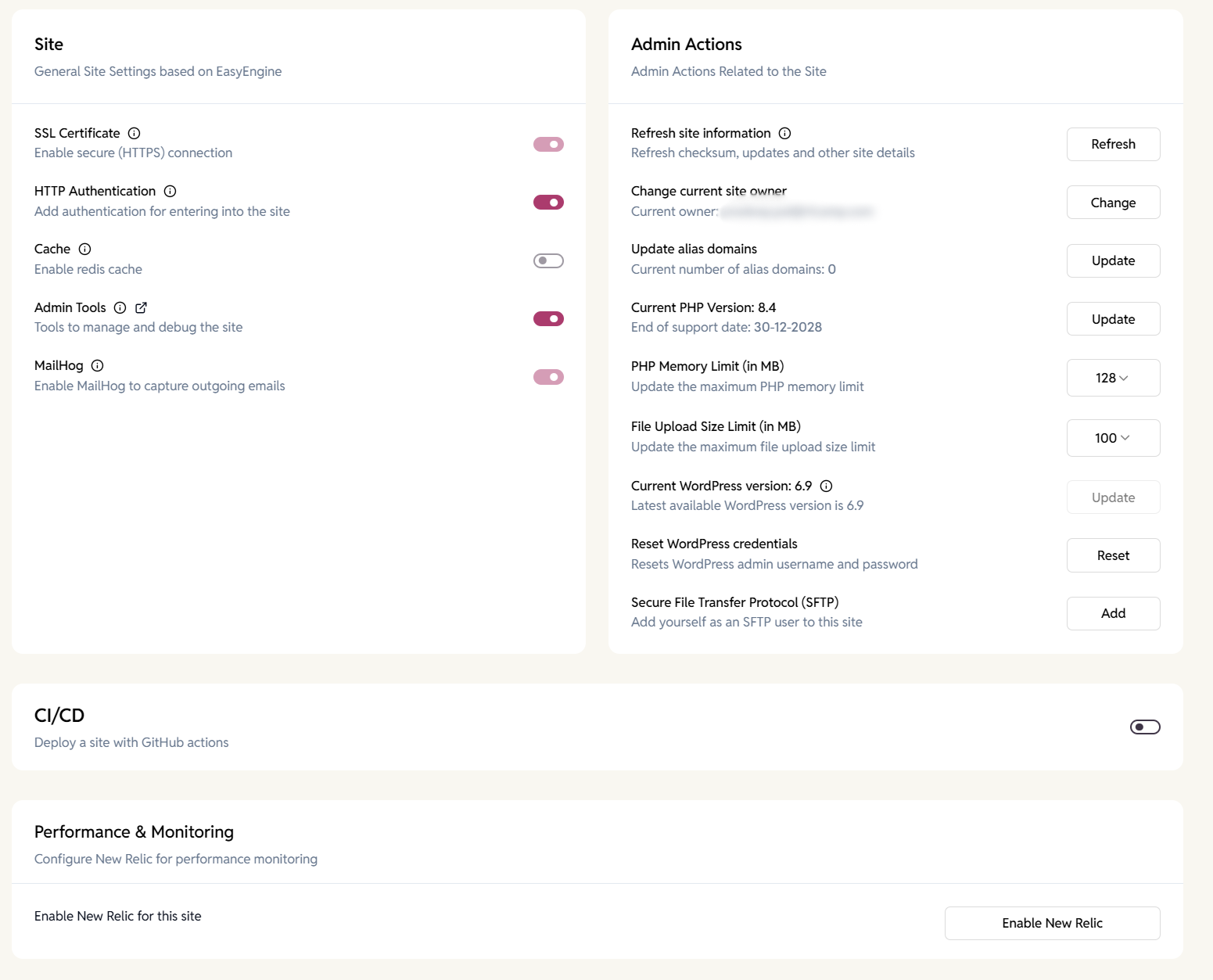
Perform site-level management and debugging.
Access built-in tools to manage, test, and optimize WordPress sites across WP Cloud and EasyEngine.
- Reset WordPress credentials.
- Manage PHP settings and file limits.
- Access phpMyAdmin for database management.
- Monitor OPcache and clear caches.
- Capture emails with MailHog.
- Enable New Relic performance monitoring.
FAQ
Have more questions?
Yes, GitHub repo-based deployments are supported.
Yes, it can be enabled per site.
Yes, it’s adjustable anytime.