Your Sites. Always Backed Up. Always Restorable.
Connect your storage and enable daily or manual backups for full peace of mind.
Key Highlights
S3-Compatible Storage
Use AWS S3 or any S3 provider of your choice.
Daily Auto-Backups
Configure per site—and toggle anytime.
1-Click Restore
Revert instantly with full meta info.
Download Backups
One click export your backups easily.
How it works
1
Connect S3 Provider
Add your bucket credentials in dashboard.
2
Toggle Auto or Manual
Schedule daily jobs or trigger backups manually.
3
Restore When Needed
Select version → Click Restore → You’re done.
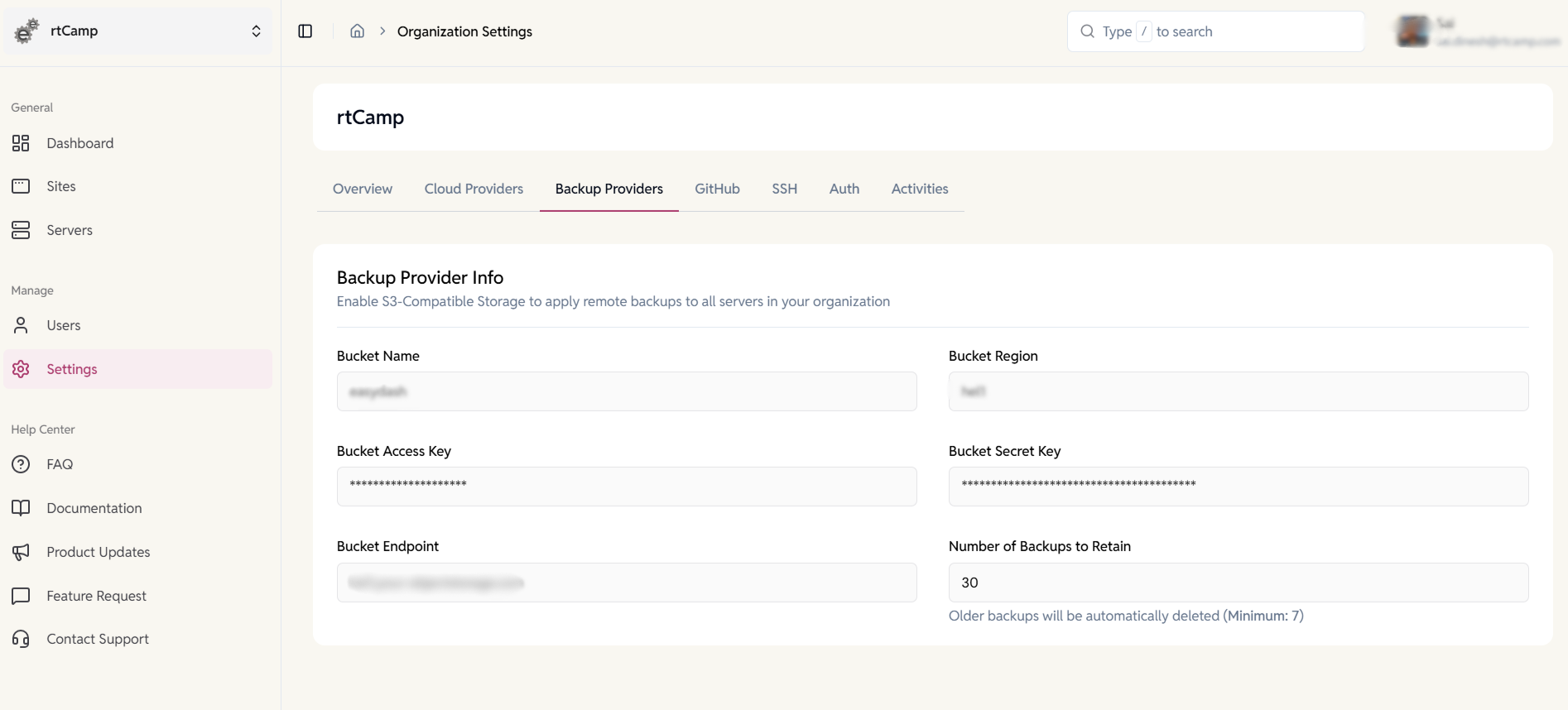
Organization-Level Remote Backup Storage
Secure your backups beyond your servers.
- Connect S3-compatible object storage for off-site backup retention
- Apply backup storage settings across all servers in your organization
- Control how many backups are retained.
- Protect against data loss with separate storage.
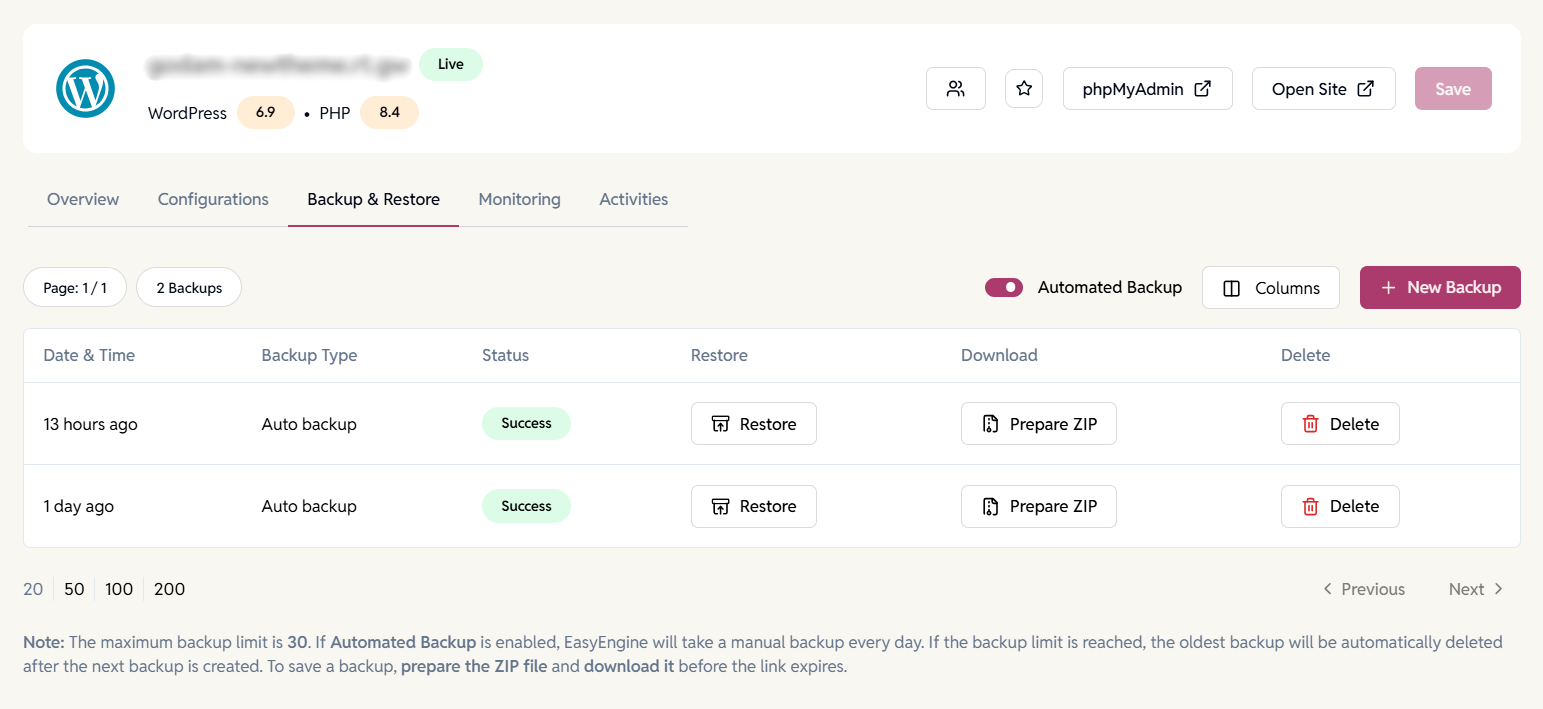
Automated Backups—Always-On Protection
- Enable daily automated backups for consistent data protection.
- Track backup status and success in real time.
- Automatically delete the oldest backups when limits are reached.
- Create manual backups anytime before major changes or deployments.
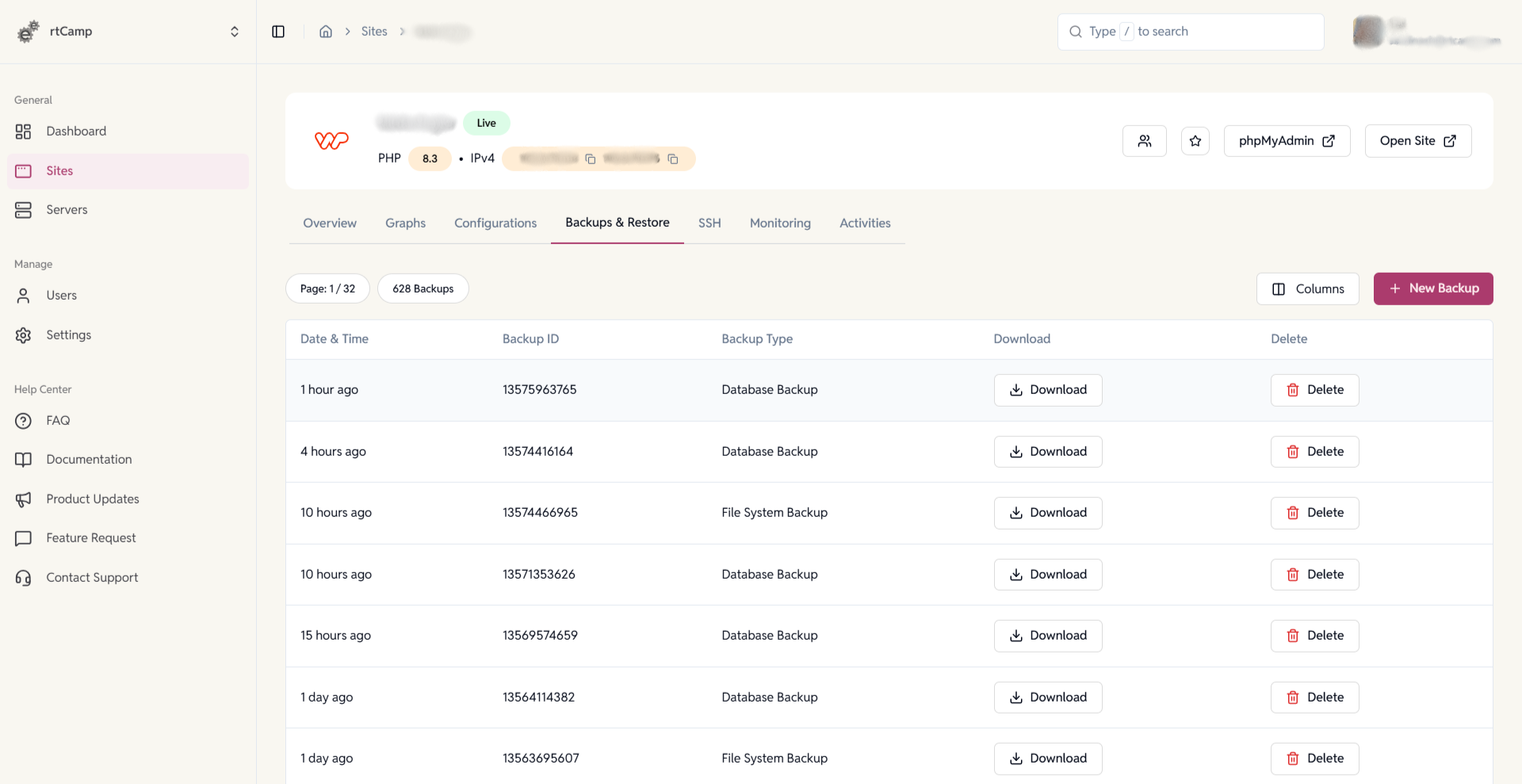
WP Cloud WordPress Site Backups
Full visibility and control over every backup.
- View all database and file system backups with timestamps and unique backup IDs.
- Download backups instantly.
FAQ
Have more questions?
Where are backups stored?
On your connected S3-compatible provider.
Can I download my backups?
Yes, all versions are downloadable.
Do you store backups too?
No—only your connected storage is used.