Provision or Import Servers in Seconds — No Manual Setup Needed
Whether you’re bringing your own VPS or launching a fresh one — EasyEngine does the heavy lifting.
Key Highlights
Bring Your Own Server
Import any Ubuntu server via SSH – works with any provider, including servers with EE CLI pre-installed.
Provision New Servers
Create new servers directly from dashboard on AWS, DigitalOcean, or Hetzner.
NGINX Web Stack
Preconfigured with NGINX, PHP, and caching tools – ready for WordPress and PHP sites.
Server Details at a Glance
View real-time server info, configure updates and monitor performance graphs.
How it works
1
Choose a Path
Import existing EE server or provision via cloud provider.
2
Add Server Info
Paste public key to authorize access and test connection
3
Start Managing
Server is live in the dashboard with cloud configuration info and controls.
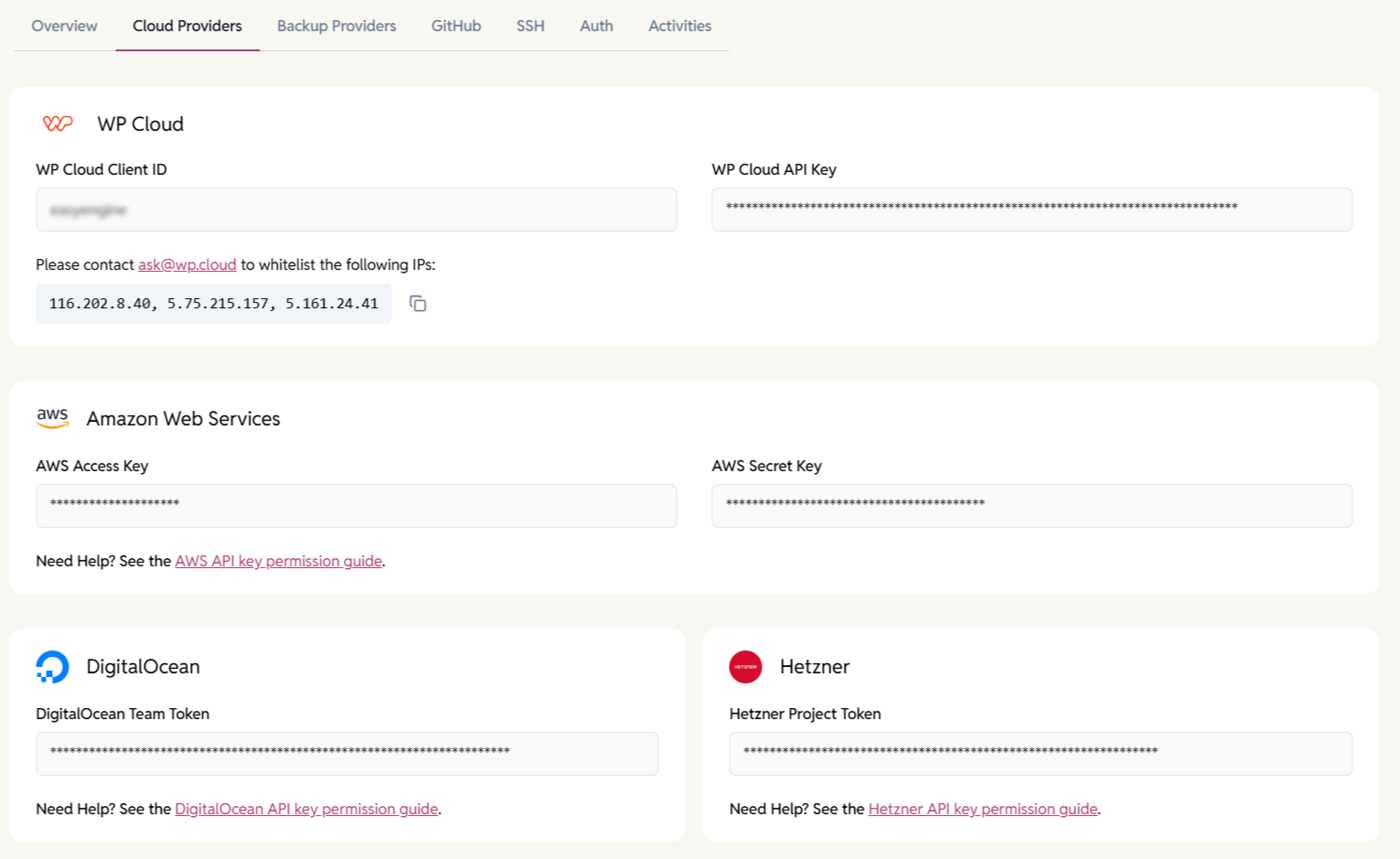
Add Cloud Provider Keys
Add API keys for AWS, DigitalOcean, or Hetzner to enable automated server provisioning and management directly from the dashboard.
- Credentials are encrypted.
- EasyEngine uses least-privilege access for cloud operations.
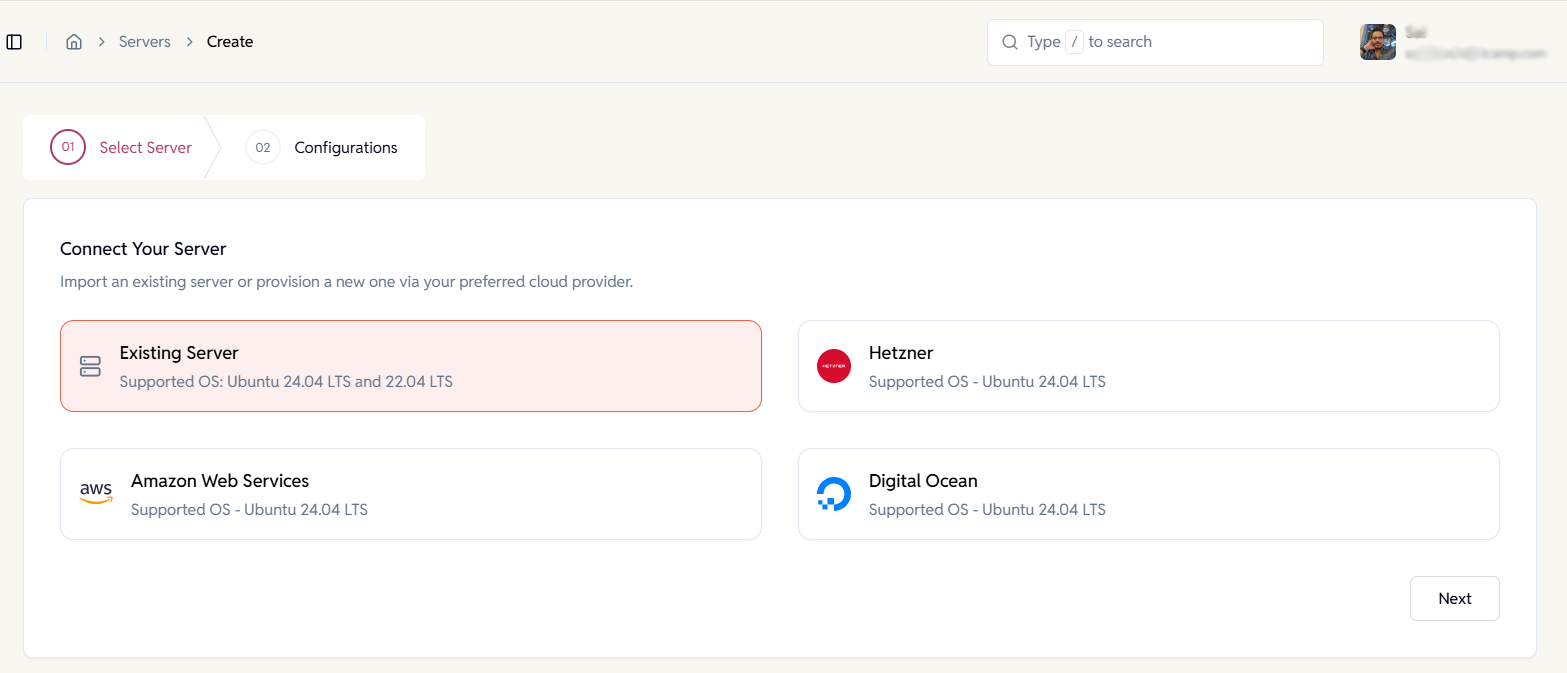
Choose How You Want to Add a Server
Import servers you already manage or launch new servers directly from supported cloud providers with guided setup.
- Import existing servers with EasyEngine pre-installed.
- Provision new servers without leaving the dashboard.
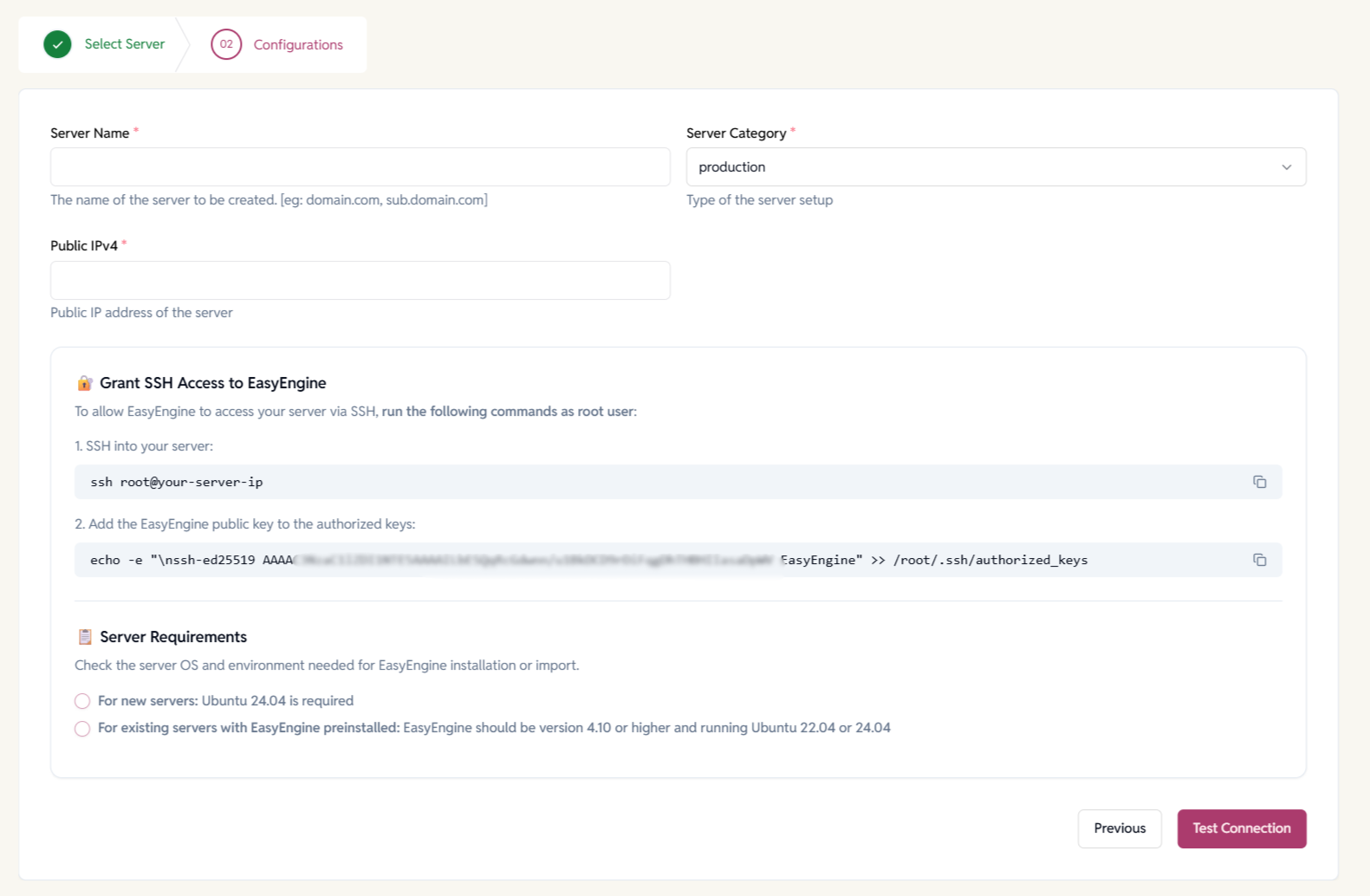
Configure EasyEngine Server Details
Set server name, category, IP address, and grant SSH access so EasyEngine can securely manage the machine.
- Clear separation between production and staging servers.
- Version checks to prevent misconfiguration.
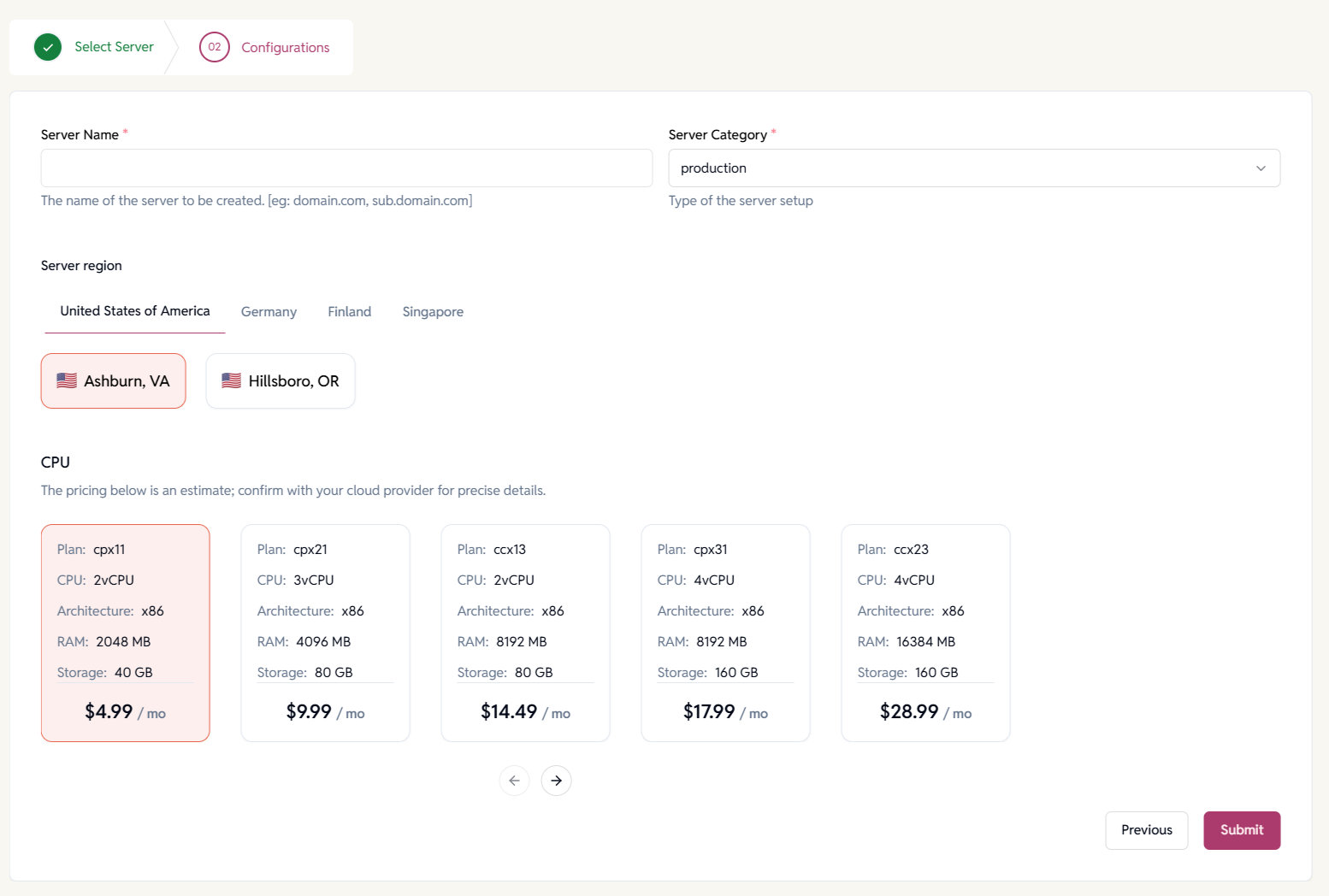
Select Region & Server Size for AWS, Hetzner or Digital Ocean
Pick server regions and plans based on CPU, RAM, and storage needs with transparent pricing estimates.
Centralized Servers Management
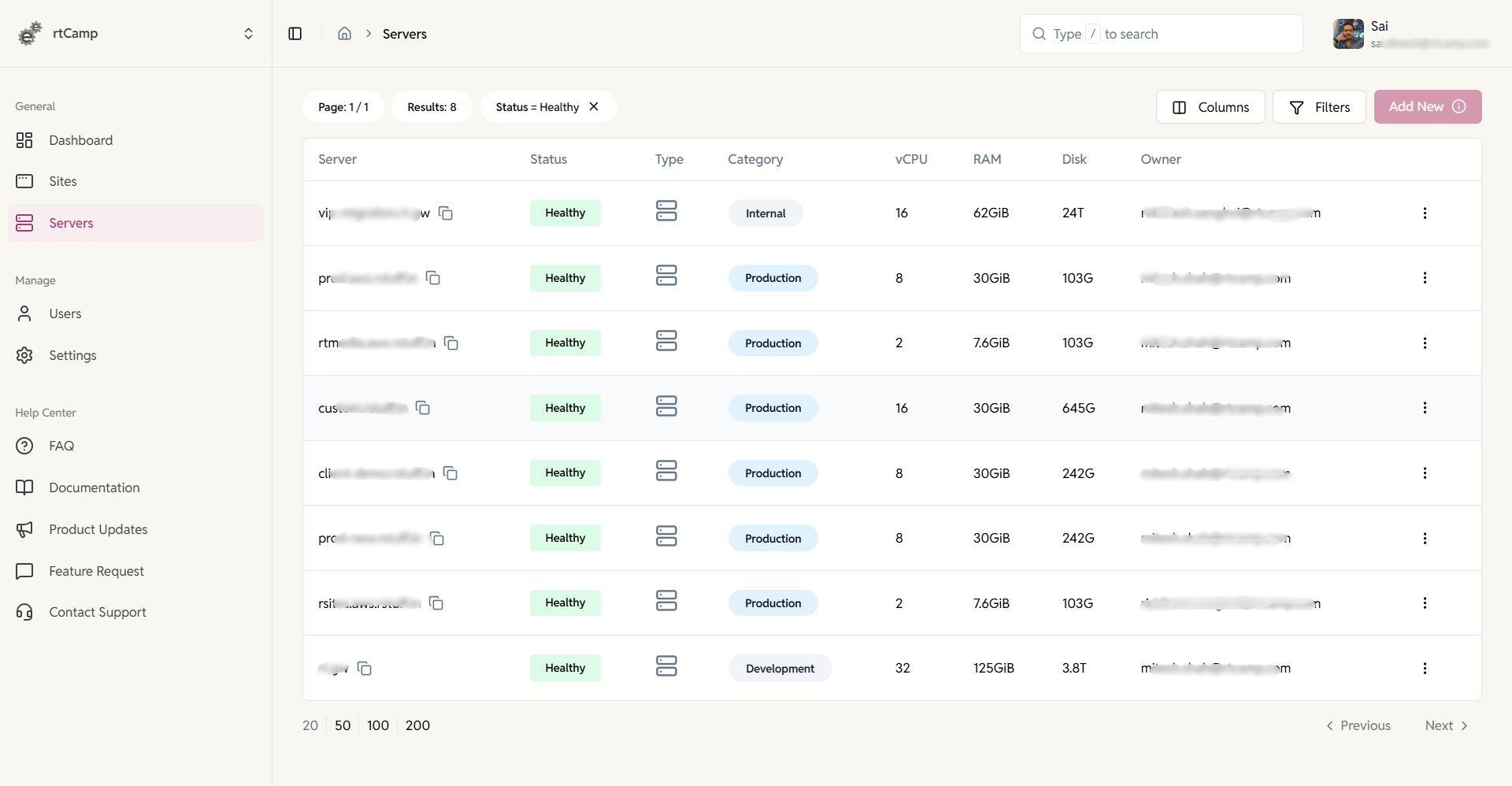
View and manage all servers in one place. Get a unified list of all servers with real-time health status, ownership, and resource info.
- Filter or search servers by status, type, owner category, etc.
- Switch between servers easily.
Server Overview & System Information
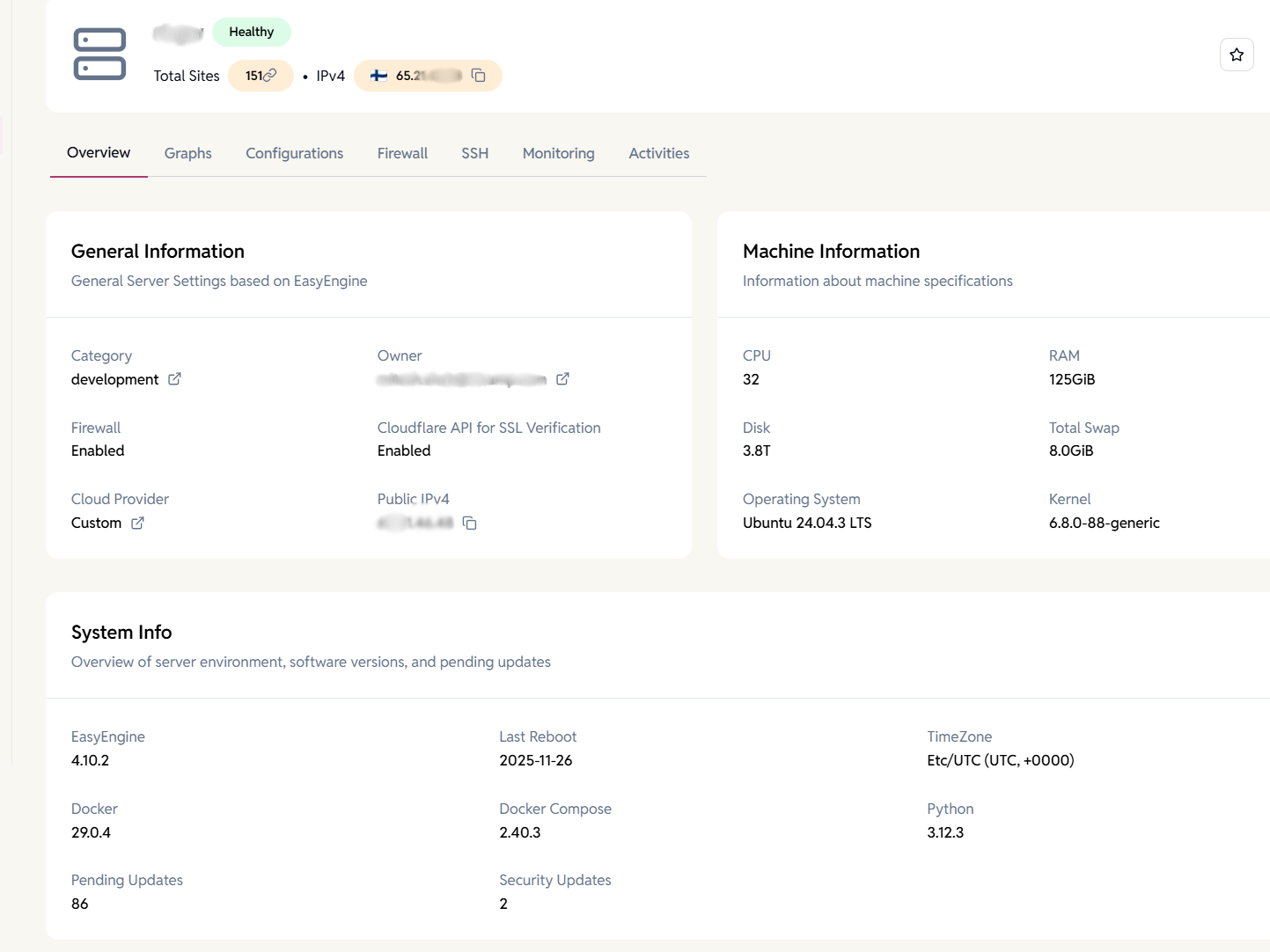
Get a complete snapshot of your server. View server health, IP, total sites, OS details, hardware specs, and installed software versions in one place.
- Know exactly what’s running on each server.
- Helps with audits and upgrades.
Track server performance at a glance
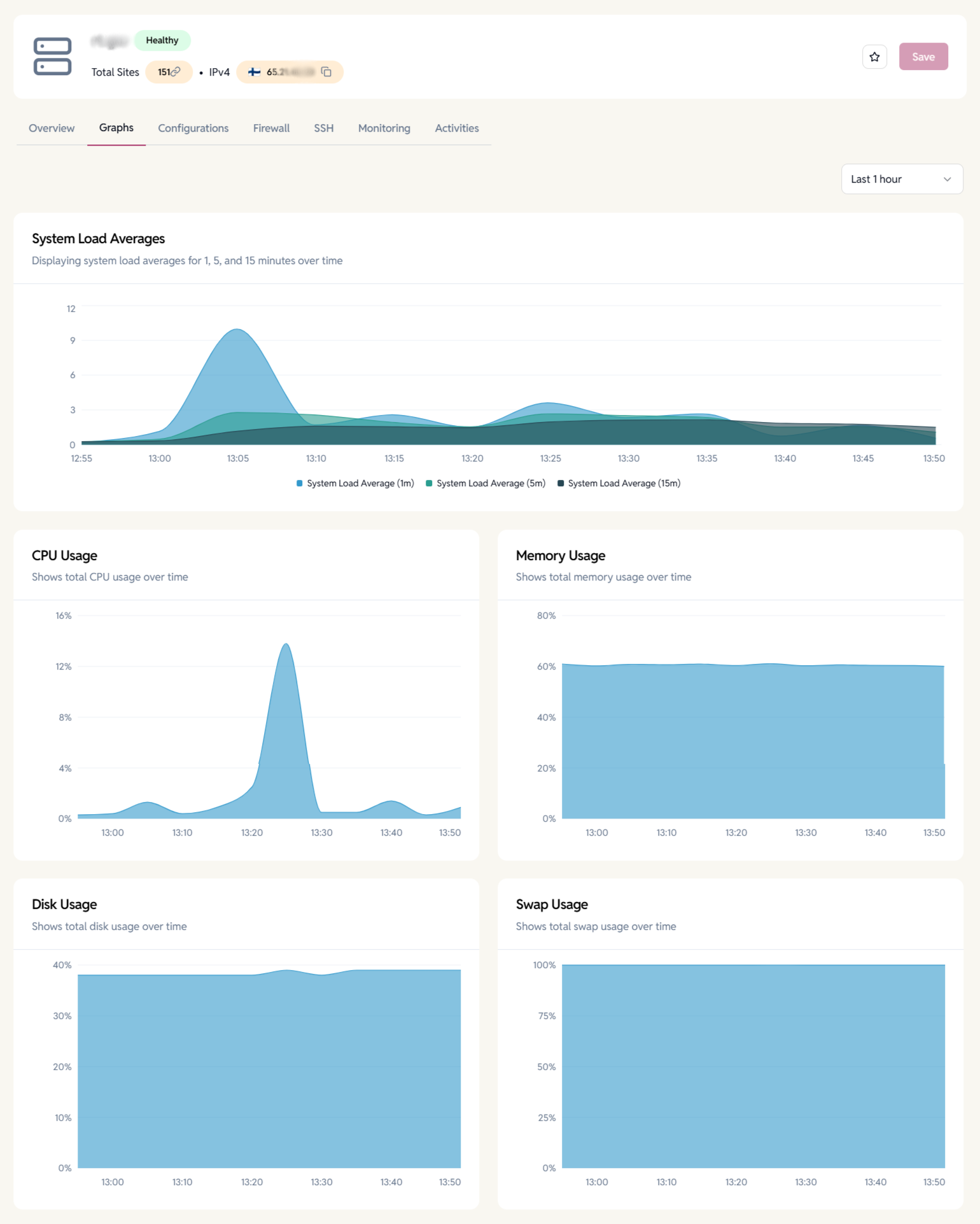
Visualize system load, CPU usage, memory, disk, and swap usage with interactive graphs.
- Quickly spot spikes and bottlenecks.
- Ideal for troubleshooting performance issues.
Advanced Server Configuration & Admin Actions
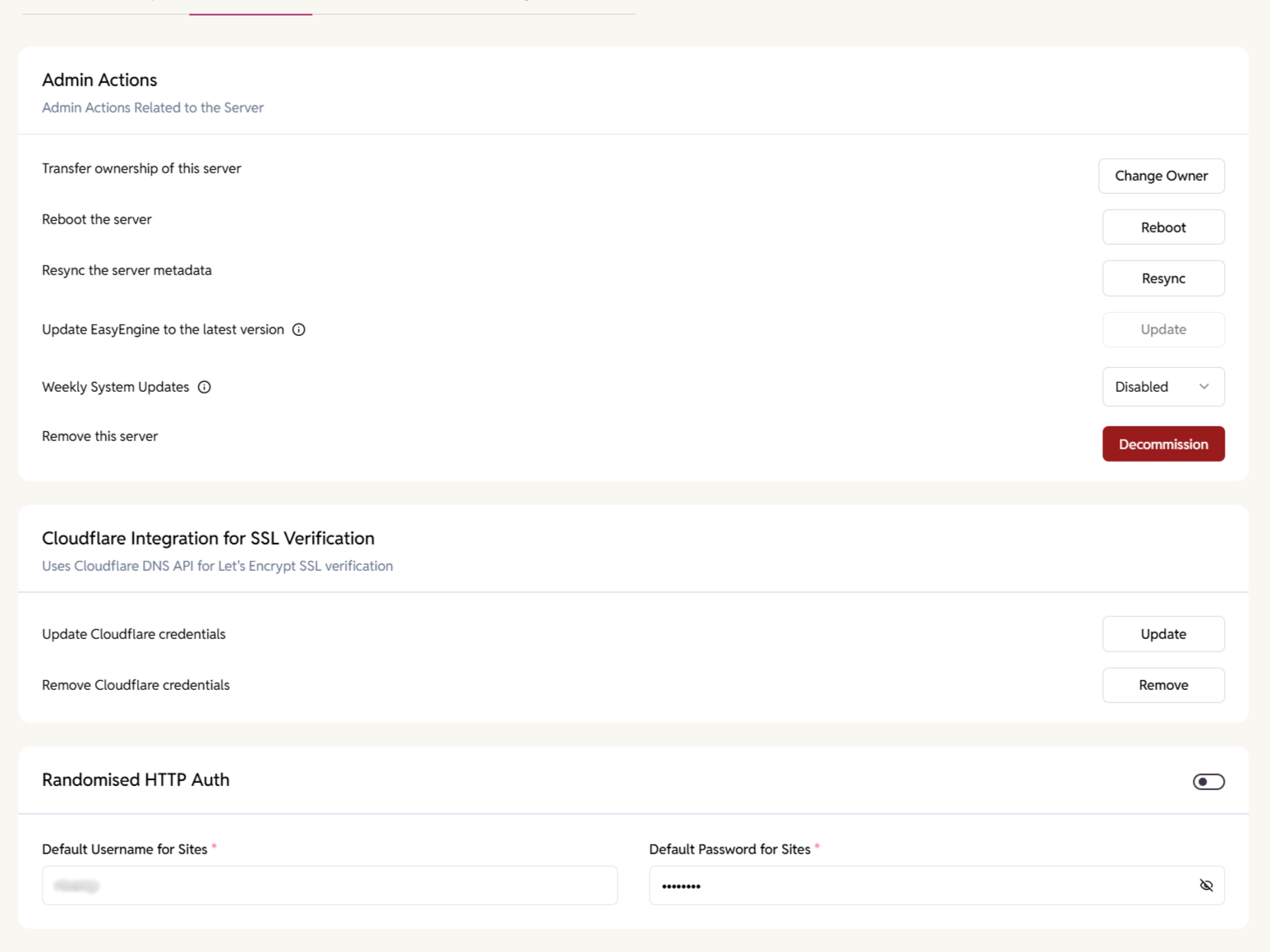
Perform critical server operations safely. Reboot servers, resync metadata, update EasyEngine, manage system updates, or decommission servers when needed.
- Controlled admin-only actions
- Full activity tracking for accountability
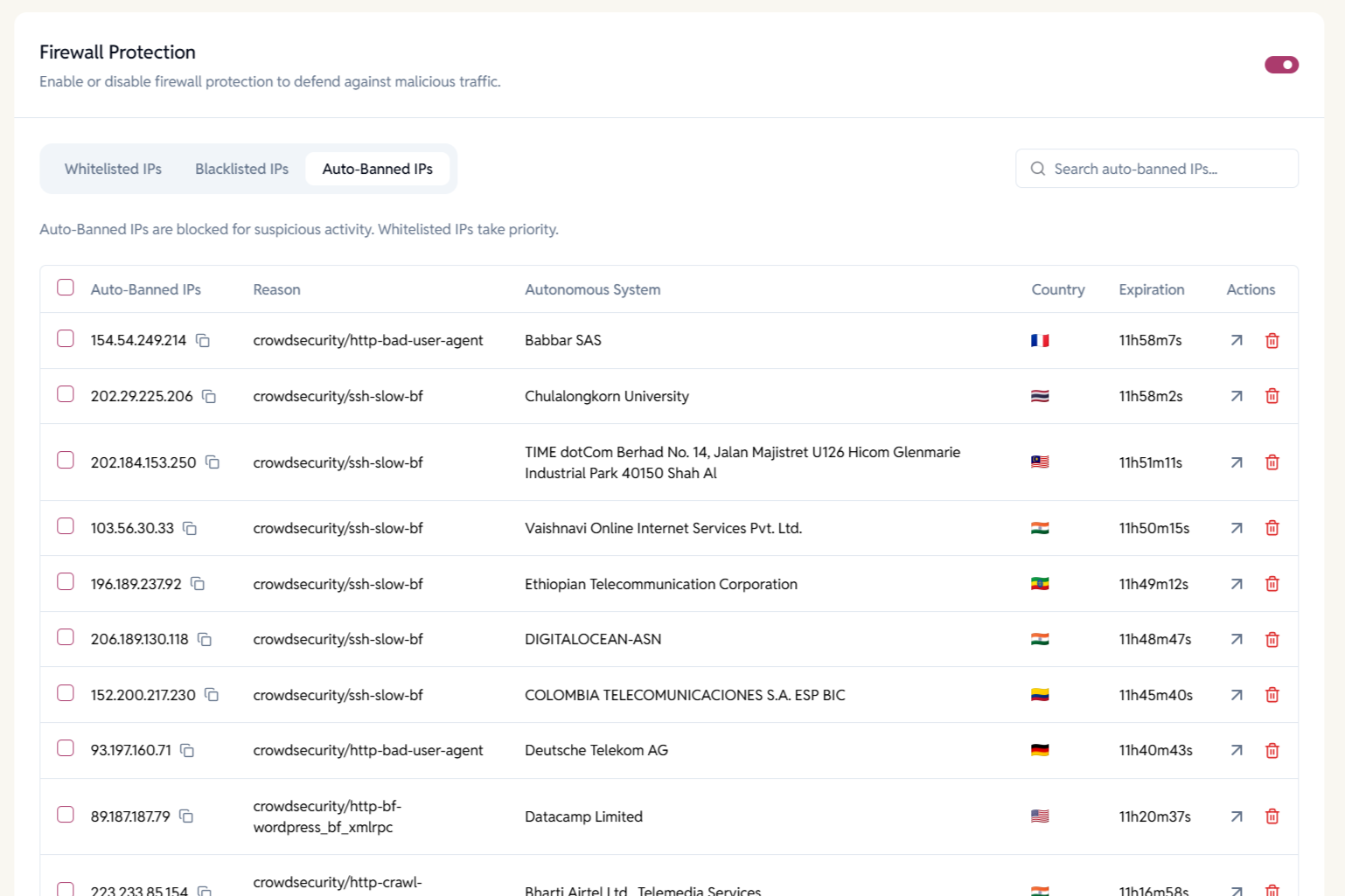
Firewall Protection
Protect servers from malicious traffic automatically. Enable firewall protection to block suspicious IPs and attacks detected by automated security systems.
- Auto-banned IPs based on threat patterns.
- Whitelists always take priority for trusted access.
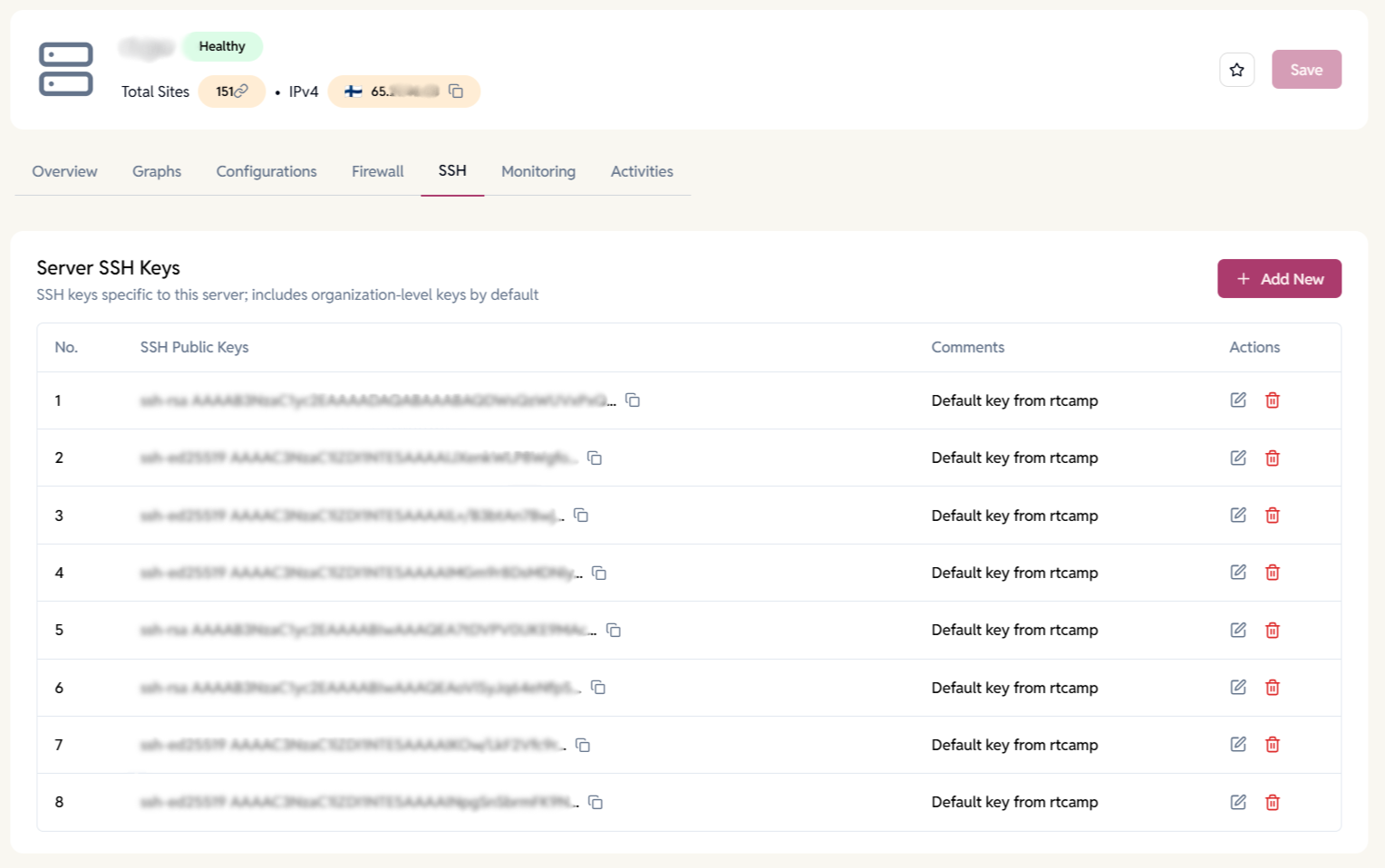
Server-Level SSH Key Management
Control who can access your servers. Manage SSH keys at the server level while automatically inheriting organization-wide keys for consistency.
- Add, edit, or revoke SSH access instantly.
- Improves security for teams and contractors.
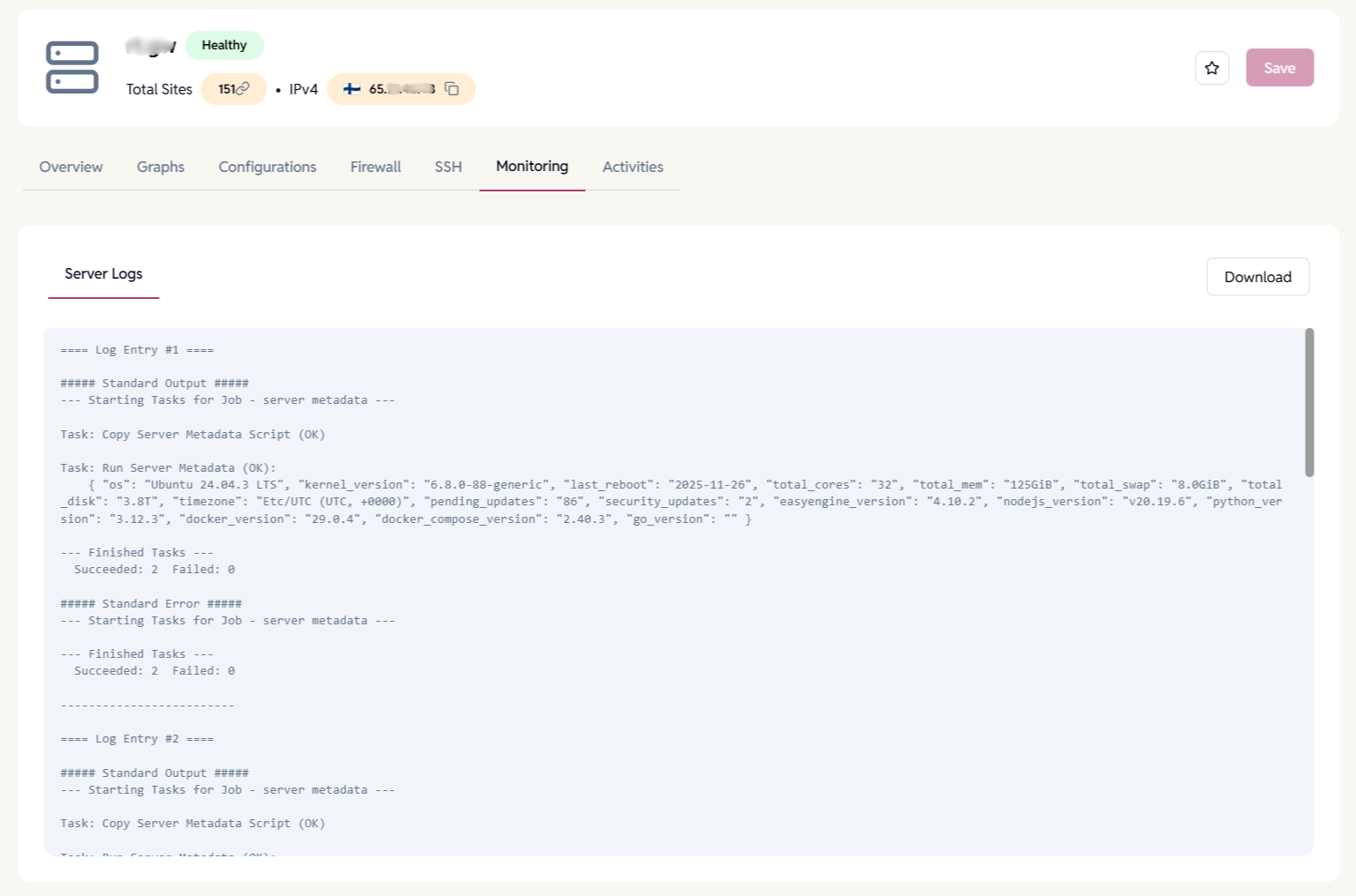
Server Logs
View system-generated logs for background jobs, metadata syncs, and tasks to quickly diagnose issues and verify actions.
- Clear separation of output and errors.
- Download logs for audits or debugging.
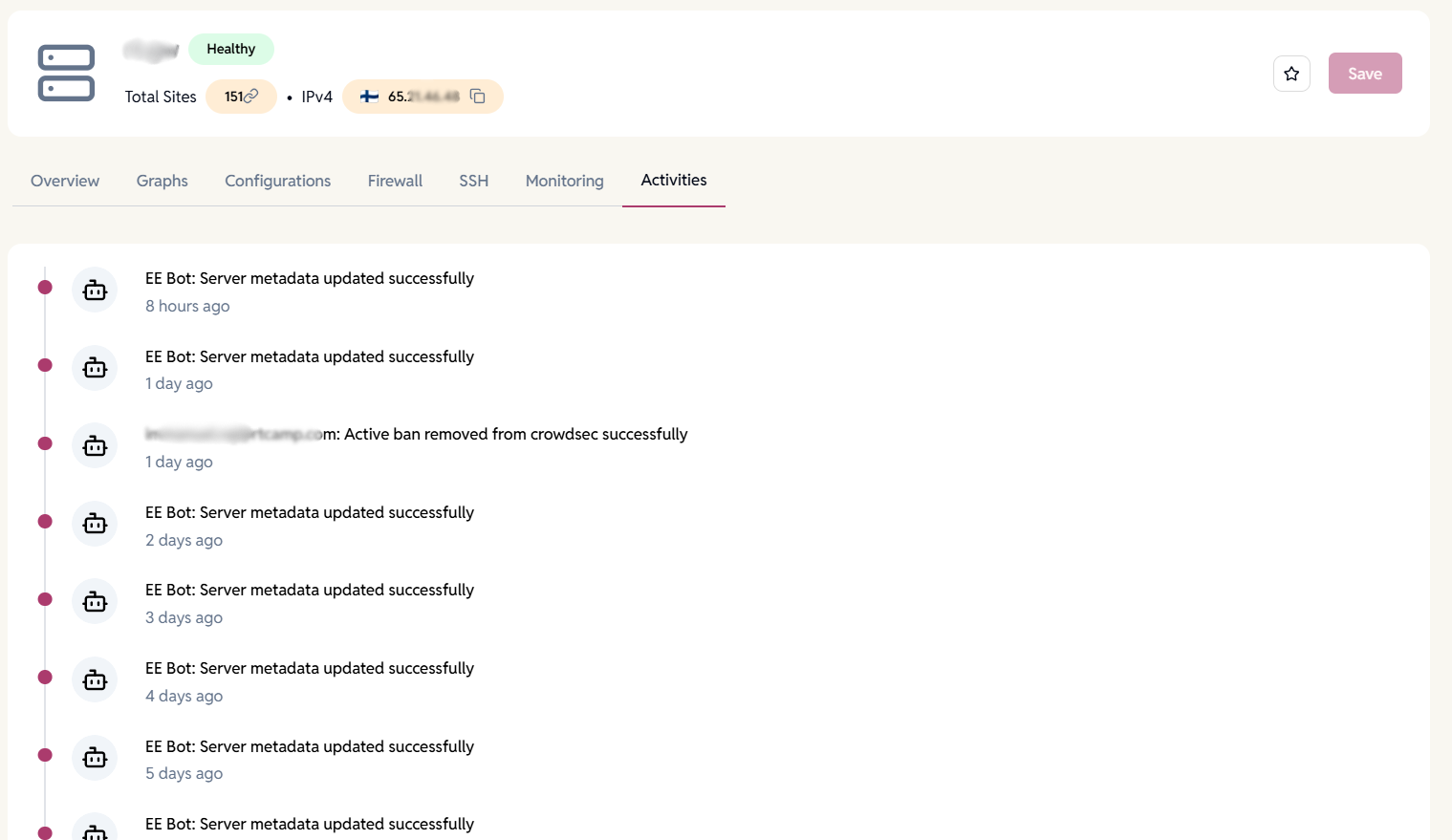
Server Activity Timeline
Get a chronological view of all server-related actions—automated tasks, security events, and user-triggered operations.
- See who or what performed each action and when.
- Ideal for troubleshooting, audits, and team accountability.
Want to learn more about how server management works?
Connect, configure, secure, and monitor servers with EasyEngine.
FAQ
Have more questions?
Yes, servers with EasyEngine pre-installed Or connect to a fresh server.
For new servers, we currently require Ubuntu 24.04.
You can add any Ubuntu server to EasyEngine Dashboard, no matter which cloud provider it’s hosted on (AWS, DigitalOcean, Hetzner, GCP, Azure, or others).
If you want to provision servers directly from the dashboard, we support AWS, DigitalOcean, and Hetzner setup out of the box.
This gives you flexibility — use your preferred cloud provider while still managing everything in one dashboard.
No, Setup is automated via the dashboard.
DigitalOcean, AWS, Hetzner and any Ubuntu Server